
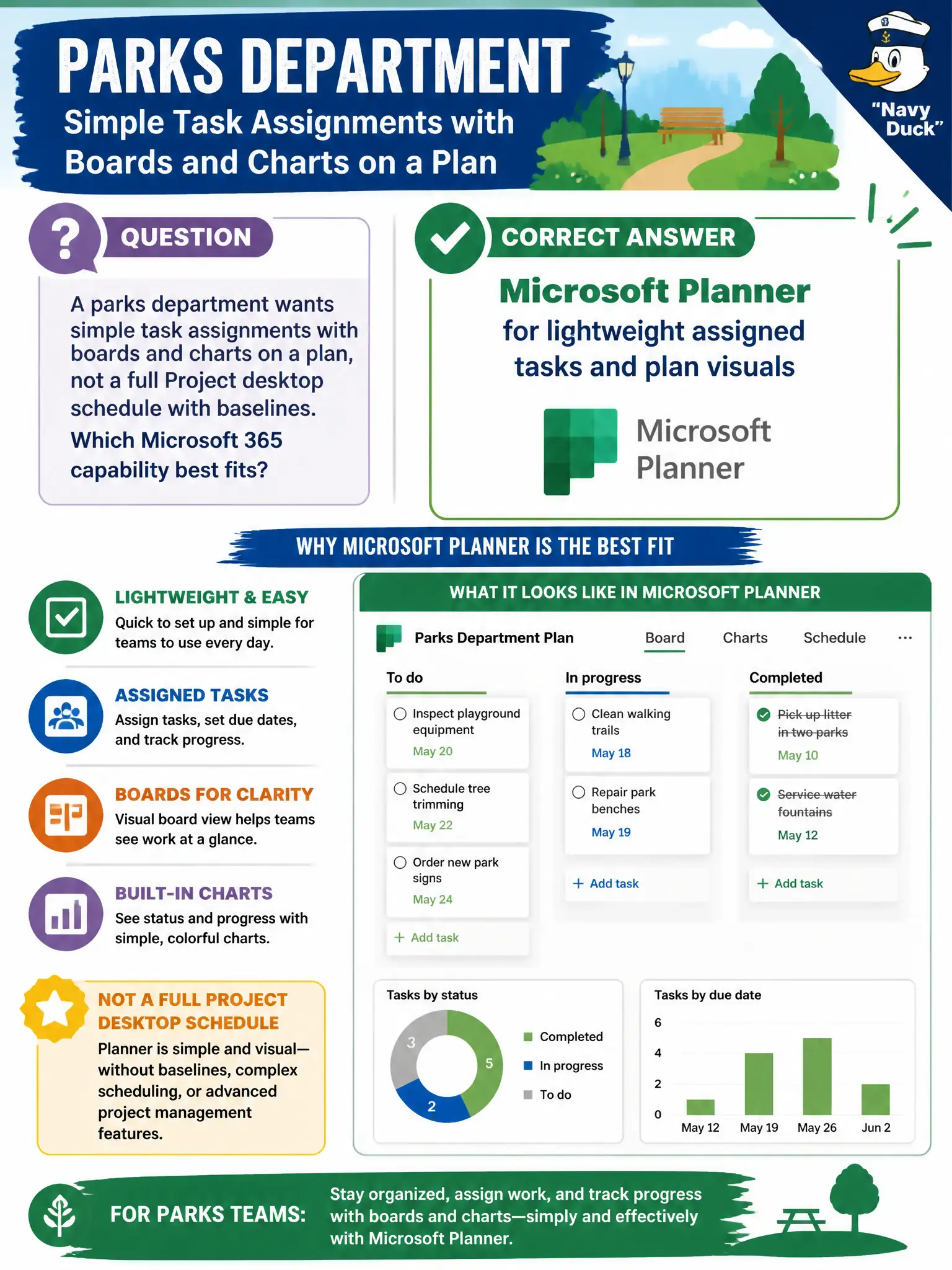
A parks department wants simple task assignments with boards and charts on a plan, not a full Project desktop schedule with baselines. Which Microsoft 365 capability best fits?
Select an answer to reveal the explanation.
Short Explanation
Planner is the sticky-note board with owners and progress charts for a team plan — light and visual. Project is the Gantt-chart construction schedule when you need heavy scheduling muscle. For simple assigned tasks and plan charts, Planner is the match.
Full Explanation
Microsoft Planner provides lightweight assigned tasks and plan visuals—boards and charts—without requiring full Project desktop schedules with baselines. A parks department that wants simple assignments on a plan should choose Planner for that proportional fit.
Requiring Microsoft Project solely for mandatory baselines and critical path when the need is simple boards overshoots the stated requirement. OneNote alone fails as a team assignment system without plan boards. Exchange Online mail tips fail as a primary task assignment system.
Exam caveat: if parks later needs dependencies and baselines, escalate to Project rather than overloading Planner. Operational check: create a Planner plan for the seasonal work, assign owners, review charts weekly, and document the threshold for promoting work into Project. Record the choice in the municipal service catalog so help-desk scripts stay consistent. Record the choice in the municipal service catalog so help-desk scripts stay consistent. Record the choice in the municipal service catalog so help-desk scripts stay consistent. Record the choice in the municipal service catalog so help-desk scripts stay consistent. Record the choice in the municipal service catalog so help-desk scripts stay consistent.