
A security engineer configures Microsoft Defender for AI to protect an Azure OpenAI deployment. The engineer wants to ensure that the protection covers both the prompt inputs and the model responses. Which configuration in Defender for AI achieves bidirectional monitoring?
Select an answer to reveal the explanation.
Short Explanation
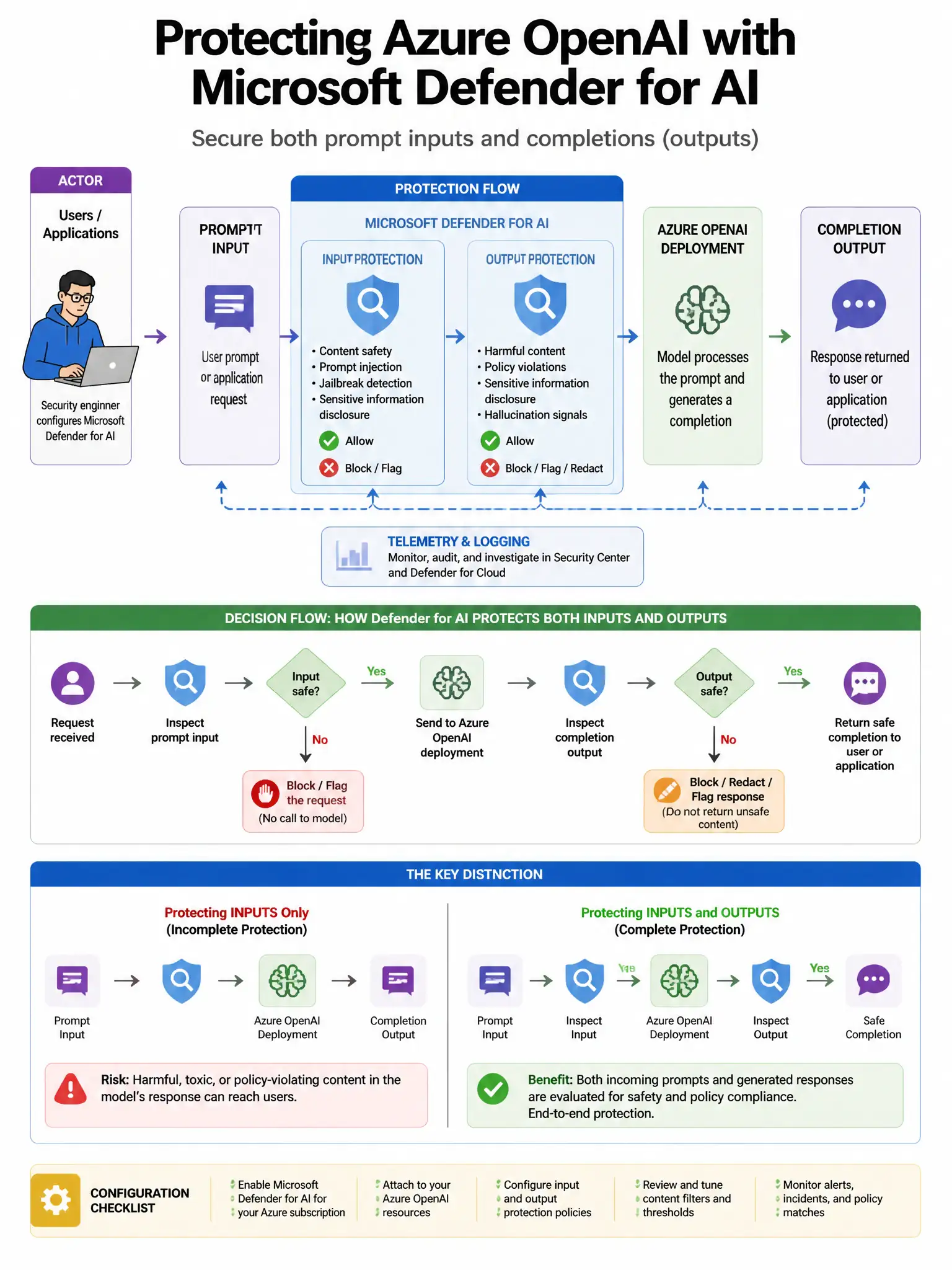
You're covered because Defender for AI automatically monitors both prompts and responses once the plan is enabled on the Azure OpenAI resource. You don't need separate toggles, policies, or an API Management layer to get bidirectional protection.
Full Explanation
The correct configuration is that Defender for AI automatically monitors both prompts and responses when the plan is enabled on the Azure OpenAI resource. When enabled, it provides monitoring for prompt inputs, detecting jailbreak attempts and prompt injection, and model response outputs, detecting sensitive data disclosure and harmful content, without requiring separate configuration for each direction. The option about enabling both 'Prompt monitoring' and 'Response monitoring' toggles in the Defender for AI plan settings is incorrect because Defender for AI does not have separate toggles for prompt and response monitoring; enabling the plan covers both. The option about configuring separate Defender for AI policies for inbound prompt and outbound response traffic using Azure Policy is incorrect because there are no separate inbound/outbound Defender for AI policies; plan-level enablement covers bidirectional monitoring. The option about deploying Azure API Management in front of Azure OpenAI and configuring Defender for API to monitor both directions is incorrect because while APIM with Defender for API is a valid defense layer, it does not replace Defender for AI's native bidirectional monitoring at the Azure OpenAI service level.