
An organization enables Microsoft Copilot for Microsoft 365 and receives reports that Copilot is surfacing confidential HR documents to non-HR employees in Teams. After investigation, the security team determines the HR documents are stored in SharePoint without proper access controls. What is the ROOT CAUSE of the oversharing issue?
Select an answer to reveal the explanation.
Short Explanation
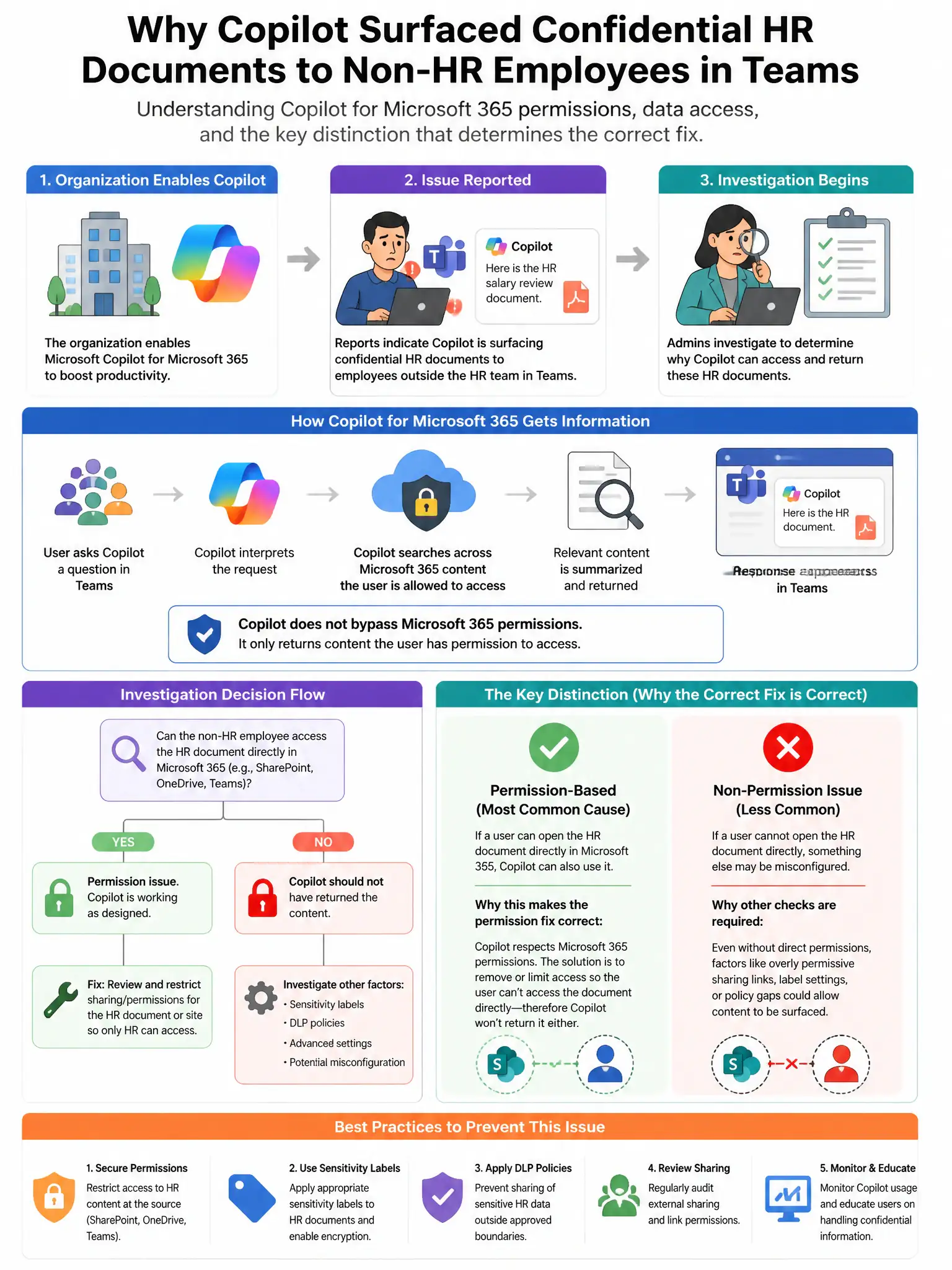
Here's the deal — Copilot only shows what users can already access. If your SharePoint HR sites let all authenticated users in, Copilot will surface those docs to non-HR folks. The root cause is the broad sharing permissions, not Copilot.
Full Explanation
The correct answer is that the SharePoint sites storing HR documents are configured with broad sharing permissions allowing all authenticated users access. Microsoft 365 Copilot strictly respects existing SharePoint permissions. If HR documents are accessible to all authenticated users due to overly permissive sharing settings, Copilot will surface those documents to any user who queries relevant topics. The root cause is the overly permissive SharePoint access control configuration, not a Copilot bypass. The claim that Microsoft 365 Copilot does not respect SharePoint permissions is incorrect because Copilot respects all SharePoint permissions and only shows users content they already have permission to access. The claim that Copilot for Microsoft 365 bypasses sensitivity label encryption to provide better search results is incorrect because Copilot does not bypass sensitivity label encryption; encrypted files that cannot be decrypted by the user are not returned. The claim that a higher Microsoft 365 license tier is required to enforce Copilot access controls is incorrect because license tier does not determine whether Copilot respects SharePoint permissions.