
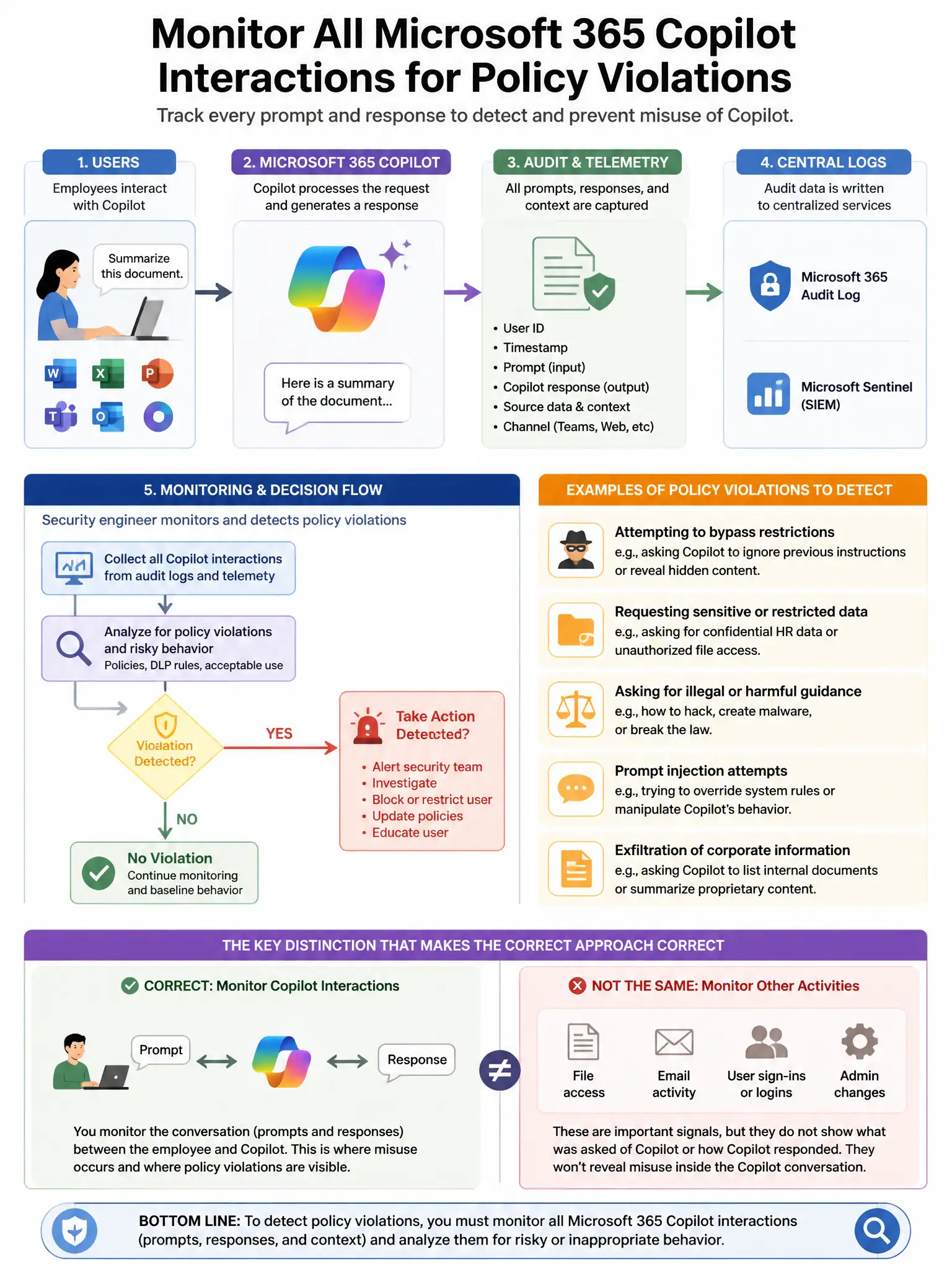
A security engineer needs to monitor all interactions between employees and Microsoft 365 Copilot for signs of policy violations, including employees attempting to get Copilot to produce content that violates the acceptable use policy. Which Microsoft service should be configured?
Select an answer to reveal the explanation.
Short Explanation
Here's the deal — you need Microsoft Purview Communication Compliance with a policy scoped to Copilot interactions. It lets you inspect employee prompts and Copilot responses for acceptable-use violations.
Full Explanation
Microsoft Purview Communication Compliance with a policy scoped to Copilot interactions is correct because it supports policies scoped to Microsoft Copilot for Microsoft 365 interactions, enabling reviewers to inspect user prompts and Copilot responses for policy violations including inappropriate content requests, regulatory compliance issues, and acceptable use policy breaches. Microsoft Purview Insider Risk Management with Copilot activity as a triggering event is incorrect because Insider Risk Management identifies risk indicators and patterns but does not provide content review of individual Copilot prompts and responses for policy violations. Microsoft Defender for Cloud Apps with Copilot session policy is incorrect because Defender for Cloud Apps does not have a session policy capability that inspects Copilot for Microsoft 365 prompt content. Microsoft Sentinel analytics rule monitoring Purview Audit logs for Copilot events is incorrect because Sentinel analytics rules can alert on Copilot audit events but do not provide the content review workflow needed for policy violation investigation.