
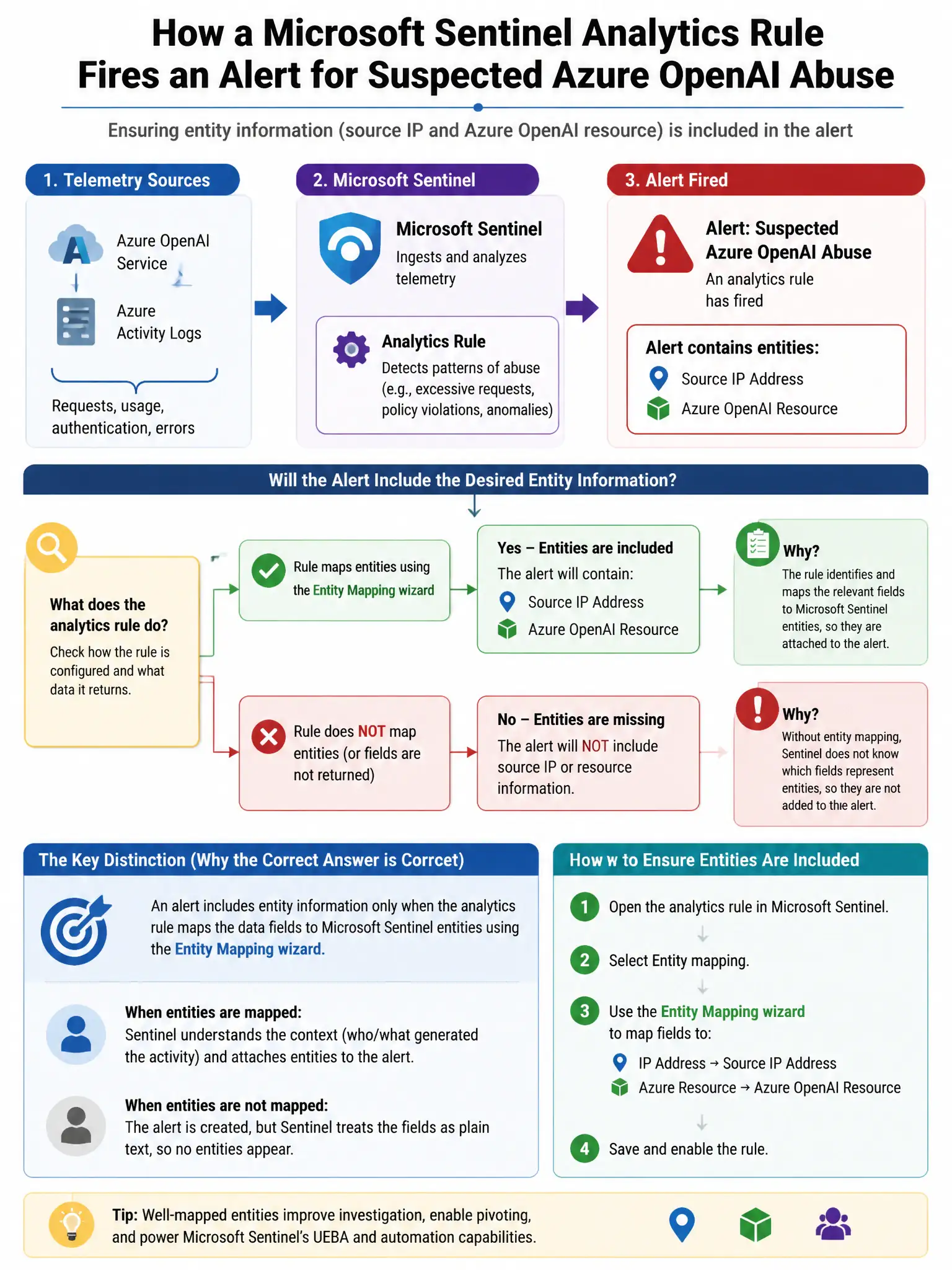
A Microsoft Sentinel analytics rule fires an alert for a suspected Azure OpenAI abuse incident. The security team wants to ensure that entity information (the source IP address and the Azure OpenAI resource name) is automatically mapped and enriched in the incident so analysts can pivot to entity pages immediately. Which Sentinel analytics rule configuration enables this?
Select an answer to reveal the explanation.
Short Explanation
Here's the deal — you configure the analytics rule's Entity mapping section to map query result fields to the IP address entity type and the Azure resource entity type. When the alert fires, Sentinel automatically creates enriched entity objects in the incident, so you can pivot to the entity's behavior page, timeline, and related incidents right away.
Full Explanation
The correct configuration is the analytics rule's 'Entity mapping' section, where administrators map specific KQL query output columns to Sentinel entity types such as Account, IP, Host, Azure resource, and URL. When an alert fires and the rule has entity mappings configured, Sentinel automatically creates enriched entity objects in the incident, allowing analysts to immediately pivot to the entity's behavior page, timeline, and related incidents. The Microsoft Sentinel UEBA connector option is wrong because the UEBA connector enhances entity analysis over time using behavioral baselines; it does not extract entities from individual alert fields. The Logic App automation rule option is wrong because using a Logic App automation rule to extract entities is an overly complex workaround when entity mapping is a native analytics rule configuration. The Sentinel workbooks option is wrong because Sentinel workbooks are visualization and reporting tools; they display data about entities but do not configure entity extraction from alert rules.