
An organization implements Microsoft Entra ID Governance entitlement management for a partner company that needs access to an AI analytics portal. The partner company does not have Microsoft Entra ID. How should external access be configured?
Select an answer to reveal the explanation.
Short Explanation and Infographic
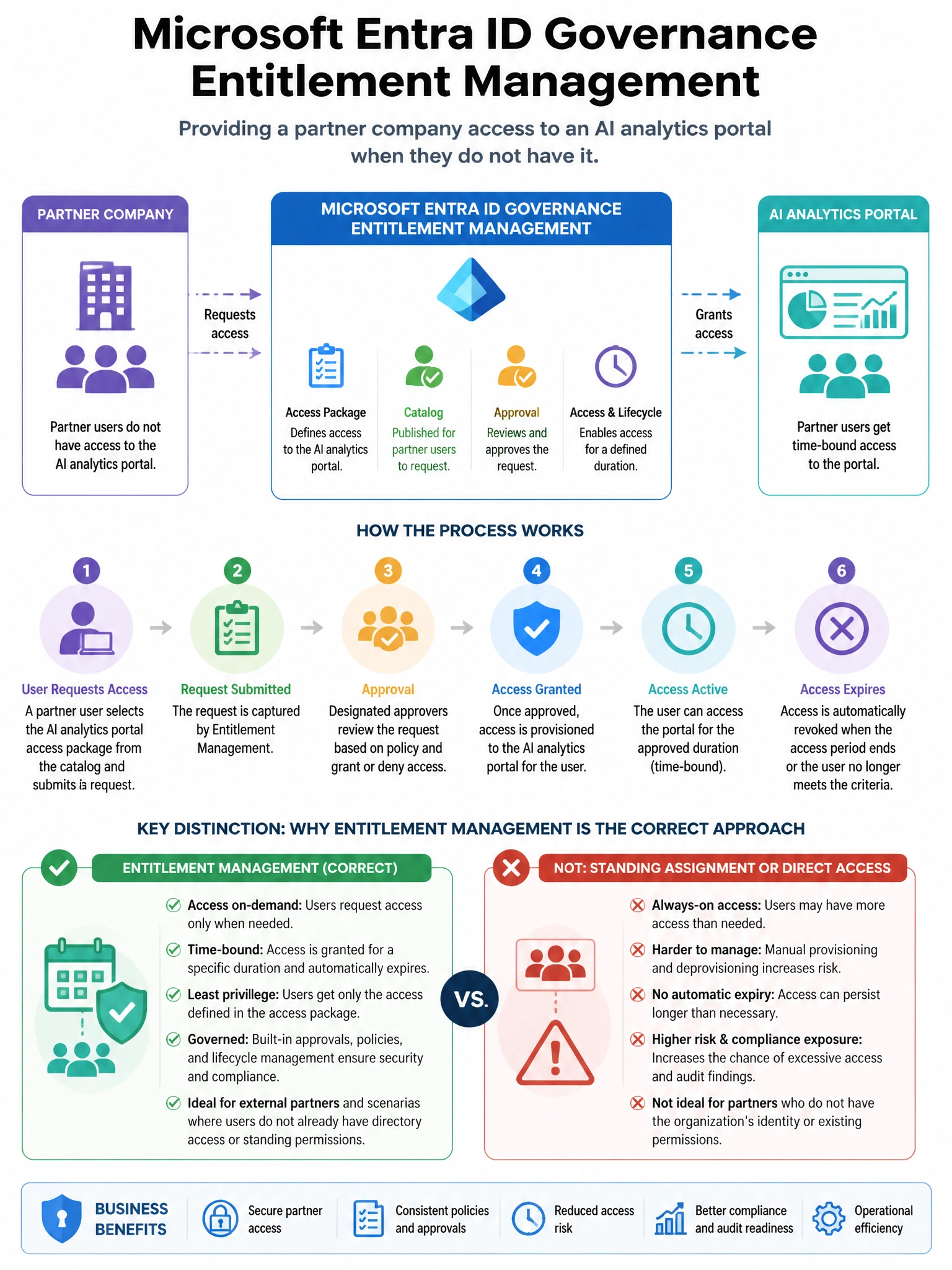
Here's the deal — d is correct because Microsoft Entra ID Governance Entitlement Management supports connected organizations, which can be configured with a partner company's verified domain. Access package policies can include a 'for users not in your directory' option that allows external users from the connected organization's domain to request access.
Full explanation below image
Full Explanation
D is correct because Microsoft Entra ID Governance Entitlement Management supports connected organizations, which can be configured with a partner company's verified domain. Access package policies can include a 'for users not in your directory' option that allows external users from the connected organization's domain to request access. When approved, they are invited as B2B guests with automatic access package provisioning. B is incorrect because while allowing requests from users not yet in the directory enables B2B invitations, configuring a connected organization first (option D) provides better governance with pre-verified domain trust. A is incorrect because creating local accounts for all partner employees bypasses the partner's own identity management and creates an administrative burden. C is incorrect because Entra External ID (B2C) is designed for customer/consumer identity scenarios with social logins, not for B2B partner access to enterprise applications.