
A security engineer needs to configure Microsoft Entra ID to prevent AI automation service accounts from being used interactively (by humans logging in with the service account credentials). Which Microsoft Entra ID feature directly blocks interactive sign-in for service accounts?
Select an answer to reveal the explanation.
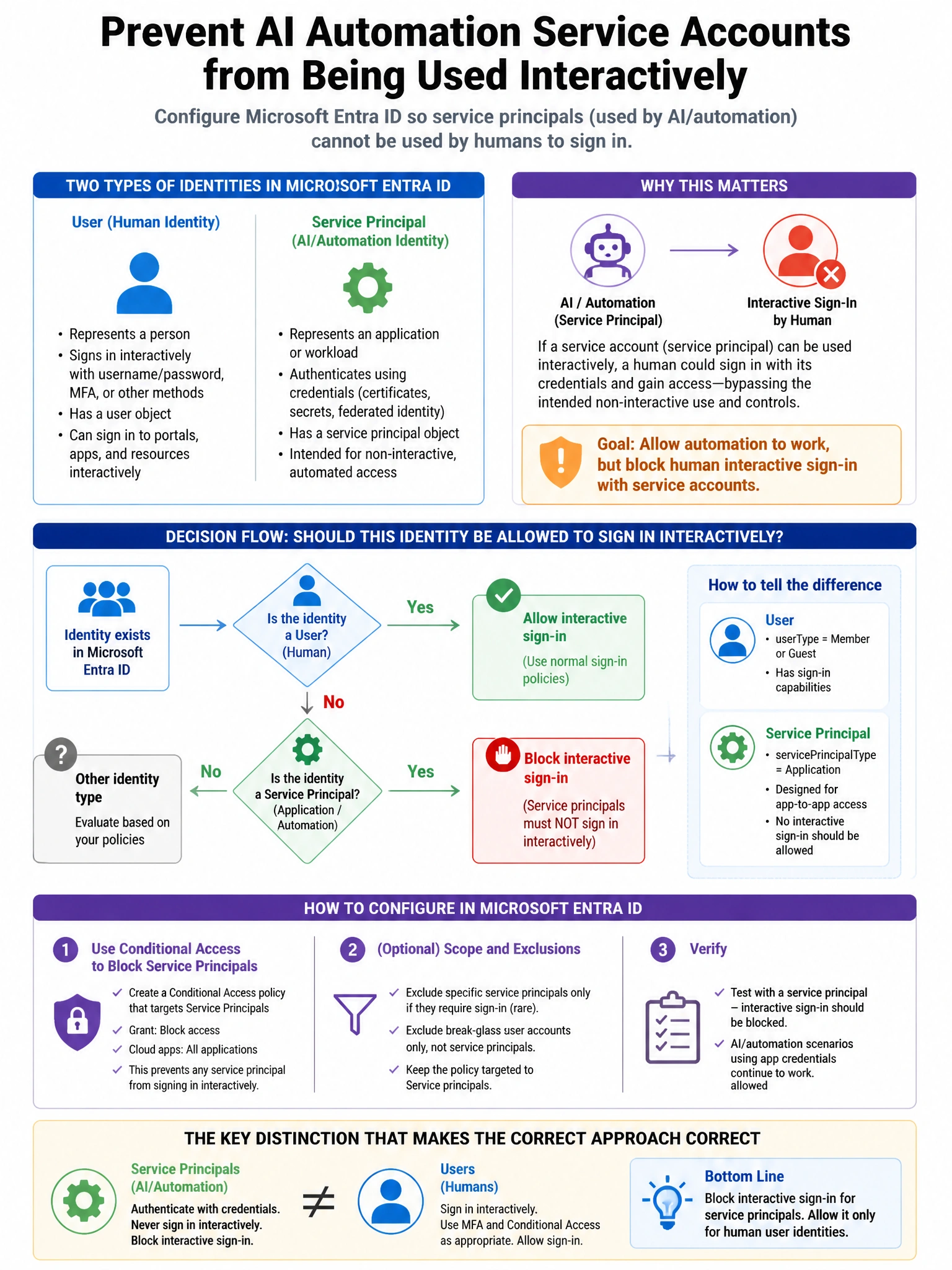
Short Explanation and Infographic
Here's the deal — c is correct because a Conditional Access policy can be scoped to the service account group with a grant control of 'Require compliant device.' Since service accounts (workload identities) cannot register devices or meet device compliance requirements, this effectively blocks all interactive sign-in attempts by humans using the service account credentials while allowing the legitimate non-interactive/service API calls. A is incorrect because disabling the account prevents all usage, including legitimate service use.
Full explanation below image
Full Explanation
C is correct because a Conditional Access policy can be scoped to the service account group with a grant control of 'Require compliant device.' Since service accounts (workload identities) cannot register devices or meet device compliance requirements, this effectively blocks all interactive sign-in attempts by humans using the service account credentials while allowing the legitimate non-interactive/service API calls. A is incorrect because disabling the account prevents all usage, including legitimate service use. B is incorrect because Conditional Access does not have a 'Non-interactive clients' filter that blocks only human interactive access while allowing service API calls; the mechanism works through device compliance or other controls. D is incorrect because there is no 'Service account' type property in Microsoft Entra ID that automatically disables interactive authentication; workload identities (service principals/managed identities) are the proper non-interactive identity type.