
A security team has configured Microsoft Purview Adaptive Protection to dynamically adjust DLP policy enforcement based on a user's current insider risk level. When a user's insider risk score increases to 'Elevated,' their Copilot interactions should be restricted to prevent sensitive data from being included in prompts. How does Adaptive Protection achieve this?
Select an answer to reveal the explanation.
Short Explanation and Infographic
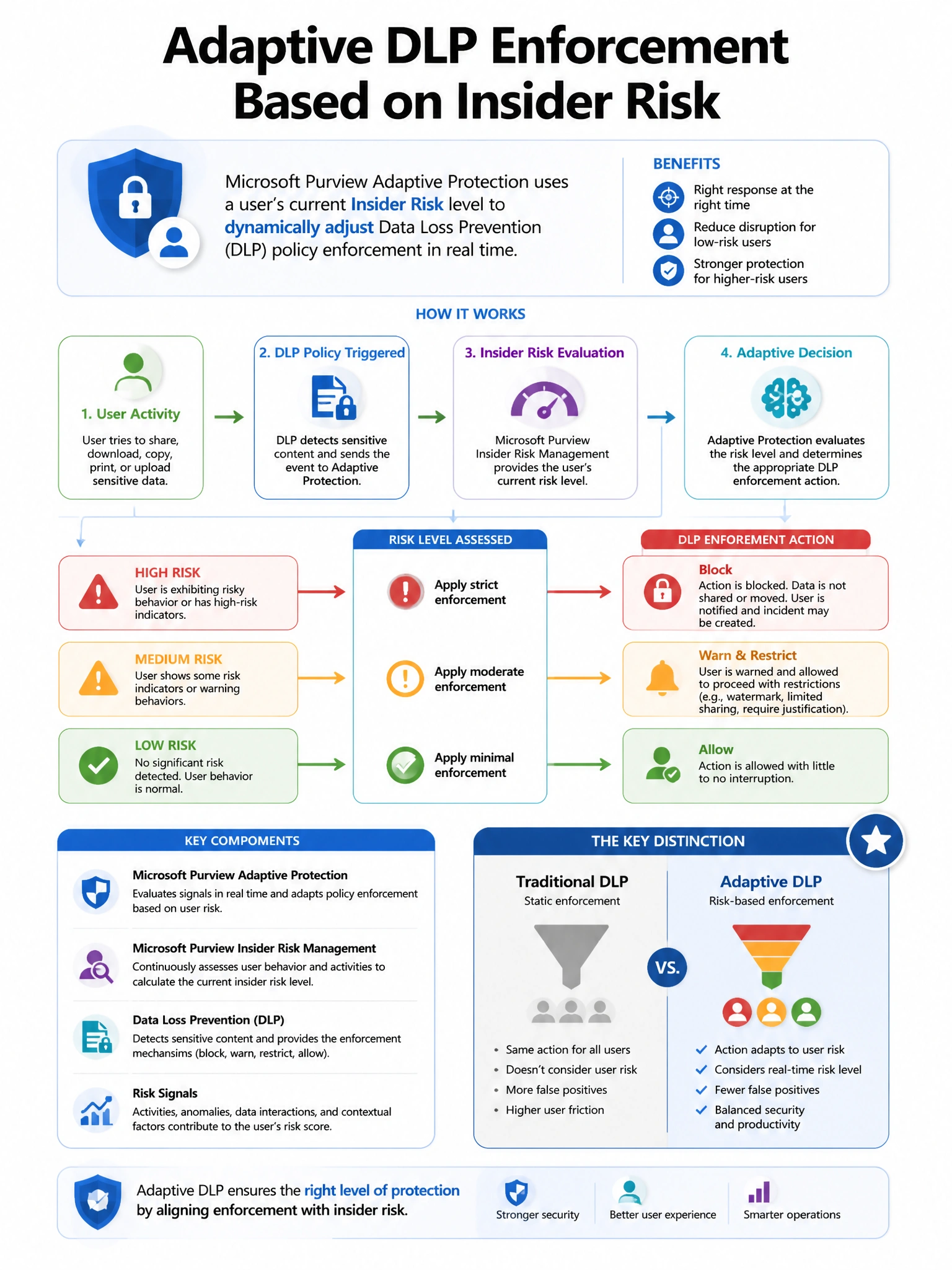
Here's the deal — b is correct because Microsoft Purview Adaptive Protection is a feature that creates a dynamic bridge between Insider Risk Management and Data Loss Prevention. Insider Risk Management continuously evaluates user behavior and assigns risk levels (Minor, Moderate, Elevated).
Full explanation below image
Full Explanation
B is correct because Microsoft Purview Adaptive Protection is a feature that creates a dynamic bridge between Insider Risk Management and Data Loss Prevention. Insider Risk Management continuously evaluates user behavior and assigns risk levels (Minor, Moderate, Elevated). These risk levels are exposed to DLP policies through Adaptive Protection conditions. A DLP policy configured with an Adaptive Protection condition can apply different enforcement actions based on the user's current risk level—for example, applying a 'Block with override' or 'Block' action for Elevated risk users in Copilot, where lower-risk users would only see an audit or warning. A is wrong because Adaptive Protection integrates with DLP, not Conditional Access; sign-in risk is an Entra ID Protection concept. C is wrong because Adaptive Protection does not revoke licenses; it adjusts DLP policy enforcement. D is wrong because sending email notifications is a separate Insider Risk Management action, not the Adaptive Protection mechanism that dynamically adjusts DLP controls.