
An enterprise has deployed Microsoft 365 Copilot for its legal team but wants to prevent Copilot from accessing and synthesizing content from the 'Mergers & Acquisitions' SharePoint site, which contains deal information restricted to a small subset of users. The legal team members do not have access to this site. What ensures Copilot cannot access this site for legal team users?
Select an answer to reveal the explanation.
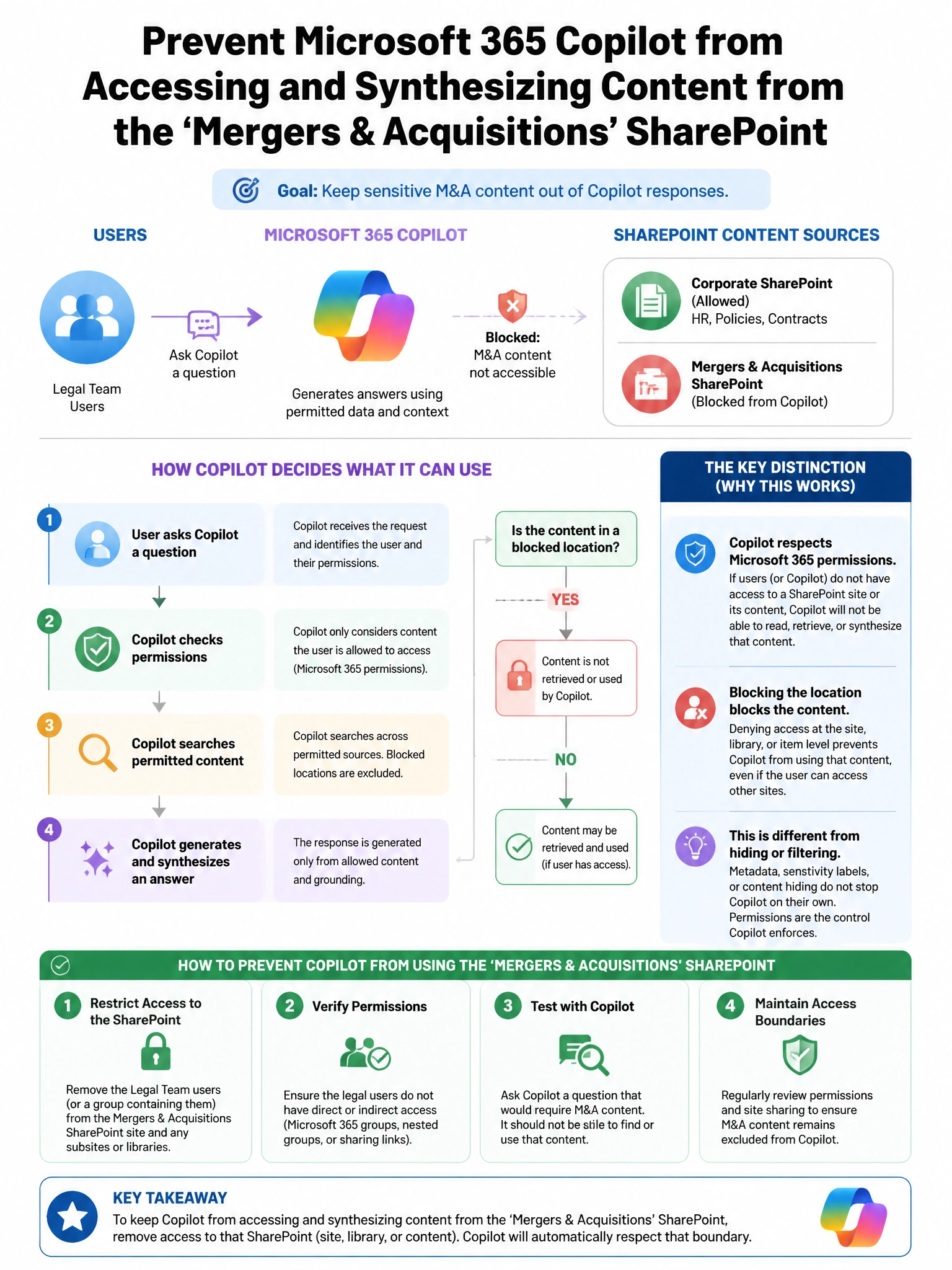
Short Explanation and Infographic
Here's the deal — b is correct because Microsoft 365 Copilot operates within the user's existing Microsoft 365 permissions. Copilot uses the Microsoft Graph to retrieve content on behalf of the authenticated user and can only access content that the user themselves can access.
Full explanation below image
Full Explanation
B is correct because Microsoft 365 Copilot operates within the user's existing Microsoft 365 permissions. Copilot uses the Microsoft Graph to retrieve content on behalf of the authenticated user and can only access content that the user themselves can access. Since legal team members do not have SharePoint permissions to the M&A site, Copilot cannot retrieve content from that site for them—no additional configuration is needed to enforce this boundary. A is wrong because DLP policies govern content sharing and output protection, not Copilot's ability to index or retrieve content—that is governed by permissions. C is wrong because information barriers separate groups of users from communicating or discovering content in Teams and SharePoint, but if legal team users already lack SharePoint permissions to the M&A site, the protection is already in place through permissions. D is wrong because while some admin controls exist for Copilot, the fundamental security boundary is Microsoft 365 permission inheritance, not Copilot-specific configuration.