
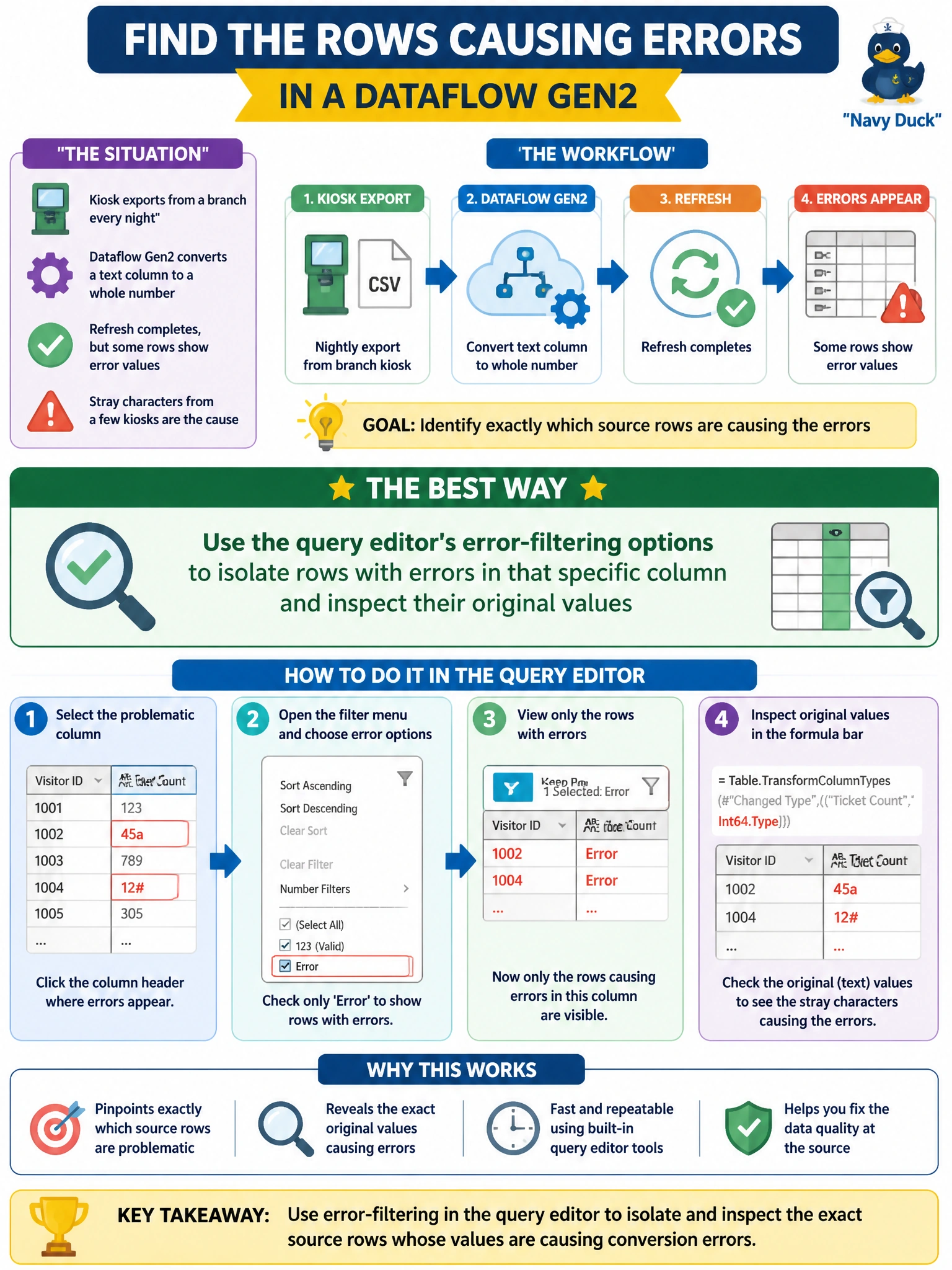
A Dataflow Gen2 transforms nightly visitor-ticket counts from a branch's kiosk export, converting a text column to a whole-number type. The refresh itself completes, but several rows now show error values in that column instead of numbers, because a few kiosks exported stray characters alongside the digits. What is the best way to identify exactly which source rows are causing this?
Select an answer to reveal the explanation.
Short Explanation
Power Query doesn't stop the whole show when a type conversion trips over a bad value — it just marks that one cell as an error and keeps going. So a refresh can look completely fine while a handful of rows are quietly broken. Filtering down to just the errored cells is how you find the exact rows worth fixing instead of scrolling through everything.
Full Explanation
Power Query represents a failed cell-level conversion as an inline error value rather than halting the entire refresh, so a Dataflow Gen2 can report a completed run while a subset of rows silently carry error placeholders in a transformed column. The query editor provides a way to filter a column down to just its error rows, which lets the engineer see the original text value that failed to convert, such as digits with a stray unit label a kiosk appended. Assuming health from a completed refresh ignores this exact gap, since completion status alone says nothing about per-row data quality. Restarting the item from the workspace list simply reruns the same transformation against the same problematic source data and reproduces the identical errors rather than revealing them. An Eventhouse ingestion queue belongs to a separate streaming item and has no connection to a batch Dataflow Gen2 pulling a kiosk export. As a concrete follow-up check, tally how many rows error out on a given night, since a rising error count over time usually signals a kiosk firmware or export format drifting rather than a one-off bad value.