
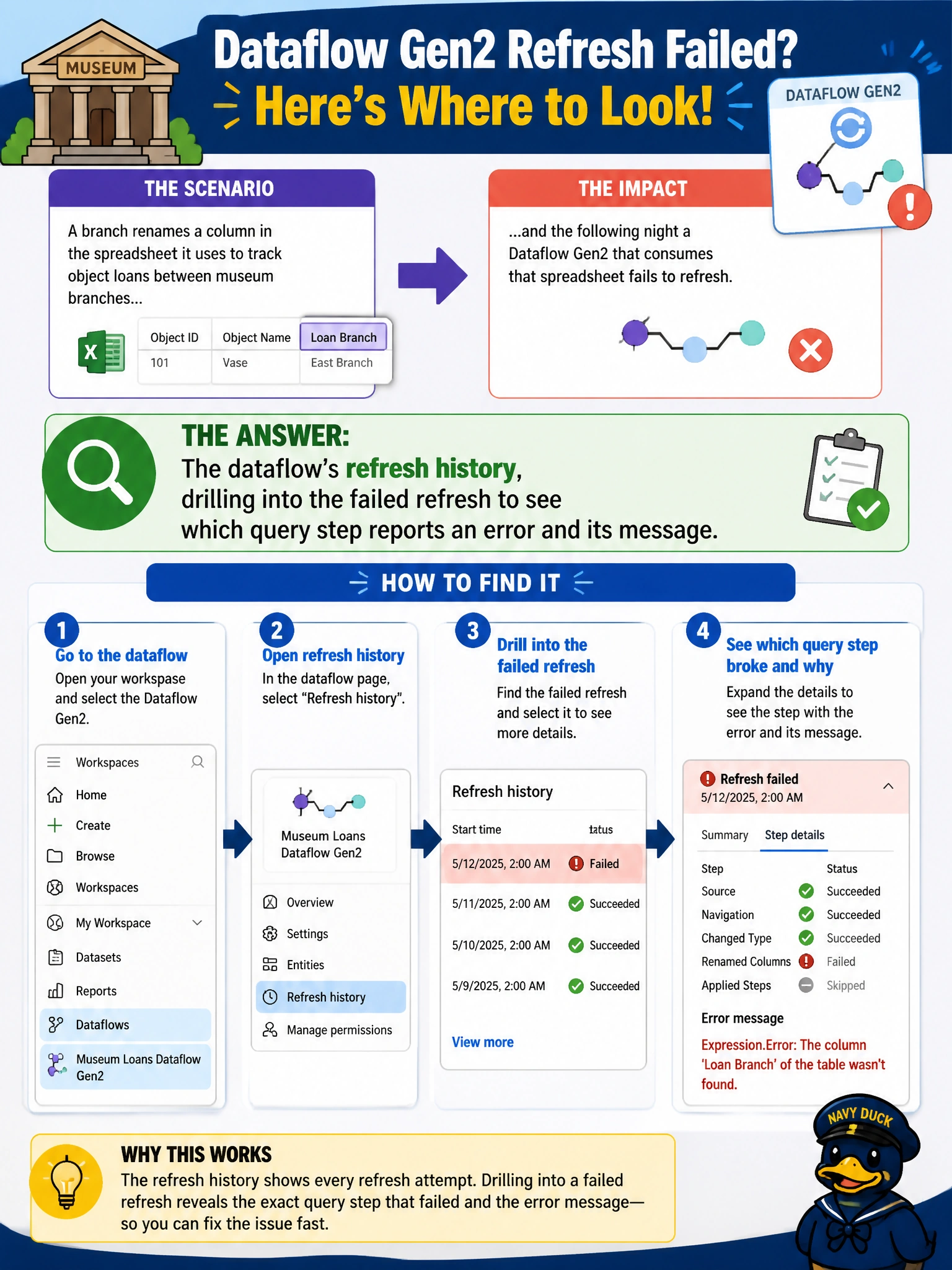
A branch renames a column in the spreadsheet it uses to track object loans between museum branches, and the following night a Dataflow Gen2 that consumes that spreadsheet fails to refresh. Where should the engineer look to identify which query step broke and why?
Select an answer to reveal the explanation.
Short Explanation
Renaming a column upstream is like relabeling a mailbox the postal carrier already memorized — the next delivery just doesn't find its slot. A Dataflow Gen2's refresh history keeps that story step by step, so instead of guessing which part of the query broke, you can go straight to the one that's actually flagged.
Full Explanation
A Dataflow Gen2 is built from a chain of Power Query steps, and when a source column is renamed, whichever step references that column by name fails, while the refresh history records exactly which step raised the error and what the error text says. Opening that failed refresh and inspecting the flagged step is the direct path from a broken renamed reference to a concrete fix, such as updating the step's column reference to match the new name. Git integration history tracks version control commits to Fabric items themselves and has nothing to do with a source spreadsheet's column names changing outside the workspace. The capacity metrics app reports compute consumption and throttling across items, which helps diagnose slow or resource-constrained runs, not a query that failed because a referenced column no longer exists. The destination Lakehouse's table properties show the shape of data already loaded, not the reason a new refresh failed before it could write anything. As a practical check, once the step is fixed, re-run the dataflow once manually before trusting the next scheduled run, since a renamed column can also quietly shift the position of other columns the same query depends on.