
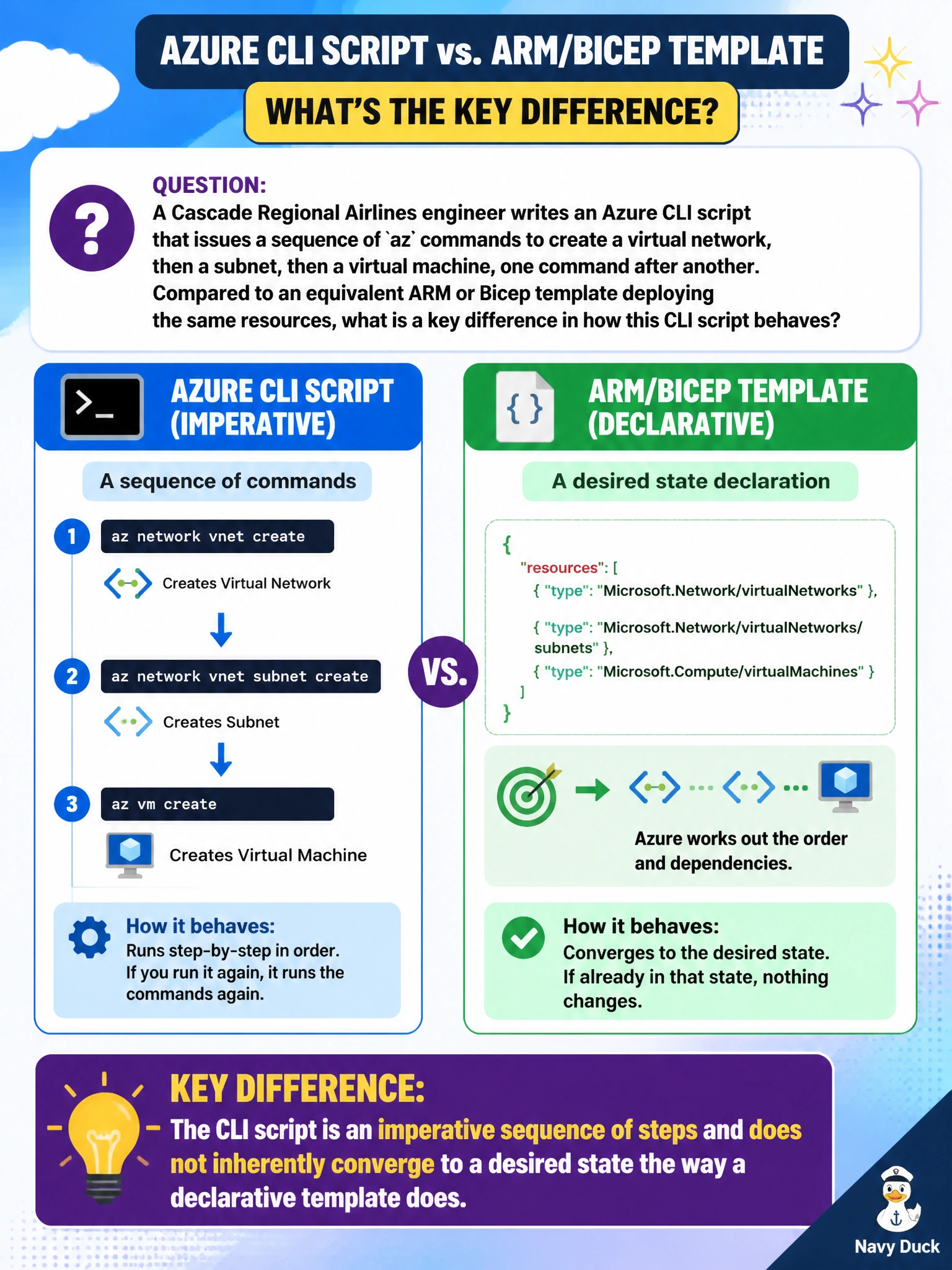
A Cascade Regional Airlines engineer writes an Azure CLI script that issues a sequence of az commands to create a virtual network, then a subnet, then a virtual machine, one command after another. Compared to an equivalent ARM or Bicep template deploying the same resources, what is a key difference in how this CLI script behaves?
Select an answer to reveal the explanation.
Short Explanation
A script tells Azure exactly which steps to run, in order, every time — that's imperative. A declarative template just describes the end state you want and lets Resource Manager work out how to get there, which is why re-running it behaves so differently from re-running a script.
Full Explanation
An Azure CLI or PowerShell script issues an ordered sequence of imperative commands: create this, then that, then the next thing. Running it again does not automatically compare against current state and reconcile differences the way a declarative ARM or Bicep deployment does; depending on the commands used, a second run might error on already-existing resources or simply repeat actions rather than converge cleanly, which is the idempotency behavior discussed earlier that templates provide more naturally. This is the core practical difference an engineer should weigh when choosing script versus template for a repeatable build. The script can absolutely be saved in source control like any text file, so lack of version control is not a real limitation of scripting. CLI and PowerShell commands are not restricted to resource group scope; commands exist for subscription and management group level operations too, so that claim is false. A script also does not require a parameter file to run; it can take inline values or hard-coded ones, unlike a template which cleanly separates parameters as first-class inputs. A reasonable check when deciding is asking whether the build will need to run unattended and repeatedly without manual cleanup, which favors the declarative template.