
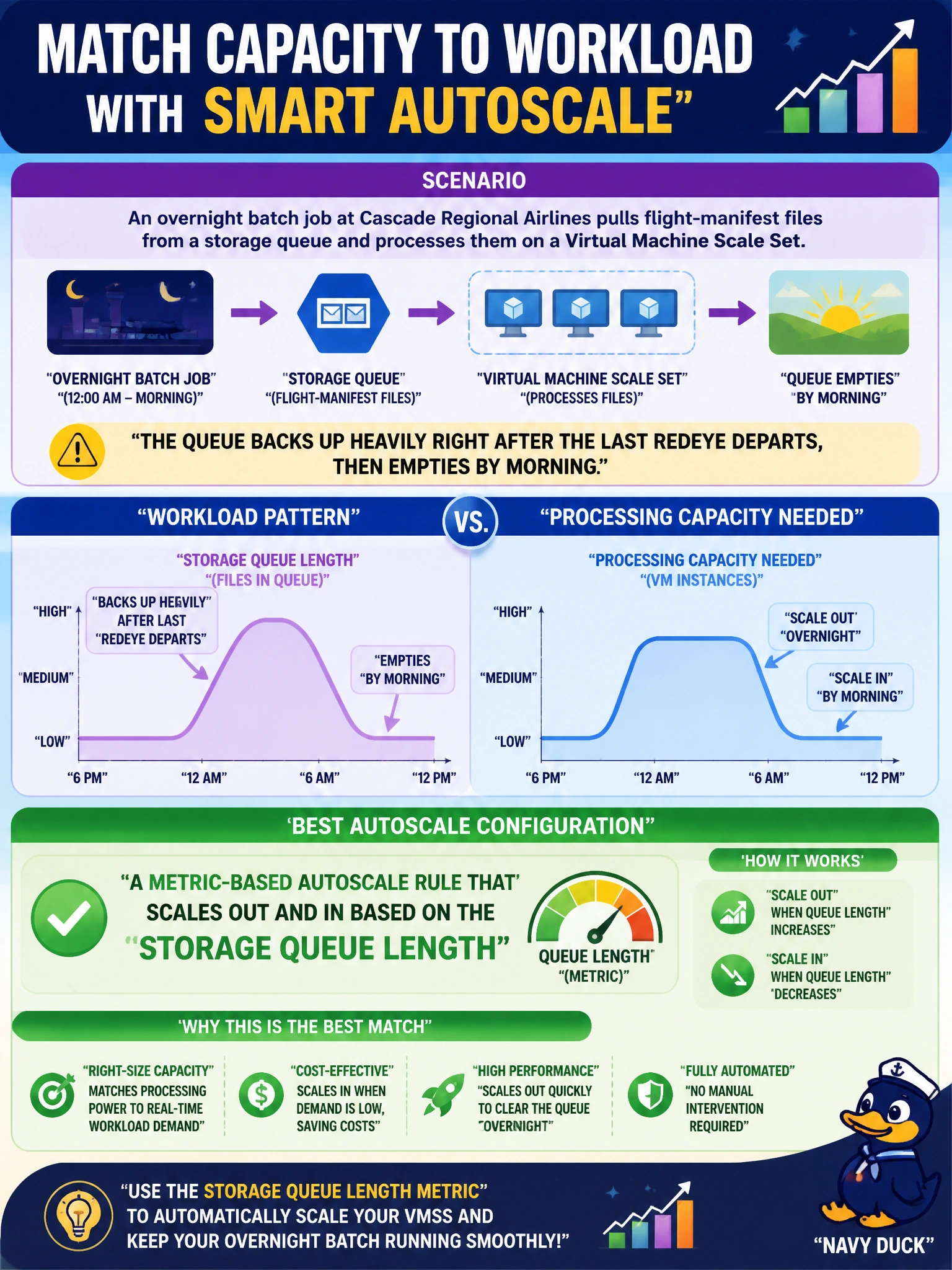
An overnight batch job at Cascade Regional Airlines pulls flight-manifest files from a storage queue and processes them on a Virtual Machine Scale Set. The queue backs up heavily right after the last redeye departs, then empties by morning. Which autoscale configuration best matches processing capacity to the workload?
Select an answer to reveal the explanation.
Short Explanation
Queue depth is basically the workload waving a flag saying how busy it really is right now, so it makes sense to scale off that number directly instead of guessing. A metric-based rule watches the queue length and adds or removes instances to match, so you're not paying for idle VMs after the backlog clears.
Full Explanation
Autoscale rules built on a custom or platform metric, such as an Azure Storage queue's approximate message count, let a scale set react to the actual state of the workload rather than a fixed assumption about when work arrives. As the queue grows past a defined threshold, the rule adds instances; as it drains, a corresponding scale-in rule removes them, closely tracking real demand. A fixed high instance count solves the backlog but wastes money every hour the queue is short, since capacity never drops. A clock-based schedule assumes the backlog always starts and ends at the same time, but flight schedules shift with delays and seasonal timetables, so a fixed time window will eventually scale out too early or too late relative to the actual queue. Manual resizing depends on a human noticing the problem, which introduces delay and does not scale as an operational practice. When configuring this, pair the scale-out rule with a scale-in rule using a lower threshold and a cool-down period, and verify the metric is actually queue length rather than a proxy like CPU, which would not reflect a queue-bound workload.