
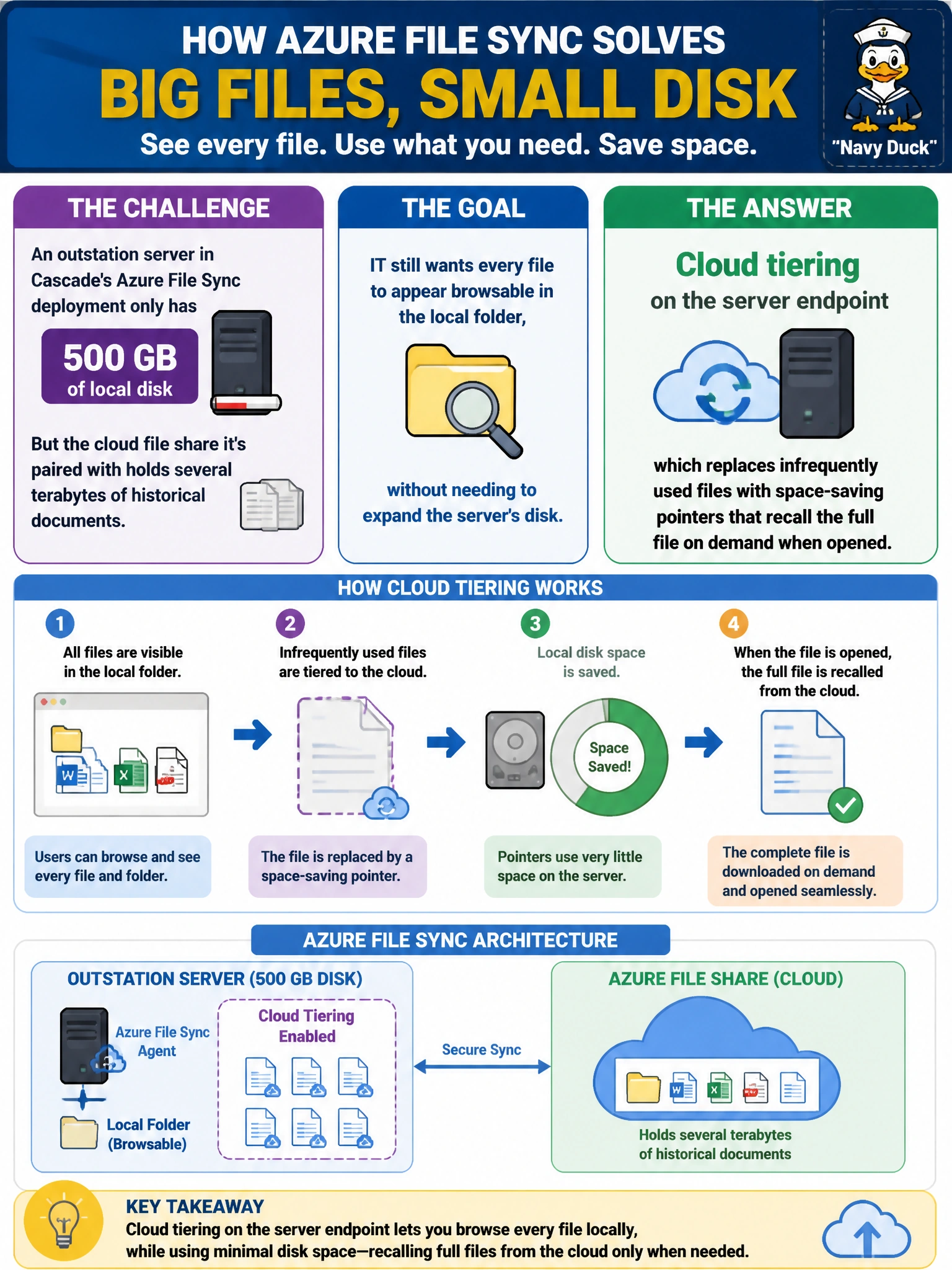
An outstation server in Cascade's Azure File Sync deployment only has 500 GB of local disk, but the cloud file share it's paired with holds several terabytes of historical documents. IT still wants every file to appear browsable in the local folder, without needing to expand the server's disk. What Azure File Sync feature accomplishes this?
Select an answer to reveal the explanation.
Short Explanation
Cloud tiering is like keeping a card catalog for every book, even the ones the library doesn't have room for on the shelf right now. Cold, rarely-touched files sit in Azure Files as lightweight pointers on the local server, and the moment someone actually opens one, the full file gets pulled down transparently. That's how a 500 GB server can browse a multi-terabyte share.
Full Explanation
Cloud tiering solves exactly this mismatch: it keeps frequently accessed files fully cached locally for fast access, while infrequently used files are represented on the server endpoint as tiny placeholder pointers that still show up in directory listings and open normally — Azure File Sync fetches the real content from the cloud endpoint transparently the moment a user opens the pointer. Growing the local disk to hold the full multi-terabyte share defeats the purpose of the outstation's smaller footprint and simply avoids using the feature designed for this exact constraint. Disabling cloud tiering forces every file to be fully present locally, which is the opposite of what's needed and would immediately exceed the 500 GB disk once the full historical dataset tries to sync down. Moving the documents into Blob storage abandons the file-share and SMB access pattern the outstation actually needs for browsing folders and opening documents the way users expect, trading one working solution for an unrelated service. A caveat: recalling a cold file over a slow outstation WAN link can introduce a noticeable delay the first time it's opened after being tiered. To verify tiering is active, check that older files show the cloud-only or 'available in the cloud' state in File Explorer rather than being fully downloaded.