
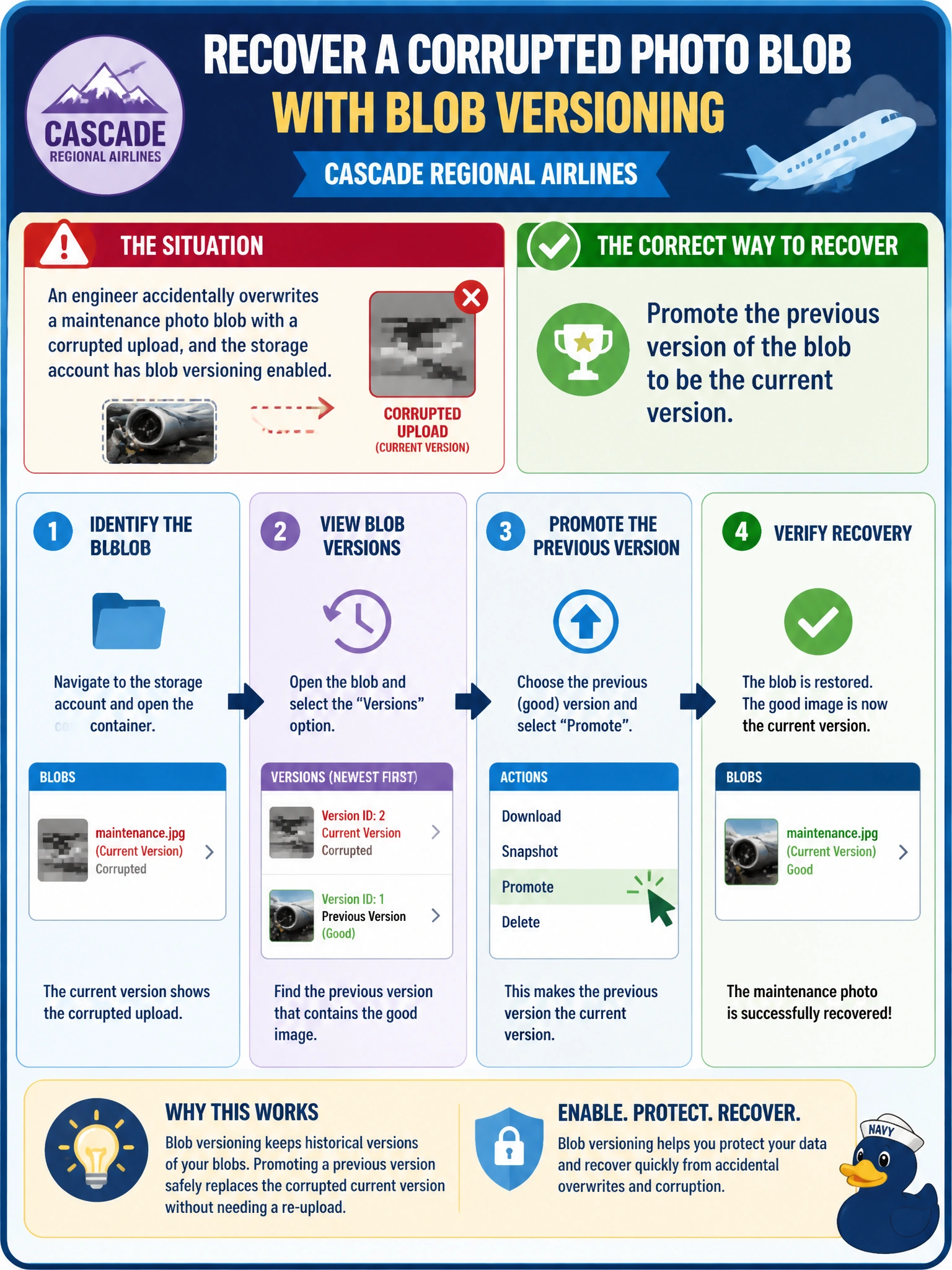
An engineer accidentally overwrites a maintenance photo blob with a corrupted upload at Cascade Regional Airlines, and the storage account has blob versioning enabled? What is the correct way to recover the pre-corruption image?
Select an answer to reveal the explanation.
Short Explanation
Versioning quietly keeps every prior copy of a blob every time it's overwritten, tucked away as a numbered version. Recovery is as simple as finding that earlier version in the version history and promoting it back to current — no restore job, no waiting, no ticket to another team.
Full Explanation
When blob versioning is enabled, every overwrite or delete of a blob automatically creates a new version rather than destroying the prior state, and each version is individually addressable; recovering from an unwanted overwrite is done by locating the version created just before the corrupted upload and promoting or copying it to become the current version. Restoring the entire storage account from an Azure Backup vault is a much heavier-handed operation intended for account-wide disaster scenarios and, depending on configuration, may not even be in place for this account; it is unnecessary overkill for recovering a single blob that versioning already preserved. Rehydrating from Archive only applies if the blob's current tier were Archive and it needed to come back online for reading — it does nothing to undo an overwrite and is the wrong mechanism entirely. Lifecycle management policies govern tiering and expiration transitions on a schedule; they do not detect corruption and do not restore prior content automatically. A concrete check: list the blob's version history via az storage blob list --include v (or the portal's Version history pane) to confirm the pre-corruption version's timestamp before promoting it, so the wrong version is not restored.