
A team is designing a system message and few-shot examples for a new Foundry-hosted customer support assistant. Before committing to a production deployment and API integration work, they want to quickly iterate on wording and see sample responses. What should they use to test and refine the prompt design first?
Select an answer to reveal the explanation.
Short Explanation
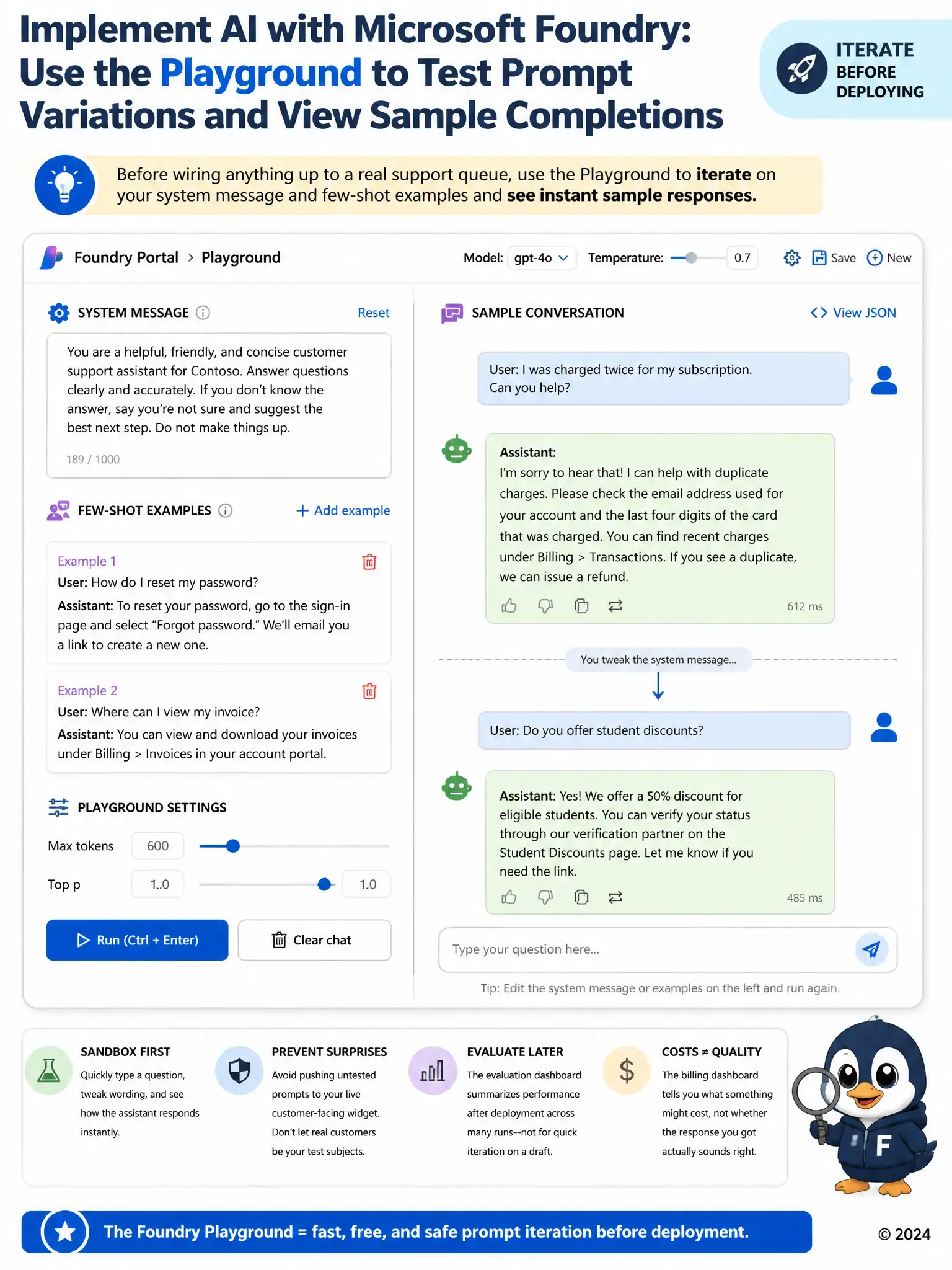
Before wiring anything up to a real support queue, you want a sandbox where you can type a question, tweak the system message, and instantly see how the assistant responds. That's exactly what the Foundry portal's interactive playground gives you, and it costs you nothing but a few minutes of trial and error. Pushing untested wording straight into the live customer-facing widget skips that safety net and lets real customers be the test subjects.
Full Explanation
The correct answer is the Foundry portal's playground, which provides an interactive chat interface for testing a system message and few-shot examples against sample inputs and immediately seeing the responses they produce. That is exactly what the team needs while iterating on wording before committing to production integration work. Deploying a production API key directly into the live customer support widget for real-time testing is incorrect because pointing a live customer-facing widget at an unfinished, unreviewed prompt design exposes real customers to untested behavior, which is the opposite of the safe, low-stakes iteration the team wants at this stage. The model's evaluation dashboard is incorrect because it reports aggregate metrics gathered after a batch of runs or a completed deployment, which suits measuring overall quality over time rather than quickly trying out one wording change and seeing a single sample response. The Azure billing dashboard is incorrect because it shows estimated or actual token costs, which has no bearing on whether the assistant's wording, tone, or accuracy is actually good.