
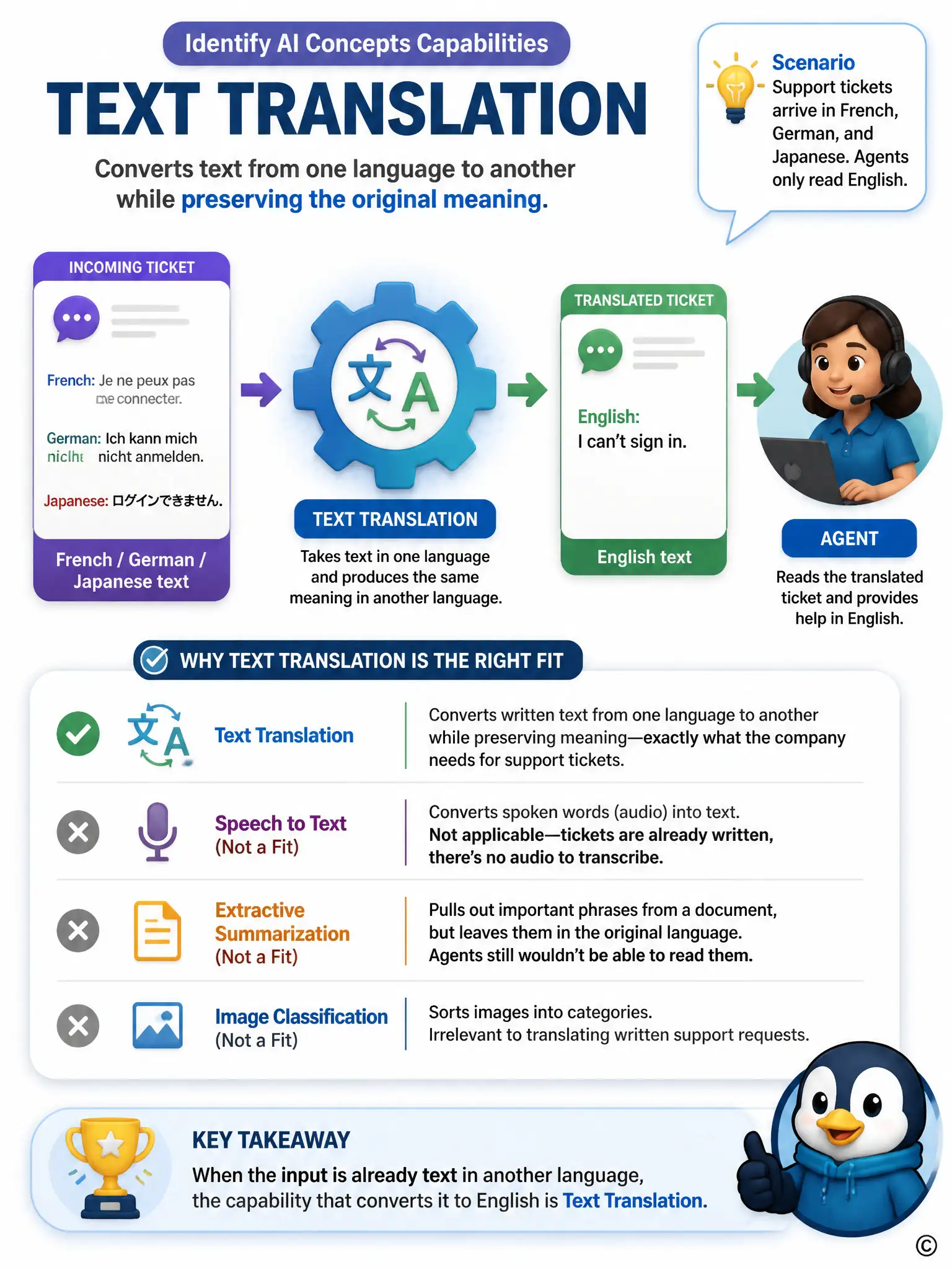
A software company's support tickets arrive as typed text in French, German, and Japanese, but its support agents only read English. The company wants an automated step that converts each incoming ticket's text into English before it reaches an agent's queue, preserving the original meaning as closely as possible. Which Azure AI capability fits this need?
Select an answer to reveal the explanation.
Short Explanation
Look closely at the form the tickets already take: they're typed words, not audio and not pictures, just text in a language the agents can't read. That narrows things down fast to text translation, because it takes text in one language and produces the same meaning in another. You don't need audio transcription, key phrase extraction, or image classification to turn written French, German, or Japanese tickets into English.
Full Explanation
Text translation is correct because it converts written text from one language into another while preserving meaning, which is precisely what is needed to turn French, German, and Japanese support tickets into English before an agent reads them. Speech-to-text transcription is incorrect because it converts spoken audio into written text, but the tickets already arrive as typed text, so there is no audio signal to transcribe. Key phrase extraction is incorrect because it pulls out important terms from a document in its original language but does not convert the language of the text itself, so agents would still be unable to read it. Custom image classification is incorrect because it categorizes visual content in images, which has no application to translating written support tickets. Because the requirement is converting existing written text from several languages into English, text translation is the correct capability.