
A fire-district team needs to run a smoke-plume estimation training script on Azure Machine Learning with arguments captured for audit. Which approach should they use?
Select an answer to reveal the explanation.
Short Explanation
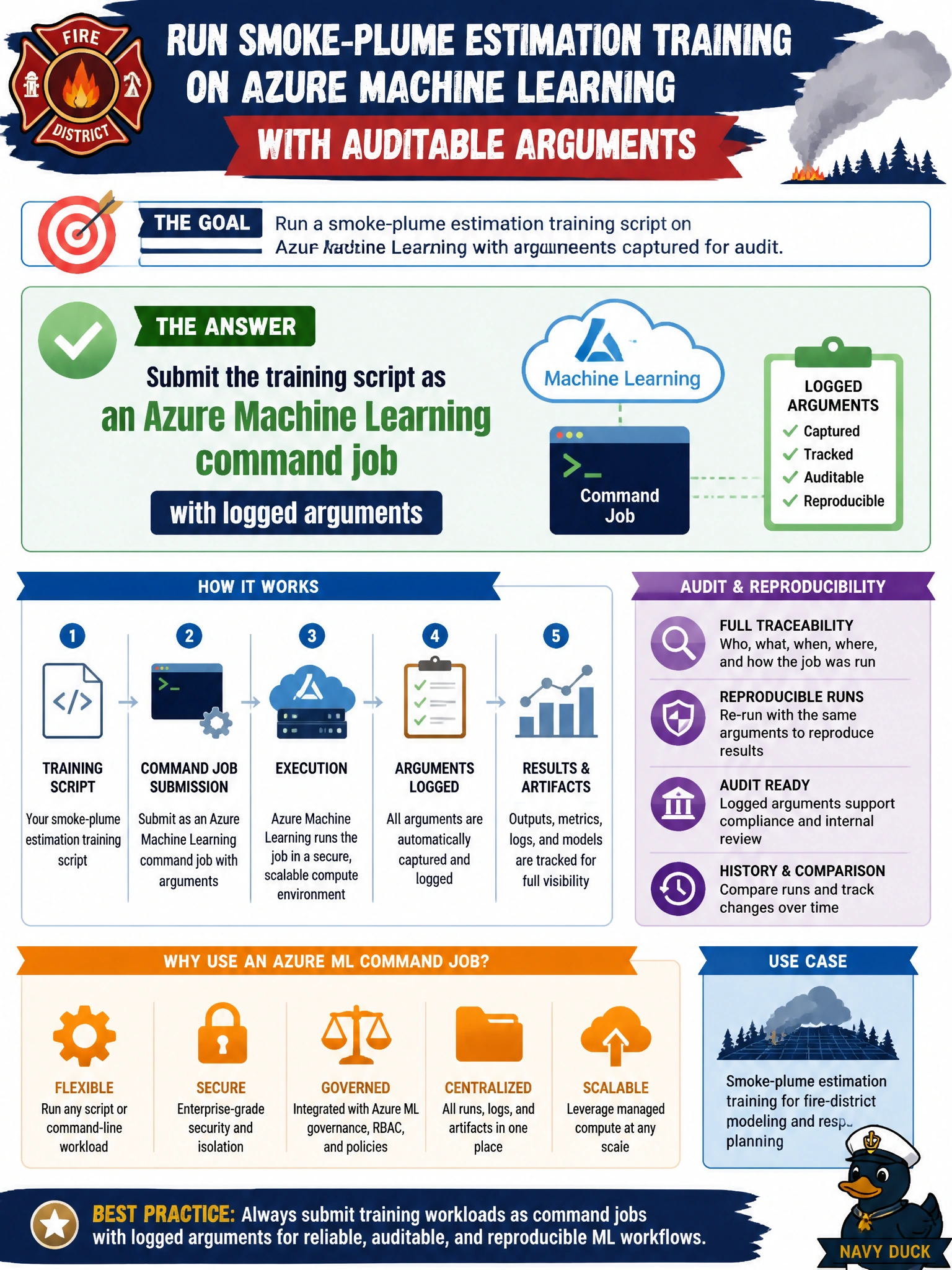
Treat the training script like a work order: submit it as a command job so Azure ML logs the arguments. Manual notebook runs with manual parameters and registered models won't give you an audited job history to review.
Full Explanation
Submitting the training script as an Azure Machine Learning command job with logged arguments gives the fire-district team an auditable work order for smoke-plume estimation training. Command jobs capture the script, environment, compute, and argument values in job history so after-action review can replay what ran. Domain 2 orchestration treats this as the standard way to run training scripts with reproducibility rather than ad-hoc Compute Instance notebook sessions with manual parameter entry, which do not generate an audited command-job record.
Running the script in a Compute Instance notebook session with manual parameter entry fails by concept: notebooks are interactive scratchpads, not submitted command jobs, and manually entered parameters are not logged in Azure ML job history. Registering the training script as a versioned model in the registry fails chain of custody and platform control—model registry entries version artifacts for reuse, they do not execute the script or capture its arguments in centralized job logs. Deploying the training script as a managed online endpoint fails the audit requirement in the stem; online endpoints serve inference traffic, they do not run the training script as a command job or preserve its arguments for reconstruction.
Exam caveat: When stems require running a training script with captured arguments, Azure ML command jobs are the answer—ad hoc notebook sessions with manual parameters or managed online endpoints without command-job logging are wrong. Operational check: submit a command job with explicit arguments, open the job detail page, verify arguments and metrics appear, re-run with the same args on the same environment, and confirm results are attributable to that job ID in district records.
Prefer to study offline? Printable PDF study book + test engine ($7.50, unofficial). These questions stay free here.