
A city ML project must keep training scripts, pipeline YAML, and environment files under version control with branch protection before production deploys. Which practice should the team adopt?
Select an answer to reveal the explanation.
Short Explanation
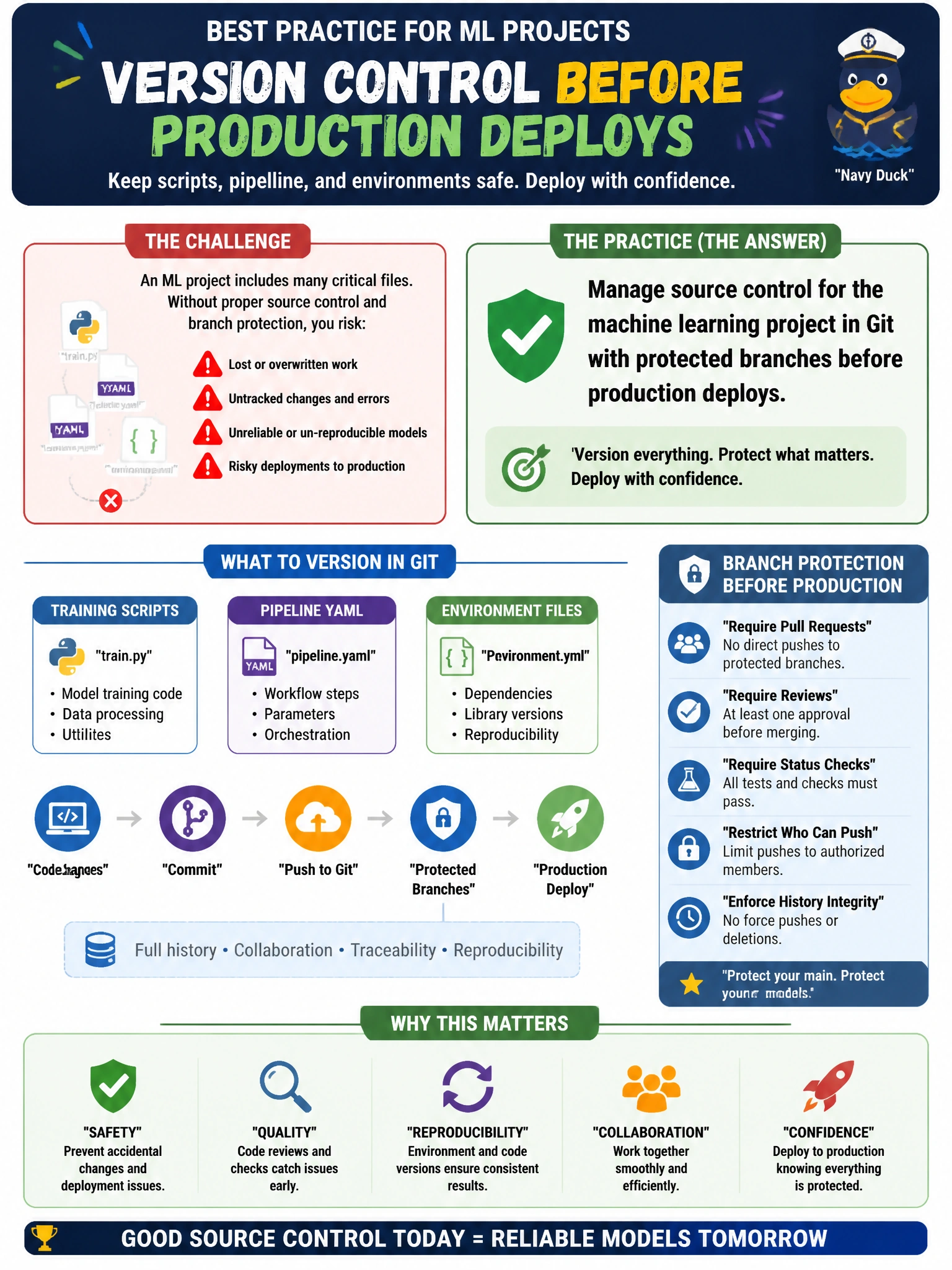
Git with branch protection is your lock on the filing cabinet — scripts, YAML, and environments stay reviewable. You'll clog Git if you push large datasets, model binaries, or run outputs into it — they're data and artifacts, not the code files you've got to lock down.
Full Explanation
Managing machine learning project source control in Git with protected branches before production deploys gives the city an auditable history of training scripts, pipeline YAML, and environment files. Branch protection (required reviews, status checks, no force-push to main) ensures that what reaches production was reviewed against municipal standards. AI-300 treats this as an explicit infrastructure-as-code and MLOps discipline skill: environments and pipelines are code assets, not informal attachments.
Managing source control for large training datasets in Git with protected branches before production deploys fails for this requirement: Git cannot efficiently version large data blobs and bloats the repository, and datasets are not the requested training scripts, pipeline YAML, and environment files. Managing source control for trained model binaries in Git with protected branches before production deploys fails for this requirement: large binary artifacts belong in a model registry, not Git, and binaries are not the requested training scripts, pipeline YAML, and environment files. Managing source control for pipeline run outputs in Git with protected branches before production deploys fails because run outputs are generated artifacts and logs, not version-controlled source assets like training scripts, pipeline YAML, and environment files, and storing them in Git bloats the repository.
Exam caveat: When the stem calls for version control with branch protection before production, the correct answer is Git (or equivalent) with protection policies for training scripts, pipeline YAML, and environment files—not Git for large training datasets, trained model binaries, or pipeline run outputs.
Operational check: attempt a direct push to the protected production branch and confirm rejection; merge a reviewed PR that updates pipeline YAML; verify the deploy pipeline consumes that commit SHA and that prior SHAs remain recoverable for rollback.
Prefer to study offline? Printable PDF study book + test engine ($7.50, unofficial). These questions stay free here.