
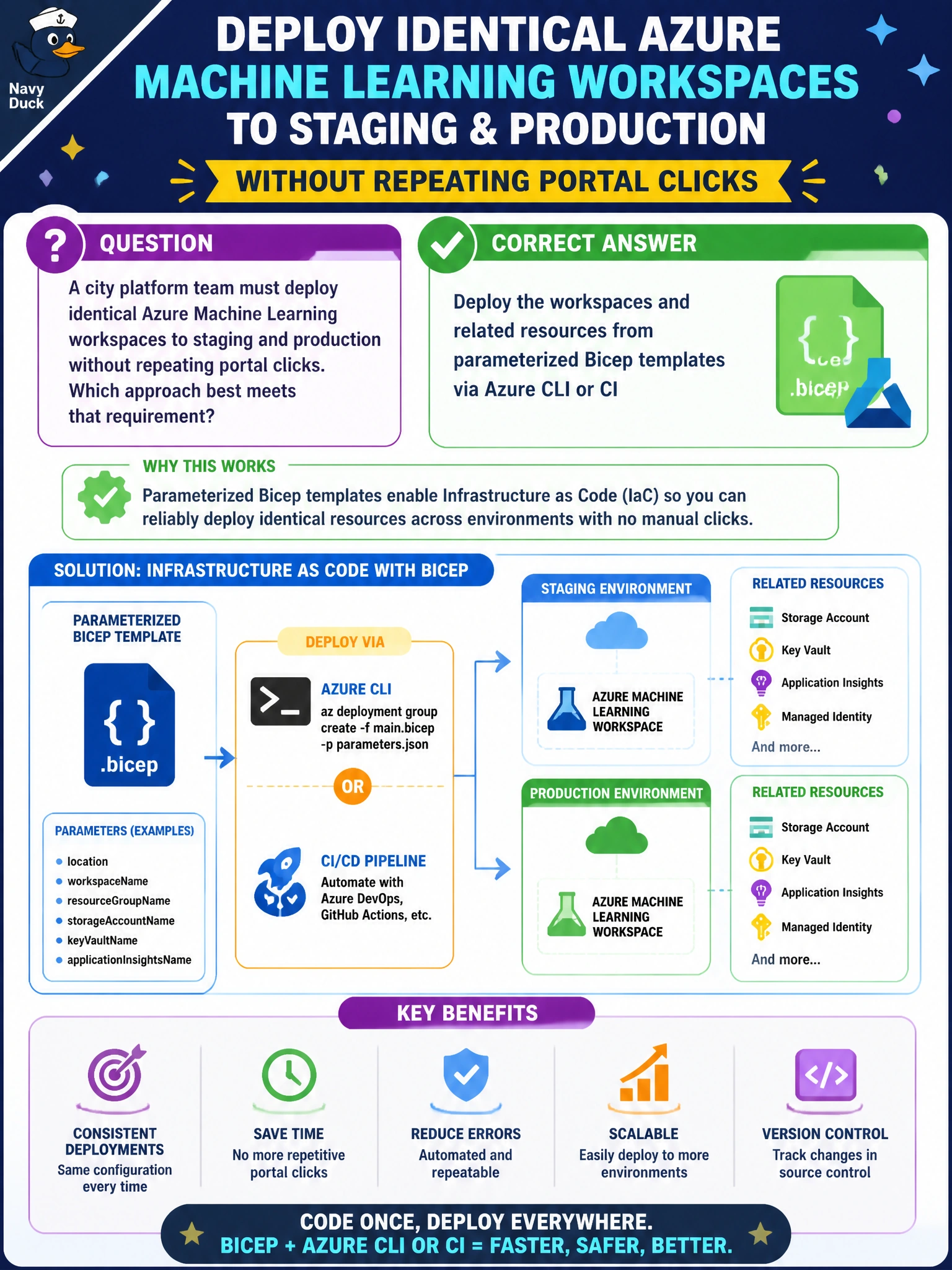
A city platform team must deploy identical Azure Machine Learning workspaces to staging and production without repeating portal clicks. Which approach best meets that requirement?
Select an answer to reveal the explanation.
Short Explanation
Think of Bicep like a city blueprint you can stamp twice — same plan, two lots. You'll get drift if you rely on exported portal JSON snapshots for Studio import since they're one-off copies with hardcoded values, not a reusable blueprint. Parameterized Bicep (or CLI wrapping it) keeps municipal workspaces identical and reviewable.
Full Explanation
Parameterized Bicep templates applied through Azure CLI or a CI pipeline are the AI-300-aligned way to provision identical Azure Machine Learning workspaces for staging and production. The template becomes the single source of truth for the municipal platform: workspace SKU, identities, networking hooks, Key Vault references, and related resources travel together as reviewed code. Parameters (environment name, subnet IDs, tags) let the city platform team stamp the same blueprint onto two lots without re-clicking the portal. Deployments are auditable in pipeline logs, rollbacks are a prior commit, and drift detection compares live resources to the template rather than to tribal knowledge. Deploying the workspaces from exported portal JSON snapshots via Azure ML Studio import fails because snapshots are point-in-time exports with hardcoded names, IDs, and values, and Studio provides no import path to provision workspace infrastructure; it reintroduces manual edits and portal clicks instead of stamping identical environments from parameterized, reviewed code. Deploying the workspaces from copied storage accounts via AzCopy and ACR import tasks fails because AzCopy and container registry import copy data and images, not infrastructure; they duplicate blobs and containers without provisioning the workspace SKU, identities, networking, or Key Vault references, leaving workspace configuration unversioned and unreviewed. Deploying the workspaces from versioned pipeline YAML files via az ml job create fails because pipeline YAML defines jobs that execute inside an existing workspace, not the workspace and related resources themselves; submitting jobs does not provision workspace settings or dependencies, so staging and production are never deployed from the same reviewed template. Exam caveat: AI-300 expects infrastructure as code (Bicep/ARM/CLI) for repeatable Azure ML workspace and related resource deployment; portal convenience paths are distractors when the stem demands identical environments without repeated clicks. Operational check: after applying the parameterized template to both environments, diff workspace properties (publicNetworkAccess, managed identity, private endpoint presence, diagnostic settings) and confirm CI can redeploy either environment from the same commit without portal edits.
Prefer to study offline? Printable PDF study book + test engine ($7.50, unofficial). These questions stay free here.