
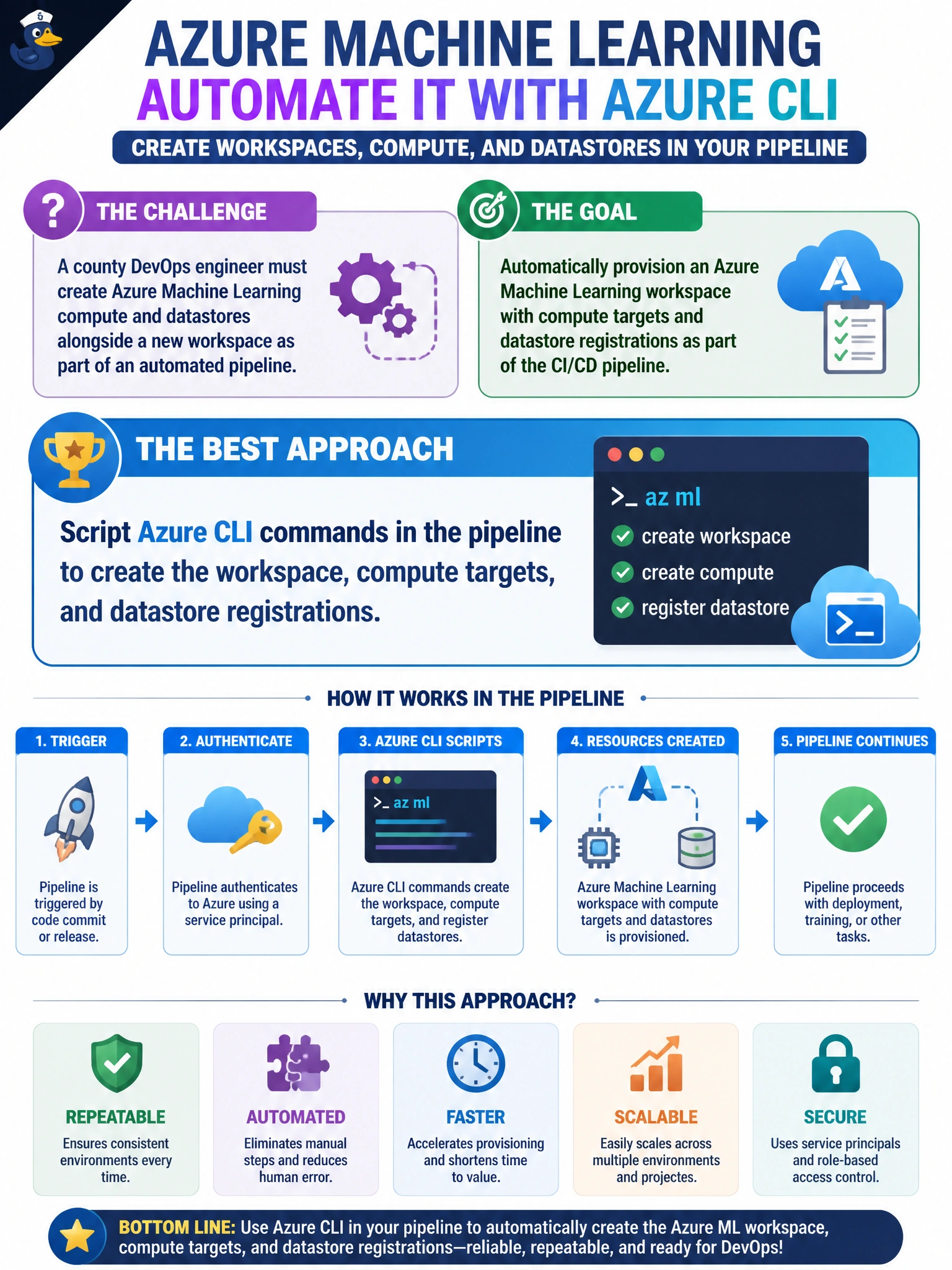
A county DevOps engineer must create Azure Machine Learning compute and datastores alongside a new workspace as part of an automated pipeline. Which approach best fits that goal?
Select an answer to reveal the explanation.
Short Explanation
Azure CLI is the remote control for county ML plumbing — workspace, compute, datastores — all created together, no click-ops. Pipelines that call those commands leave an auditable trail. You'll still break automation if you're clicking through studio for compute, orchestrating provisioning with Data Factory, or hiding creation in your training script.
Full Explanation
Embedding Azure CLI commands in the county DevOps pipeline creates the Azure Machine Learning workspace, compute targets, and datastore registrations as one governed flow. CLI (or equivalent Bicep plus CLI asset steps) is the remote control for municipal ML plumbing: each run leaves structured logs, uses service principals or workload identity rather than interactive admin sessions, and can fail the pipeline if a datastore registration or compute create returns an error. Datastore registration at provision time means training jobs inherit known storage paths and identity bindings instead of discovering missing mounts mid-job.
Provisioning the workspace with an ARM template in the pipeline and configuring compute targets in studio interactively fails the stem's automated-pipeline goal: the studio step requires manual click-ops outside the pipeline rather than having the pipeline itself create compute alongside the workspace. Orchestrating workspace, compute, and datastore creation with Azure Data Factory pipeline activities in sequence fails because Data Factory is built for data orchestration, not for provisioning Azure Machine Learning infrastructure — it lacks native workspace, compute-target, and datastore provisioning operations the county needs. Initializing the workspace with the Python SDK in the training script and defining compute and datastore resources inline fails reproducibility: provisioning tied to a training script's execution is fragile and not repeatable infrastructure as code — it makes the existence of compute and datastores depend on a job happening to run rather than on the pipeline itself.
Exam caveat: Domain 1 treats Azure CLI (and Bicep) as first-class for provisioning workspaces, compute, and datastores together; configuring compute interactively in studio instead of automating it, using Data Factory orchestration instead of Azure ML provisioning tooling, or defining infrastructure inline inside a training script are classic wrong answers when the stem asks for one automated, repeatable provisioning step.
Operational check: run the pipeline against a non-production subscription, then verify with az ml compute list and az ml datastore show that the expected cluster and datastore exist, that the workspace managed identity can read the storage container, and that no keys appear in pipeline variables or ticket attachments.
Prefer to study offline? Printable PDF study book + test engine ($7.50, unofficial). These questions stay free here.