
A multi-agent workflow outage spanned messaging and Functions. How should post-incident analysis use KQL?
Select an answer to reveal the explanation.
Short Explanation
A KQL timeline is the incident's black box recorder—messages and Functions lined up in order.
Full Explanation
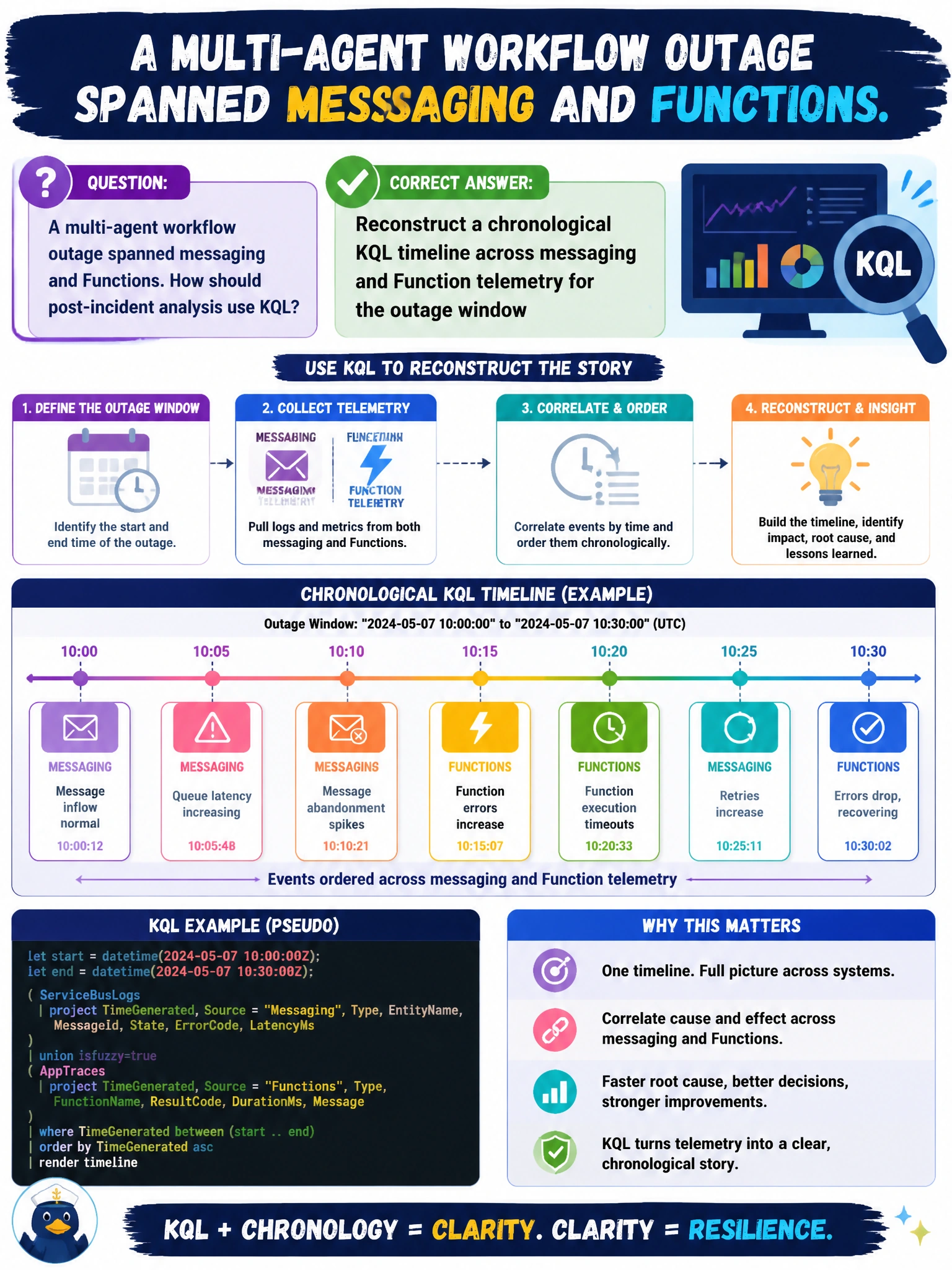
After a multi-agent workflow outage that spanned messaging and Functions, post-incident analysis should reconstruct a chronological KQL timeline across messaging and Function telemetry for the outage window. A time-ordered join of Event Hub/Service Bus signals, Function invocations/failures, and related exceptions shows how the municipal multi-agent path degraded—what failed first, what cascaded, and when recovery began—supporting accurate root cause and corrective actions.
Relying only on verbal stand-up notes with no queryable timeline produces incomplete, contested narratives. Exporting screenshots of the portal home page without time-ordered events lacks forensic detail for multi-hop failures. Wiping logs immediately so the timeline cannot be rebuilt destroys evidence required for blameless postmortems and audit obligations.
Exam caveat: Timeline reconstruction needs aligned time ranges, consistent correlation IDs where available, and inclusion of both platform diagnostics and application traces. Sampling gaps can create false "quiet" periods—call that limitation out in the postmortem. Preserve logs for the retention needed by city incident policy before any cleanup.
Operational check: For the outage window, run KQL that unions or joins messaging failure/metrics with Function results ordered by timestamp, annotate deploy and scale events, export the timeline into the post-incident report, and file follow-ups (propagation fixes, alerts, runbooks). Verify that similar future incidents would page earlier based on the first failing hop in that timeline.