
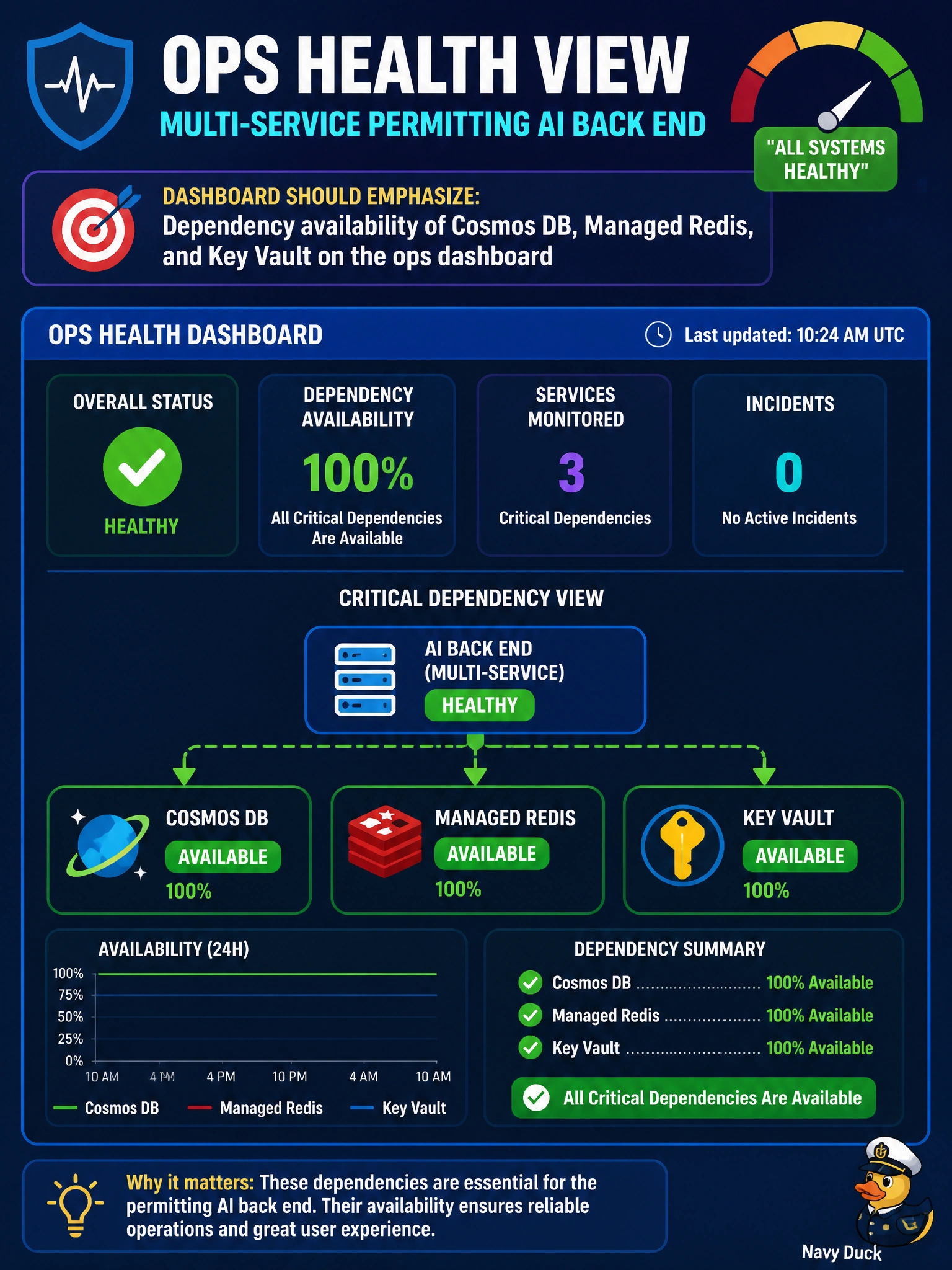
Ops wants a health view for a multi-service permitting AI back end. What should the dashboard emphasize?
Select an answer to reveal the explanation.
Short Explanation
Dependency health is the three green lights on the permit desk—Cosmos, Redis, and Key Vault all matter.
Full Explanation
For a health view of a multi-service permitting AI back end, the ops dashboard should emphasize dependency availability of Cosmos DB, Managed Redis, and Key Vault—the dependencies that typically gate reads, cache, and secret material for permitting workflows. A green process on one compute node means little if Cosmos is throttling, Redis is unreachable, or Key Vault denials block startup configuration for municipal permitting agents.
Showing only CPU of a single jump box with no dependency signals ignores the distributed failure modes that actually take permitting AI down. Marketing site uptime alone without Cosmos, Redis, or Key Vault status can stay green while the AI back end is failing. ACR repository count as the sole health signal reflects registry inventory, not runtime dependency health.
Exam caveat: Availability tiles should use the right signals—resource health, success rate of dependency calls, latency, and throttling metrics—not merely "resource exists." Synthetic checks that exercise Cosmos/Redis/Key Vault paths catch issues before residents do. Avoid alert fatigue by tiering critical dependencies versus secondary ones.
Operational check: Build an ops dashboard with availability/latency tiles for Cosmos DB, Managed Redis, and Key Vault used by permitting AI, wire alerts on sustained dependency failure, validate with a controlled dependency fault in nonprod, and include deep links to KQL failure breakdowns. Review the board at start of shift during peak permit periods.