
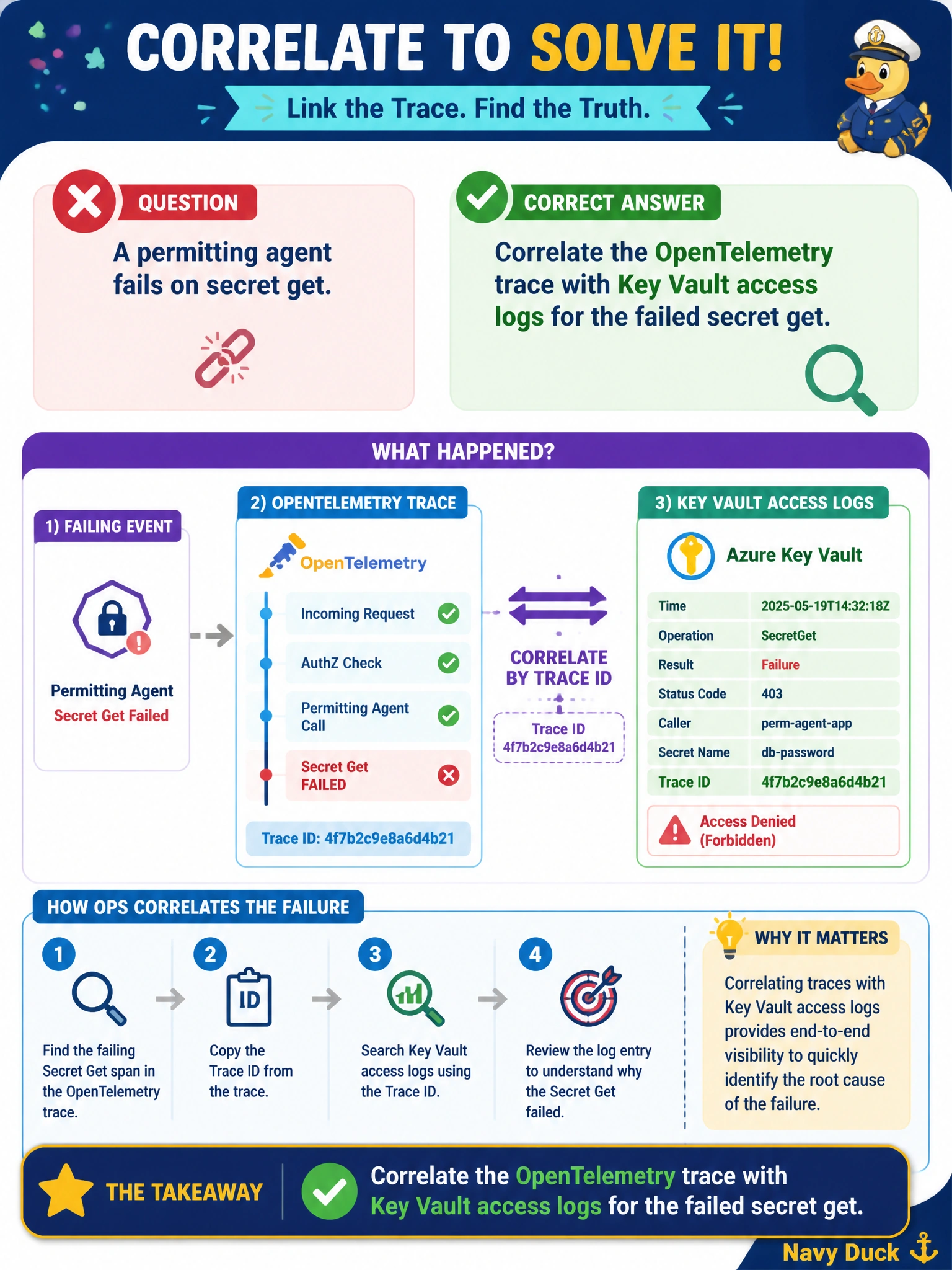
A permitting agent fails on secret get. How should ops correlate the failure?
Select an answer to reveal the explanation.
Short Explanation
Matching the app trace to Key Vault access logs is like checking both the desk log and the vault camera for the same timestamp.
Full Explanation
When a permitting agent fails on a secret get, operations should correlate the OpenTelemetry application trace with Key Vault access logs for the failed secret get. The trace identifies which operation, identity context, and timing failed inside the agent; Key Vault diagnostics show whether the vault denied access, served a disabled version, or never received the call. Together they distinguish app bugs, wrong secret names, network path issues, and RBAC/misconfigured managed identity problems for municipal permitting.
Restarting Key Vault soft-delete without reviewing access logs does not explain the failure and can complicate recovery. Ignoring application traces and only emailing the platform vendor skips the evidence already available in the city's telemetry. Rotating every secret in the vault simultaneously without identifying the failing identity creates unnecessary blast radius and still may not fix a permissions or name mismatch.
Exam caveat: Correlation depends on timestamps, request correlation identifiers where available, and knowing which managed identity the agent uses. Soft-delete and purge protection are recovery features, not first-line diagnostics. A successful vault get in logs with an app-side parse failure points to application handling, not Key Vault availability.
Operational check: Open the failing permitting span, note time and identity, query Key Vault access logs for matching secret gets/result codes, remediate the specific cause (RBAC, network, secret name/version), retest the secret get in a controlled call, and only then consider targeted rotation if compromise or corruption is indicated. Attach both trace and vault log excerpts to the ticket.