
A Container Apps revision of a clerk summarizer returns HTTP 502. What should the team inspect to troubleshoot?
Select an answer to reveal the explanation.
Short Explanation
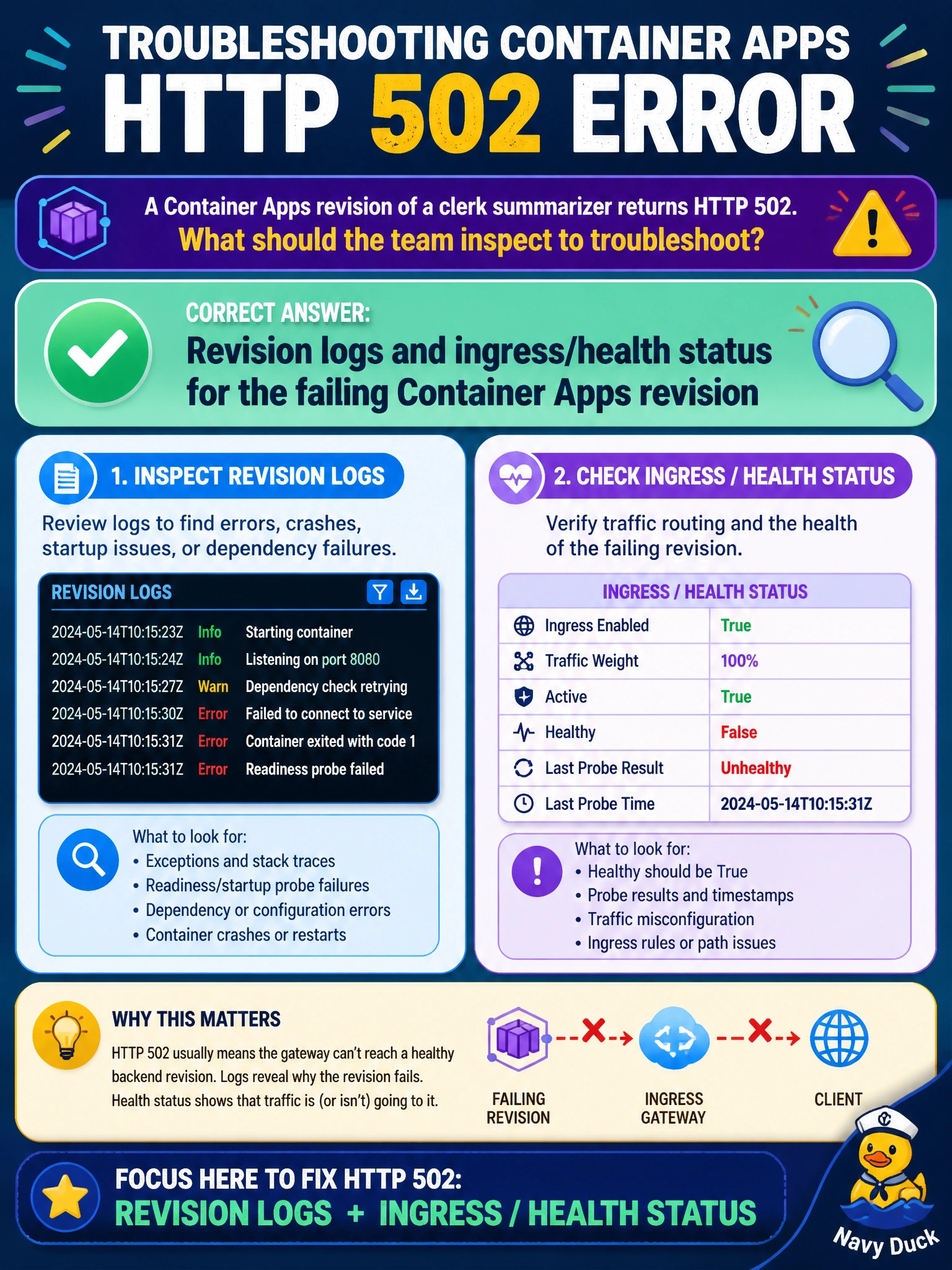
A 502 from the clerk summarizer usually means the front door is up but the revision behind it is unhealthy or misconfigured. Check that revision’s logs and ingress/health status before yanking unrelated vault secrets or blaming the fax machine.
Full Explanation
Azure Container Apps troubleshooting for HTTP 502 centers on the failing revision’s logs and ingress/health status. A clerk summarizer revision that returns 502 often has a crashed process, failed health probes, wrong port, or ingress misconfiguration while the front door still responds at the environment edge. Revision console and system logs plus ingress/health indicators show whether the revision is degraded, activating, or failing probes—actionable data for municipal operators.
Only the on-prem fax machine queue depth at the courthouse fails relevance to Container Apps HTTP errors. Random deletion of every Key Vault secret in the tenant fails catastrophically and destroys credentials unrelated to systematic diagnosis. Disabling TLS on the public internet as the first step fails security and does not explain a revision-level 502.
Exam caveat: 502 from Container Apps often means ingress could not get a healthy response from replicas. Distinguish environment-level issues from single-revision problems by comparing the previously healthy revision’s status with the new one—traffic splitting can help isolate.
Operational check: Open the failing clerk-summarizer revision, read system/console logs, verify ingress and health/replica status, confirm listen port and probes, and roll traffic back to the last healthy revision if needed before changing TLS or deleting Key Vault secrets.