
End-to-end connectivity from Application Gateway to AKS AI ingress fails after a network change. What should the municipal team do?
Select an answer to reveal the explanation.
Short Explanation
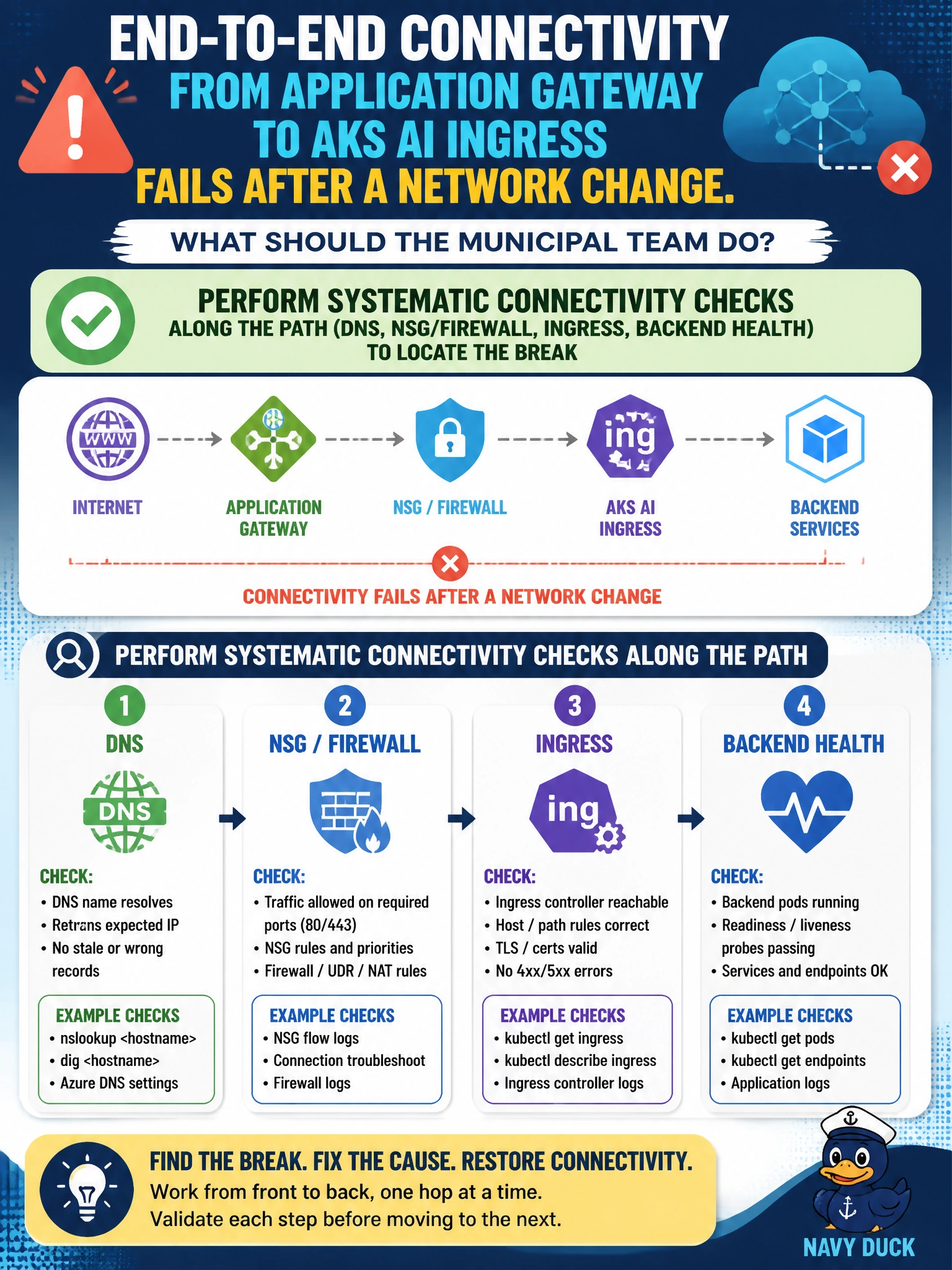
After a network change, treat the App Gateway-to-AKS path like a broken transit line—test each hop (DNS, NSG, ingress, backend health) instead of rewriting chatbot prompts or opening every gate in the city.
Full Explanation
End-to-end failures after a network change require systematic connectivity checks along the path: DNS resolution, NSG/firewall rules, Application Gateway backend health, AKS ingress, and service/pod networking. A municipal team facing broken Application Gateway-to-AKS AI ingress should test each hop to locate where packets or health probes fail rather than guessing at application prompts. Structured path diagnosis restores HTTP ingress for generative workloads without sacrificing security controls wholesale.
Assuming DNS is fine and rewriting generative prompts fails because prompt text does not repair network paths. Replacing Application Gateway with anonymous FTP to cluster nodes fails modern HTTPS ingress architecture and security. Disabling all network security groups permanently to force traffic through fails least-privilege networking and may mask the real break without a durable fix.
Exam caveat: Application Gateway and AKS ingress (NGINX/AGIC/other) interactions are sensitive to NSGs, UDR, private IP backends, and probe paths. The exam wants methodical path verification, not a specific single checkbox. Permanently opening all NSGs is never the preferred remediation.
Operational check: From a jump box or Gateway troubleshooting view, verify DNS for the AI ingress hostname, check Gateway backend health, test NSG/flow logs on relevant subnets, curl ingress from inside the cluster, and confirm pod readiness—document which hop first fails after the network change.