
A county public-health department must license seasonal permitting staff for Microsoft 365 features. Why might the admin prefer group-based license assignment over assigning licenses user by user?
Select an answer to reveal the explanation.
Short Explanation
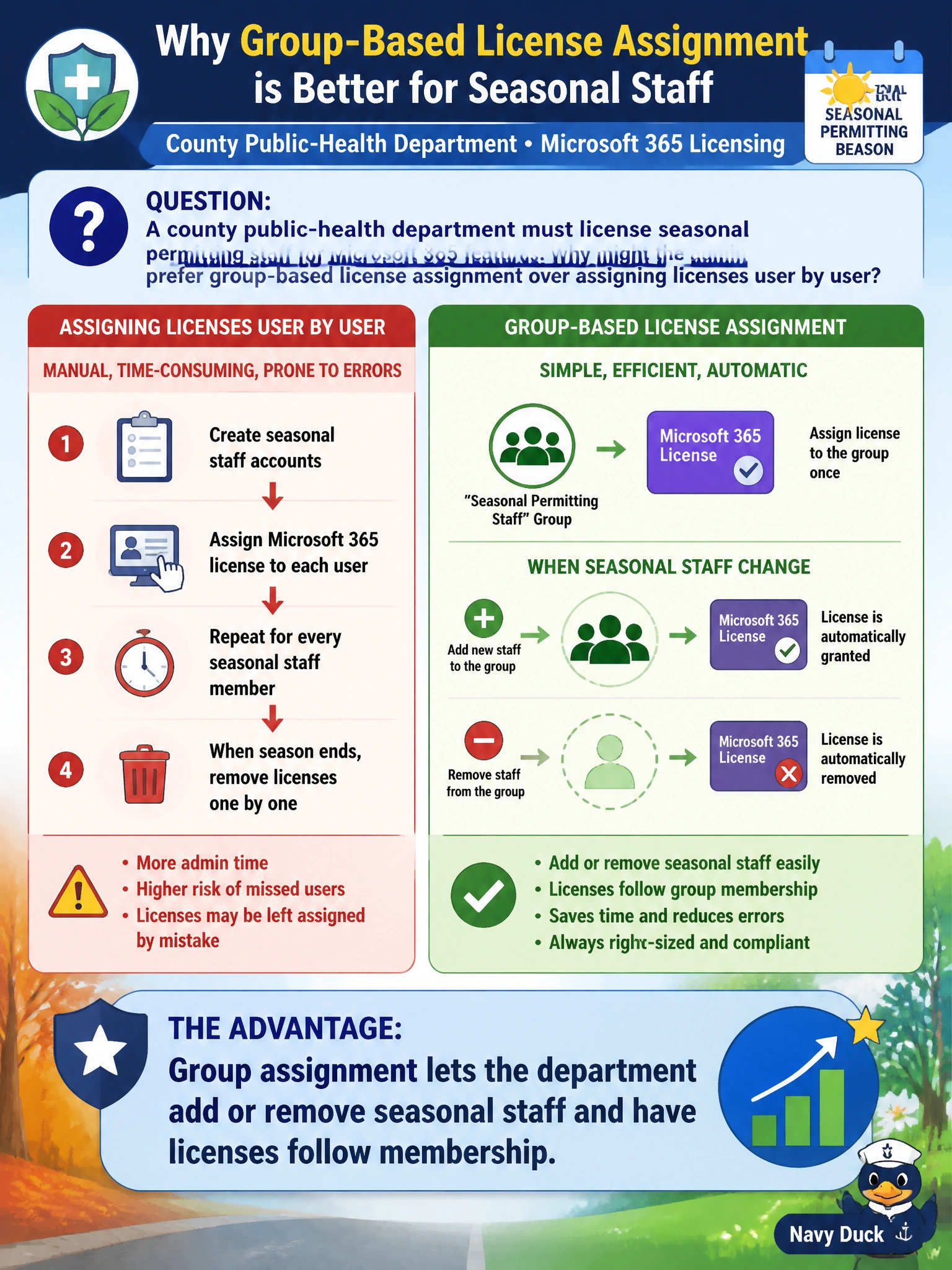
Picture a seasonal-worker roster: when someone joins the group, their license rides along; when the season ends, drop them from the group and the license goes with it. That beats hand-assigning every temp one at a time. You won't merge everyone into one shared concurrent license, you'll still need enough purchased licenses for each member, and dropping someone frees their license rather than letting them keep it.
Full Explanation
County public-health departments that hire seasonal permitting staff need licenses to move with short-lived employment. Group-based license assignment is preferred over per-user assignment because adding someone to a licensed Microsoft Entra ID security group or Microsoft 365 group applies the SKU to members, and removing them from the group removes the entitlement. That membership-driven model scales onboarding and offboarding for seasonal municipal workers without repeating individual license edits for every temp hire.
Group-based license assignment does not combine seasonal staff licenses into a single shared concurrent license; Microsoft 365 licenses remain per-user entitlements, and assigning a SKU to a group simply automates assignment of one license per member rather than pooling them for concurrent use.
Group assignment does not let the department assign seasonal staff licenses beyond the available license count; only purchased licenses can be assigned, and members exceeding the available quantity will show licensing errors until additional SKUs are purchased.
Group assignment does not let the department remove seasonal staff from the group while keeping their licenses assigned; removal from the licensed group removes the entitlement, which is why licenses follow membership during seasonal join and leave churn.
Exam caveat: AB-900 often contrasts operational efficiency of group licensing with incorrect claims that groups combine licenses into a single shared concurrent license, assign licenses beyond the available count, or let removed staff keep licenses. Prefer the answer that describes licenses following membership for join/leave churn.
Operational check: create or reuse a seasonal-staff group, assign the needed Microsoft 365 license SKU to the group, add a test seasonal account, wait for license processing, confirm apps and features appear, then remove the account from the group and verify the license is released. Document group owners so public-health supervisors can request membership changes without asking admins to click licenses user by user each hiring wave.
Prefer to study offline? Printable PDF study book + test engine ($7.50, unofficial). These questions stay free here.