
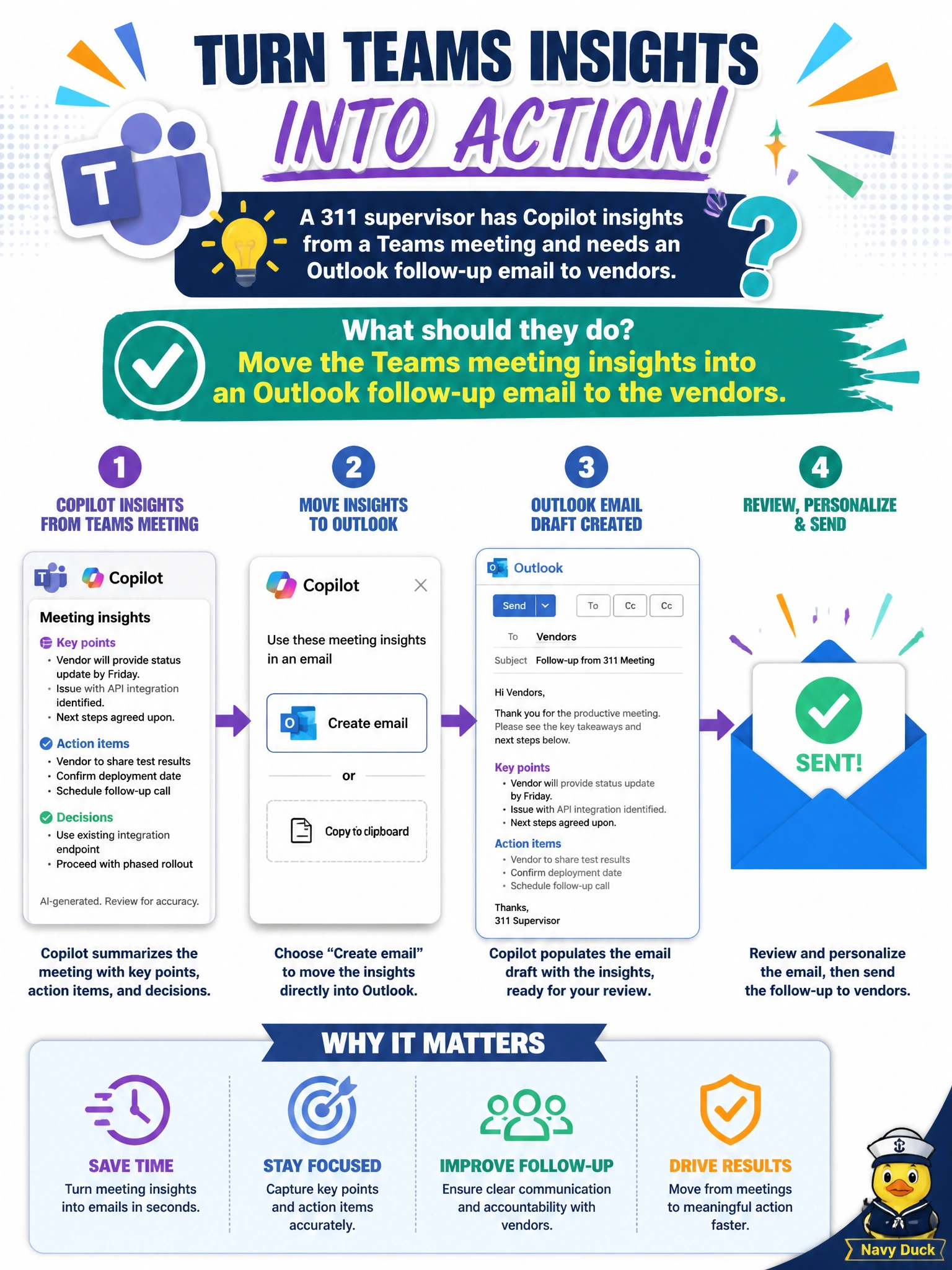
A 311 supervisor has Copilot insights from a Teams meeting and needs an Outlook follow-up email to vendors. What should they do?
Select an answer to reveal the explanation.
Short Explanation
Meeting gold sitting in Teams—carry those Copilot insights into an Outlook vendor follow-up. Same decisions, right inbox.
Full Explanation
311 and vendor coordination often capture decisions in Teams; those Copilot meeting insights need to become an Outlook follow-up email so vendors receive clear next steps. Moving Teams meeting insights into Outlook is the correct cross-app handoff: same decisions, right inbox, auditable thread. It avoids dumping unprotected resident complaint details to public listservs or inventing signed contracts that were never discussed.
Posting the full Teams recording link with unprotected resident complaint details to a public listserv fails privacy and may violate complaint confidentiality. Ignoring the meeting insights and sending an unrelated parks festival invitation fails task continuity. Asking Copilot to claim vendors already signed contracts that were never discussed fails procurement honesty.
Exam caveat: move Teams Copilot insights into an Outlook vendor follow-up. Reject public listserv dumps of complaint details, unrelated invitations, and fabricated contract signatures.
Operational check: draft the Outlook follow-up from the meeting action items only, omit resident personal complaint details, list owners and due dates, have the 311 supervisor confirm vendor commitments, then send from the official municipal mailbox.