
SunPath Insurance has built a custom AI agent using Microsoft Copilot Studio that helps claims adjusters look up policy coverage. A developer has submitted this agent for organizational deployment. Before users can access it from Microsoft Teams and Microsoft 365 Copilot Chat, what step must the Microsoft 365 administrator complete?
Select an answer to reveal the explanation.
Short Explanation and Infographic
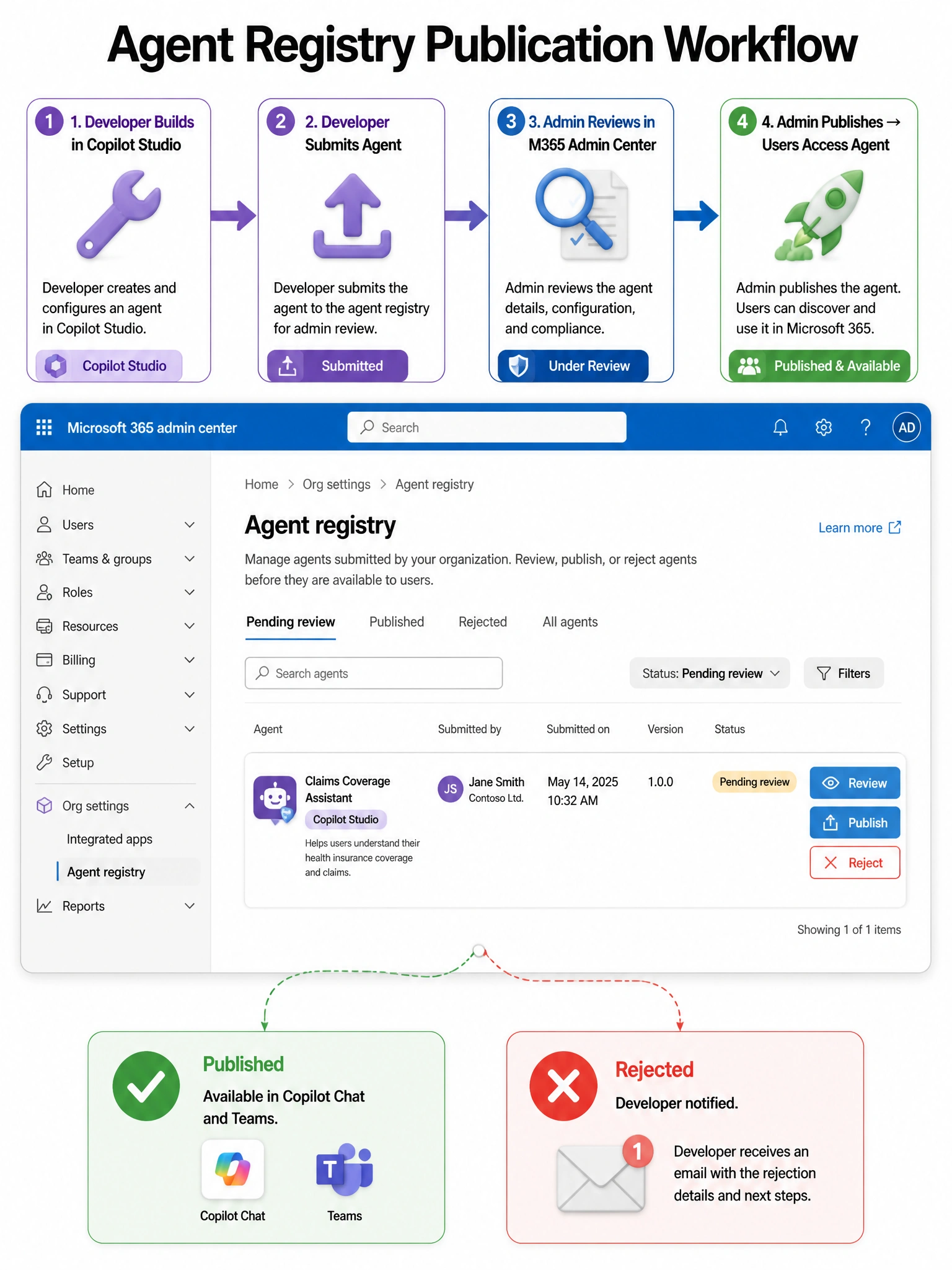
The agent registry in the Microsoft 365 admin center is the gatekeeper — a developer submits the agent, and an admin reviews it and either publishes or rejects it. Nothing goes live to users until an admin approves it, which is exactly the governance layer the exam tests.
Full explanation below image
Full Explanation
The Microsoft 365 agent registry, accessible via the Microsoft 365 admin center under Agents, serves as the centralized governance point for AI agents in the organization. When a developer submits a custom agent built in Copilot Studio or another platform, it enters a pending review state. An administrator (typically with the AI Services Administrator or Global Administrator role) must review the agent's metadata, capabilities, and data access requirements, then publish it to make it available to users. This publish action makes the agent discoverable and usable within Microsoft 365 Copilot experiences.
Option A is incorrect because SharePoint is a file storage platform, not an agent distribution mechanism. There is no mechanism for users to 'install' an agent from a SharePoint link. Agent distribution requires going through the official agent registry workflow.
Option C is incorrect because AI agents do not consume Microsoft 365 Copilot user licenses directly. Agents are service-level capabilities; it is the USERS who interact with Copilot (and by extension, agents) who need Copilot licenses, not the agents themselves.
Option D is incorrect because while Teams admin center handles Teams app deployment policies for regular apps and bots, the governance of Copilot-native agents goes through the Microsoft 365 admin center agent registry, not the Teams admin center. These are related but distinct deployment pathways.
Exam tip: Remember the agent publication workflow: Copilot Studio build → Submit for review → Admin reviews in M365 admin center agent registry → Publish or Reject. The exam may test that publishing happens in the M365 admin center, not the Teams admin center.