
Crestview University's IT governance board has mandated that only IT-approved AI agents may be used within the organization. Users must not be able to create personal agents or use agents from outside the approved list. As the Microsoft 365 administrator, which configuration satisfies this requirement?
Select an answer to reveal the explanation.
Short Explanation and Infographic
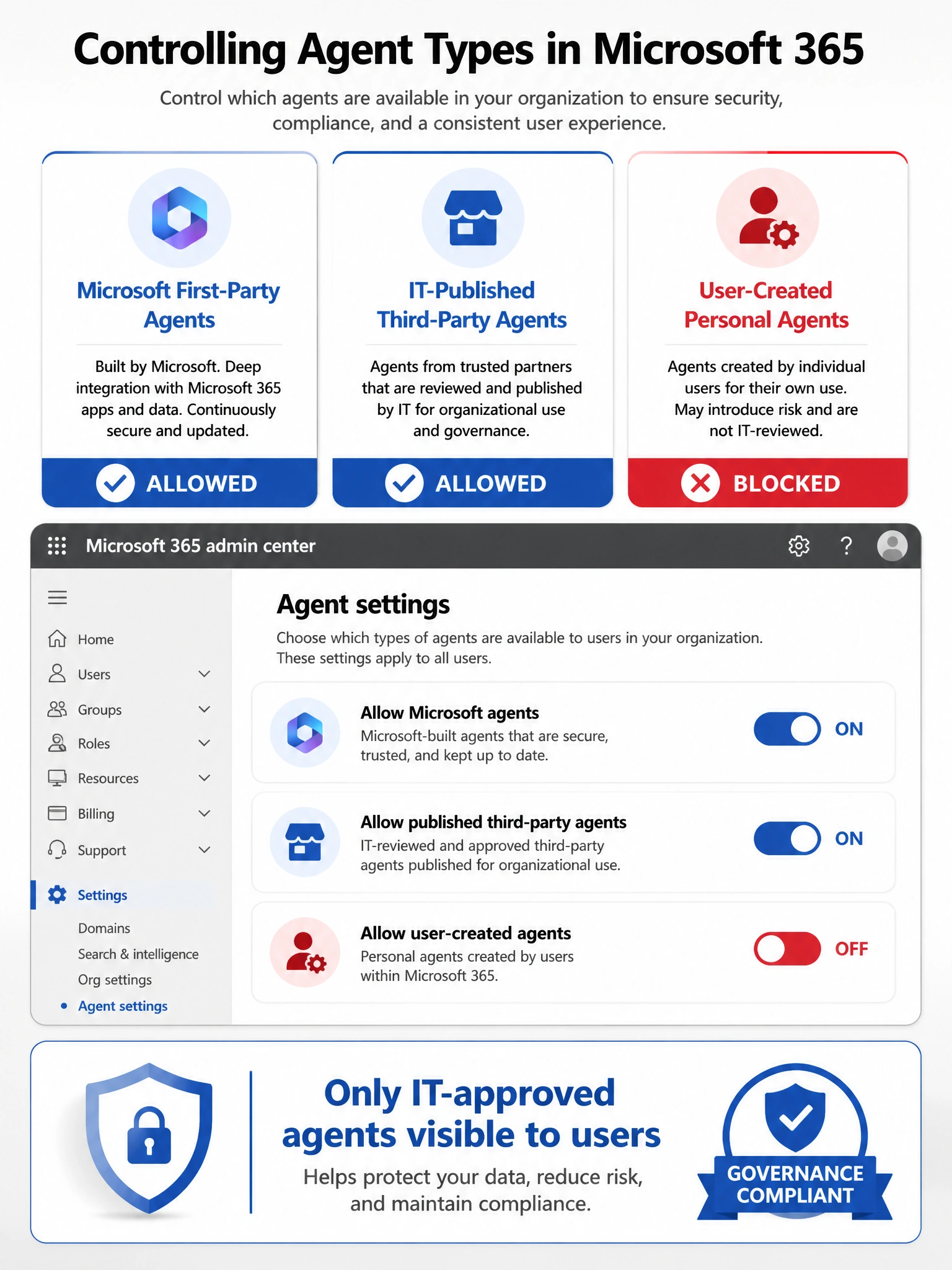
Agent settings in the Microsoft 365 admin center let you control exactly which TYPES of agents are allowed — you can restrict it to only IT-published agents and shut down users' ability to build their own personal agents. It's a direct dial for agent governance.
Full explanation below image
Full Explanation
The Microsoft 365 admin center provides Agent Settings under the Copilot/Agents section that allow administrators to control: which types of agents are permitted (Microsoft first-party, IT-published third-party, user-created), whether users can create their own agents, and sharing permissions. By restricting allowed agent types and disabling user-created agents, the administrator limits the tenant to only agents that have been reviewed and published through the official agent registry workflow, satisfying the governance board's requirement.
Option A is incorrect because removing users from the Copilot user experience group would disable Copilot access entirely for those users — a far broader action than just restricting agent types. The question is about managing which agents are allowed, not disabling Copilot altogether.
Option C is incorrect because Microsoft Purview sensitivity labels control data classification and protection (encryption, access restrictions on documents), not the creation or deployment of AI agents. Labels have no mechanism for blocking agent types.
Option D is incorrect because Azure Policy governs Azure resource deployment and configuration in Azure subscriptions. Microsoft 365 Copilot agents are M365-layer constructs managed through the Microsoft 365 admin center, not Azure Policy. Azure Policy cannot reach into M365 agent settings.
Exam tip: Know that agent settings (allowed types, user creation permissions, sharing controls, templates) are all configured in the Microsoft 365 admin center. The exam may present scenarios where a company wants to restrict agent creation — the answer will always point back to the agent settings in the M365 admin center, not third-party tools.