
Quantum Analytics has deployed an internal AI agent that processes sensitive financial forecasts. The security team wants to ensure that this agent can only be accessed by users who are connecting from compliant, Intune-managed devices. Non-compliant device access attempts should be blocked. What should the administrator configure to enforce this requirement?
Select an answer to reveal the explanation.
Short Explanation and Infographic
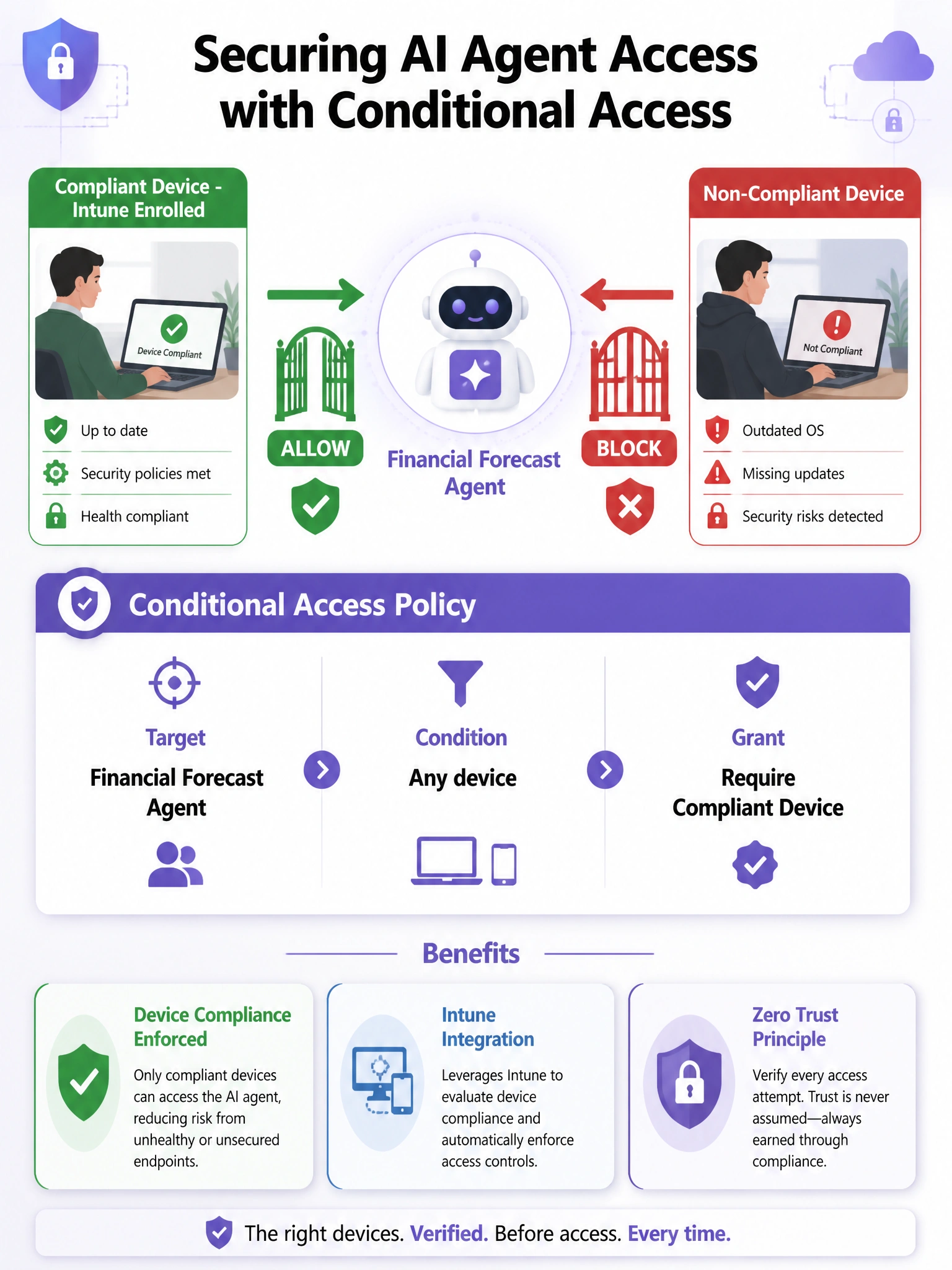
Conditional Access is your policy enforcement engine for both users AND agents. By targeting the agent's Entra identity in a CA policy and requiring a compliant device as the grant condition, you get exactly the 'Intune-managed or no access' enforcement the security team wants.
Full explanation below image
Full Explanation
Microsoft Entra Conditional Access policies can target AI agent identities registered via Entra Agent ID, enabling the same access control enforcement that applies to users and traditional apps. By creating a CA policy scoped to the financial forecasting agent and specifying 'Require device to be marked as compliant' as a grant control, the administrator ensures that any access attempt from a non-Intune-managed device is blocked before the agent even executes.
Option A is incorrect because IP address restrictions in agent registry configuration are a coarse network-level control, not a device compliance check. A user on a non-compliant device connected via VPN (which might appear on the corporate IP range) would bypass this control. It also doesn't enforce Intune enrollment status specifically.
Option C is incorrect because SharePoint permission policies control data access on SharePoint sites, not the access to the agent itself. The question requires restricting who can invoke the agent, not just what data the agent can read. Even if SharePoint permissions were restricted, the agent itself could still be accessed and might surface data from other sources.
Option D is incorrect because requiring MFA across all users is a much broader change that doesn't specifically address device compliance for agent access. MFA ensures the user is who they say they are but does nothing to validate whether the accessing device is enrolled in Intune and meets compliance policy requirements.
Exam tip: The AB-650 exam tests that Conditional Access can target agent identities — not just users. Know the policy path: Microsoft Entra admin center > Protection > Conditional Access > New policy > Target resources (include the agent app/identity) > Conditions and Grant controls.