
Fabrikam is onboarding 500 new employees simultaneously across three departments. The IT administrator has a CSV file containing each employee's display name, user principal name, department, and job title. The admin wants to create all 500 accounts in Microsoft Entra ID using Microsoft Graph PowerShell. Which approach correctly accomplishes this?
Select an answer to reveal the explanation.
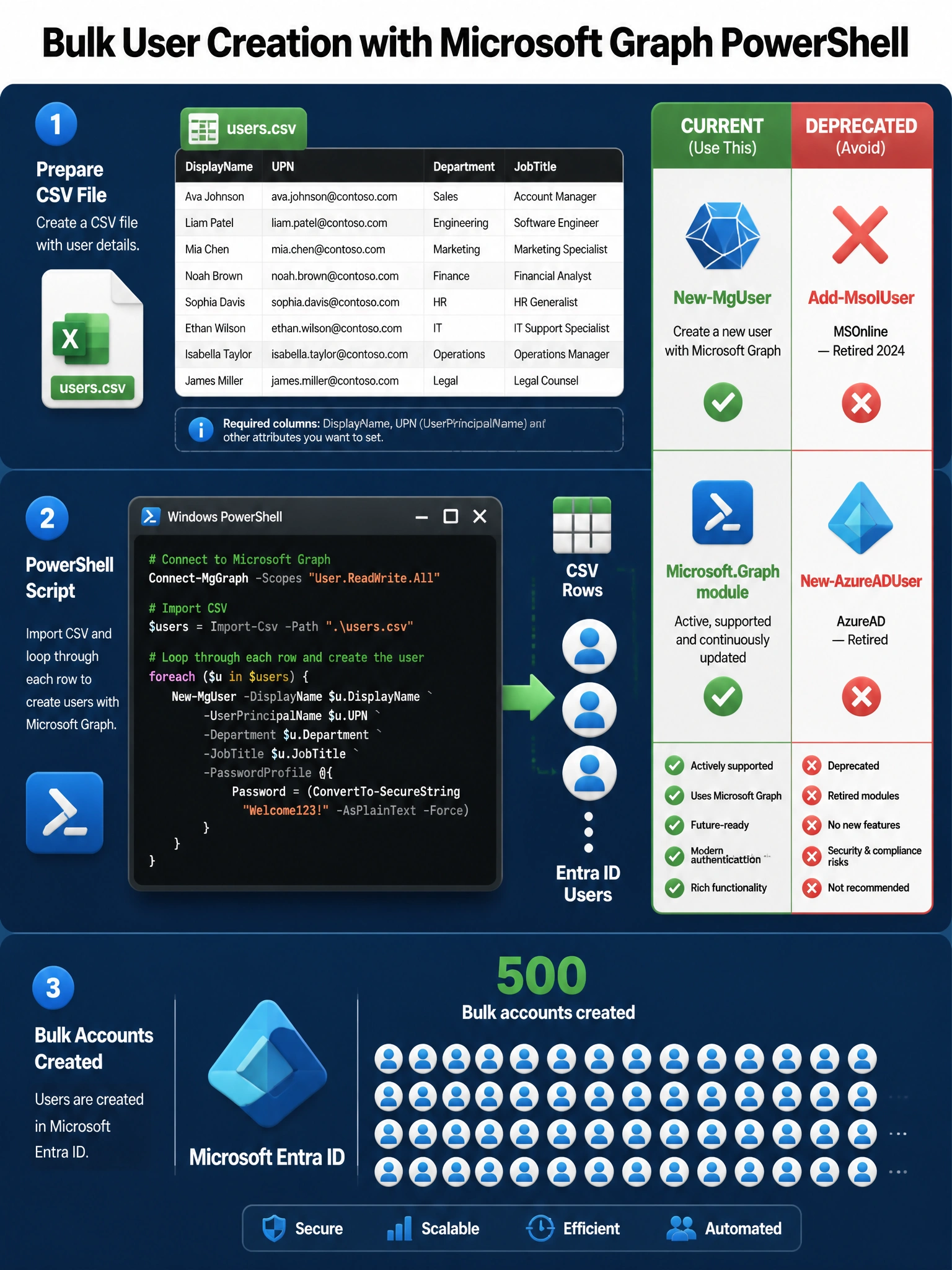
Short Explanation and Infographic
Think of New-MgUser as the 'create a new employee badge' cmdlet — it makes brand-new accounts. Import-Csv hands you each row like a stack of paper forms, and you loop through stamping out accounts one by one. The MSOnline (Add-MsolUser) and AzureAD (New-AzureADUser) modules are retired, and Set-MgUser only modifies existing accounts, not creates them.
Full explanation below image
Full Explanation
The correct answer is B. New-MgUser is the Microsoft Graph PowerShell cmdlet for creating new user accounts in Microsoft Entra ID (formerly Azure AD). The standard bulk-creation pattern is: (1) Import-Csv reads the CSV file and returns an array of objects; (2) a foreach loop iterates over each row; (3) New-MgUser is called with parameters like -DisplayName, -UserPrincipalName, -Department, -JobTitle, -AccountEnabled, and a -PasswordProfile hashtable that sets the initial password and forces a password change at next sign-in.
Option A is wrong because Add-MsolUser belongs to the MSOnline PowerShell module, which Microsoft officially retired in March 2024. Using deprecated modules on the exam (and in production) is always wrong when a current Graph PowerShell equivalent exists.
Option C is wrong because Set-MgUser is used to modify properties of an already-existing user account. It cannot create new accounts. Running Set-MgUser against a UPN that doesn't exist yet will return an error, not create the account.
Option D is wrong because New-AzureADUser belongs to the AzureAD PowerShell module, which Microsoft deprecated and retired alongside MSOnline. The Microsoft Graph PowerShell SDK (cmdlets prefixed Mg) is the official replacement for both the MSOnline and AzureAD modules.
Exam tip: On AB-650 questions involving PowerShell and user management, any cmdlet from the MSOnline or AzureAD module families is virtually always a distractor. Correct answers will use the Mg-prefixed cmdlets from the Microsoft.Graph PowerShell module.