
Vantage Retail Solutions has purchased 50 Microsoft Copilot Studio licenses. The IT admin opens the Microsoft 365 admin center and notices two similar license SKUs listed under Billing > Licenses: 'Copilot Studio' and 'Power Virtual Agents'. The admin needs to assign the correct license to allow users to build and publish custom AI copilots in Microsoft Copilot Studio. Which action should the admin take?
Select an answer to reveal the explanation.
Short Explanation and Infographic
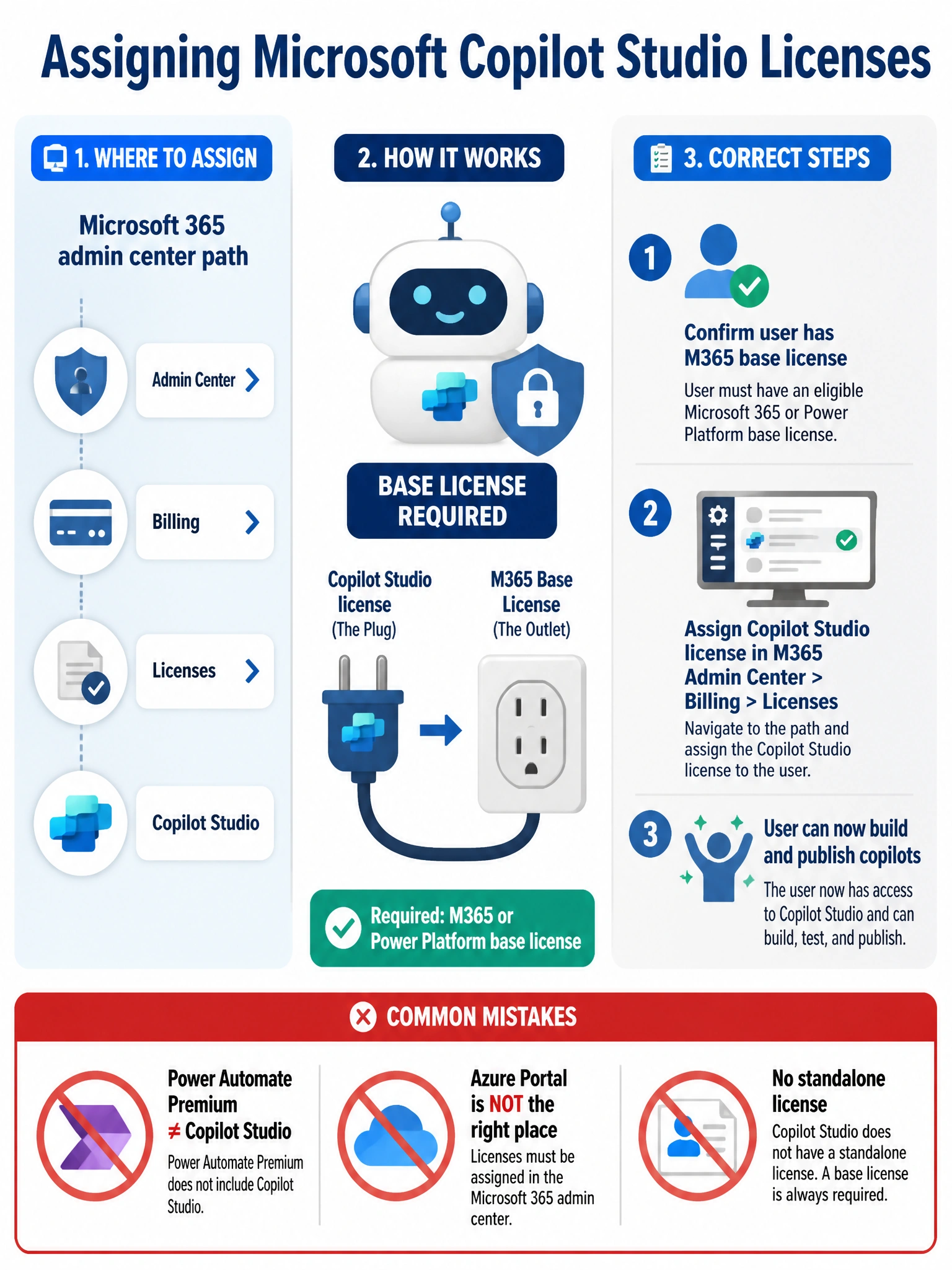
Think of Copilot Studio like a power tool that needs to plug into an outlet — the 'Copilot Studio' license is the tool, but it needs a qualifying Microsoft 365 or Power Platform base license as the outlet to actually run. Assign the Copilot Studio license through Microsoft 365 admin center > Billing > Licenses, not the Azure portal.
Full explanation below image
Full Explanation
Microsoft Copilot Studio (formerly Power Virtual Agents) requires users to be assigned the dedicated 'Copilot Studio' license SKU in order to build, test, and publish custom AI copilots and chatbot experiences. This is the correct license and it is found in the Microsoft 365 admin center under Billing > Licenses — not the Azure portal.
However, Copilot Studio is not a standalone license. Microsoft requires that users also hold a qualifying base license — such as Microsoft 365 Business Basic/Standard/Premium, Microsoft 365 E3/E5, or a Power Platform license — before the Copilot Studio add-on license can be activated. The base license provides the foundational services that Copilot Studio depends on, including Microsoft Dataverse and identity management.
Option A is incorrect. Power Automate Premium is a separate product focused on workflow automation. While it has some overlap with the Power Platform ecosystem, it does not grant Copilot Studio authoring rights. These are two distinct licenses solving different problems.
Option C is incorrect because Copilot Studio is explicitly an add-on license, not a standalone SKU. Users without a qualifying base license will not be able to activate or use Copilot Studio features even if the license is assigned. Microsoft's licensing documentation is clear on this prerequisite.
Option D is incorrect. While Azure Active Directory (now Microsoft Entra ID) can technically be used for some license operations, Microsoft's standard and supported method for assigning Microsoft 365 product licenses — including Copilot Studio — is through the Microsoft 365 admin center under Billing > Licenses. Using the Azure portal for this is non-standard and introduces risk of misconfiguration.
Exam tip: On the AB-650 exam, watch for questions that test both the correct license SKU name AND the correct admin portal for assignment. Copilot Studio licenses always go through the Microsoft 365 admin center, and always require a base license.