
The security team at Adatum Corporation has discovered that a third-party AI agent available in the Microsoft 365 agent registry is connecting to an unauthorized external API endpoint. The administrator needs to immediately prevent any user in the organization from accessing or installing this agent. What action should the administrator take in Agent 365?
Select an answer to reveal the explanation.
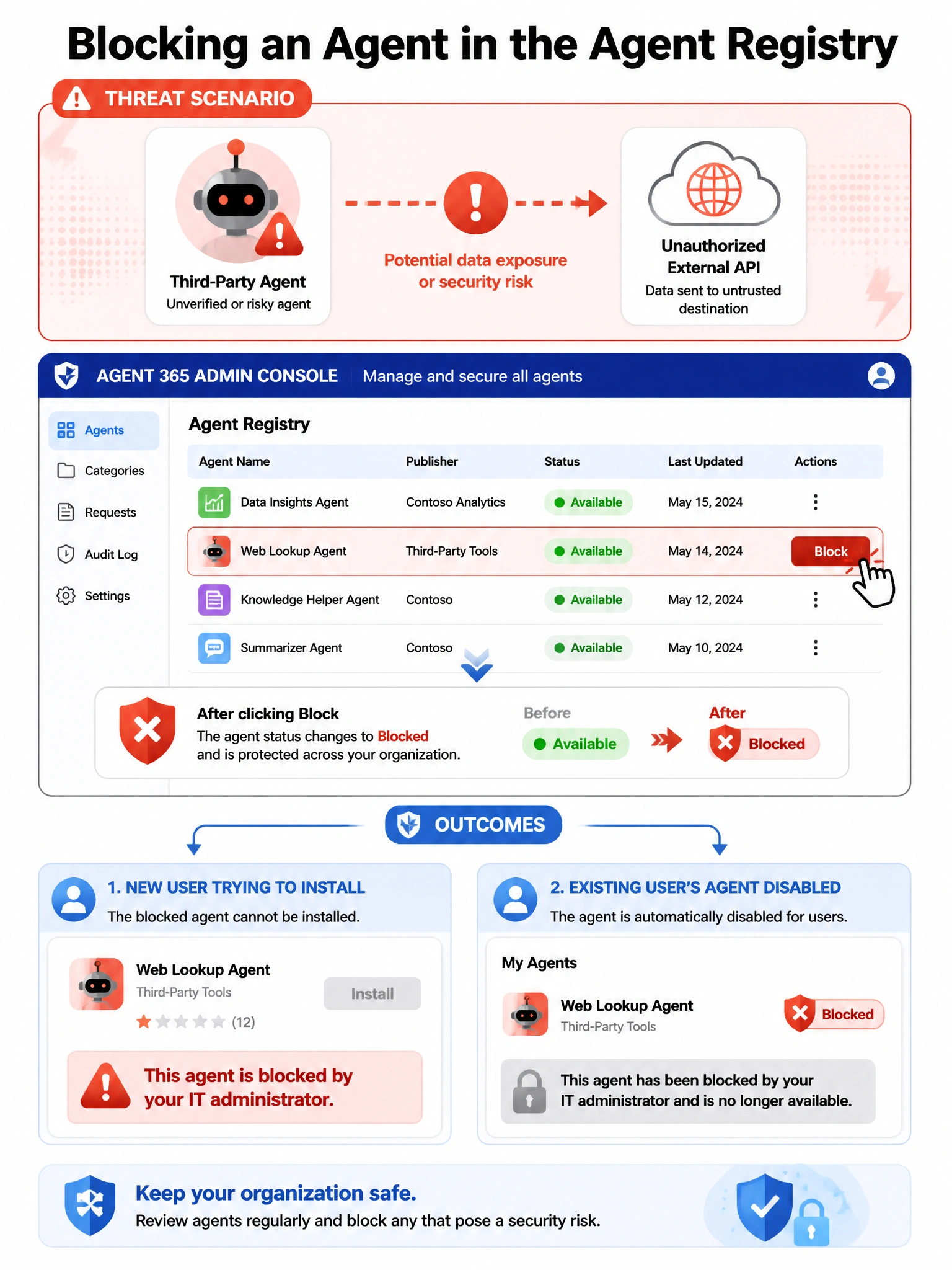
Short Explanation and Infographic
Blocking an agent in the Agent 365 registry is like pulling a product off the store shelves — instantly no one can pick it up, and it stops working for anyone who already has it. Quick, clean, centralized.
Full explanation below image
Full Explanation
In Agent 365's agent registry, administrators have the ability to block specific agents — whether Microsoft-published, third-party, or custom — from being installed or used within the organization. Blocking an agent in the registry immediately prevents new installations and, depending on implementation, can disable the agent for users who already have it installed. This is the fastest and most direct administrative action to neutralize a problematic agent discovered in the registry, and it does not require modifying Entra ID service principals or deploying endpoint management policies.
Option A, deleting the agent's service principal from Microsoft Entra ID, would remove the identity used by the agent and could disrupt its access to Microsoft 365 resources. However, this is not the recommended administrative action for agents in the registry and could have unintended side effects if the service principal is shared or if the agent continues to attempt operations. The agent registry block is the proper governance control.
Option C, applying a Conditional Access policy to block the agent's application ID, can restrict access at the authentication level but requires knowing the exact application ID, creating and testing a CA policy, and may not provide the immediate blanket block that the agent registry provides. It is also more complex to configure quickly in an incident response scenario.
Option D, uninstalling through Microsoft Endpoint Manager, addresses the client-side presence of the agent on managed devices. However, it does not prevent users from reinstalling the agent or accessing it through web interfaces, and it is a reactive endpoint action rather than a proactive registry-level block.
Exam tip: When you need to quickly prevent all users from accessing a specific agent in Microsoft 365, the answer is to block it in the agent registry in Agent 365. This is the purpose-built governance control for agent access management.