
Fourth Coffee's IT administrator needs to configure the organization's agent deployment policy so that only IT-approved agents of the 'Declarative Agent' type are allowed, users cannot share agents externally, and a specific team of business analysts has access to a restricted set of agent templates. Which section in Microsoft 365 is used to configure these agent deployment settings?
Select an answer to reveal the explanation.
Short Explanation and Infographic
Agent settings in Agent 365 is where you draw the lines for how agents work in your org — what types are allowed, who can share them, and which templates different groups can use. It's the central policy control board for agent governance.
Full explanation below image
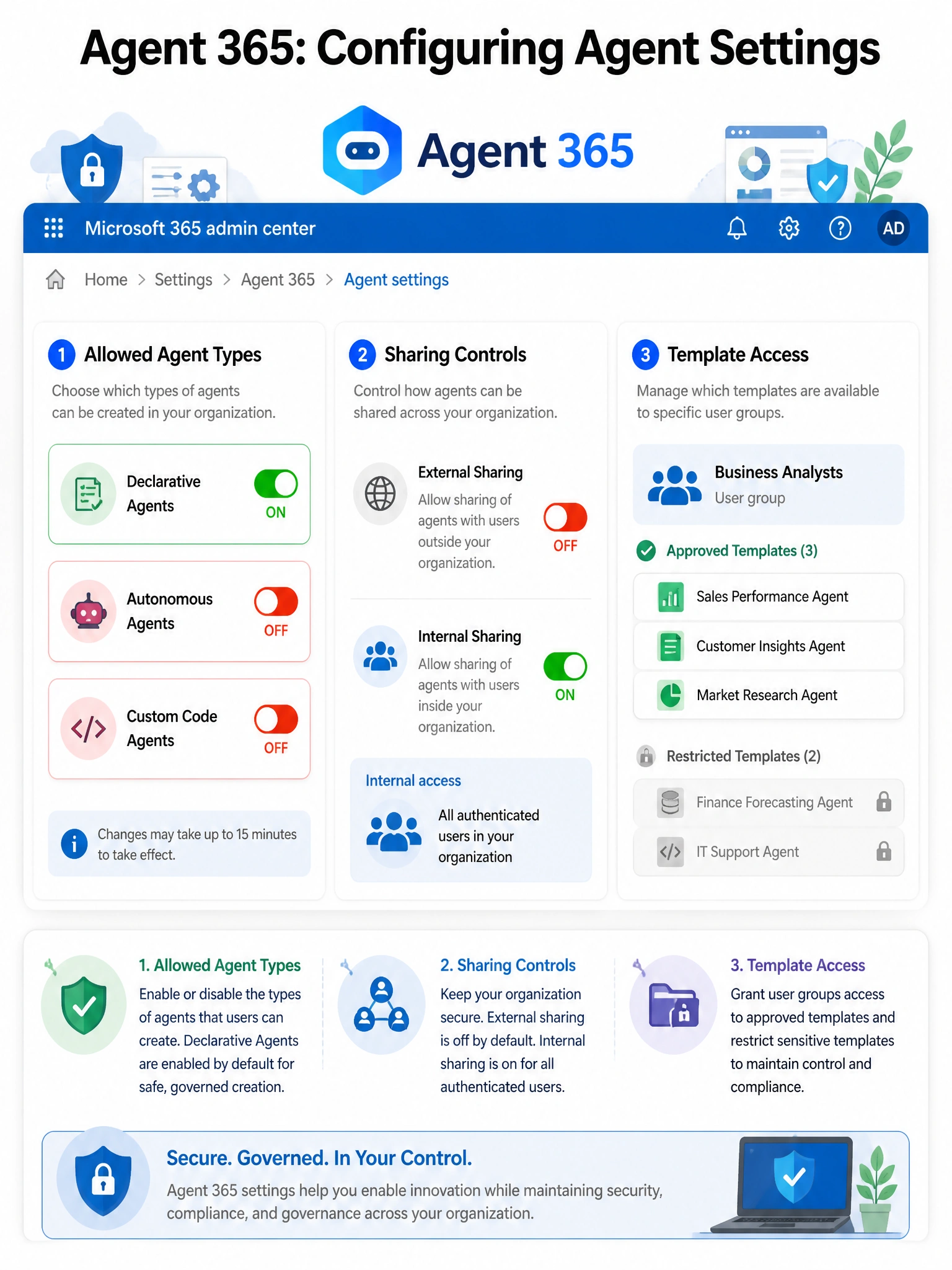
Full Explanation
Agent 365 in the Microsoft 365 admin center includes dedicated agent settings that allow administrators to configure the governance framework for AI agents across the organization. These settings include: allowed agent types (e.g., limiting deployment to Declarative Agents only, blocking Autonomous Agents or custom code agents), sharing controls (preventing external sharing of agents), template access (restricting which agent templates are available to specific user groups or security groups like the business analysts team), and user access policies. These controls allow organizations to balance innovation with governance.
Option A, Microsoft Entra app registrations, is where developers register applications and define permissions scopes. It is used for the technical identity registration of an agent but does not provide the higher-level governance controls over agent types, sharing, and template access described in the question.
Option C, M365 admin center > Settings > Org settings > Microsoft 365 Copilot, contains broad Copilot feature settings but is not the granular agent-specific deployment policy management area. The agent-specific controls live in Agent 365.
Option D, Teams admin center > Teams apps > Setup policies, controls which Teams apps are pinned, installed, or allowed for users in Teams. While agents may appear as Teams apps, the comprehensive agent type, sharing, and template configuration is managed through Agent 365, not the Teams admin center.
Exam tip: Any question about configuring agent deployment governance — allowed types, sharing, templates, user access — points to Agent 365 agent settings in the Microsoft 365 admin center. This is distinct from the broader Copilot settings and from Teams app policies.