
The security team at Alpine Ski House wants to test employee susceptibility to credential harvesting phishing attacks. Employees who submit their credentials on the simulated phishing page should automatically be enrolled in a security awareness training course without any manual admin effort. What should the admin configure?
Select an answer to reveal the explanation.
Short Explanation and Infographic
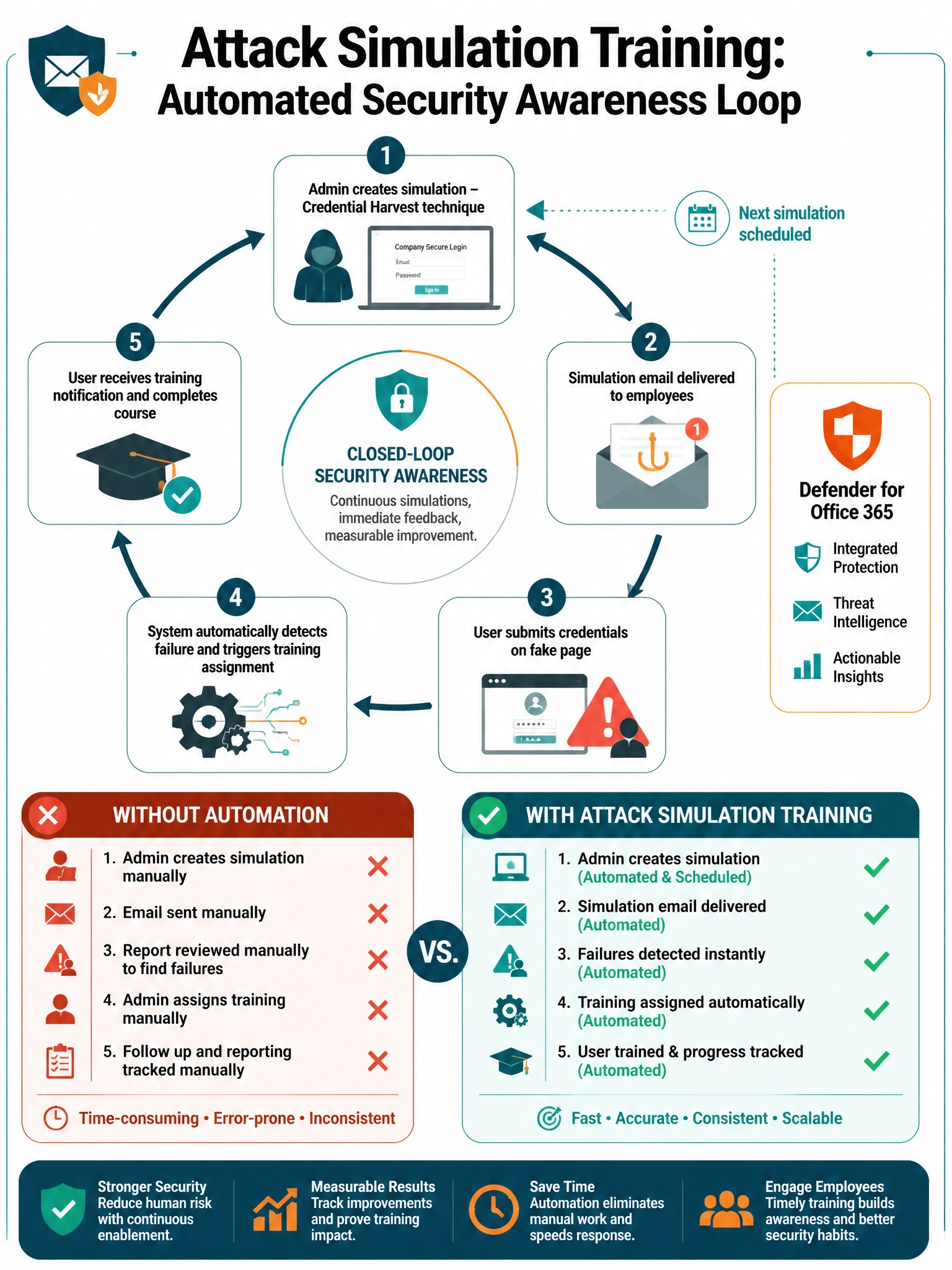
Attack Simulation Training is your built-in phishing-the-phishers toolkit. Pick Credential Harvest as your attack type, set up the fake login page, pick your targets, then — here's the magic — enable automatic training assignment. Users who bite and enter their creds automatically get enrolled in training. No spreadsheets, no manual emails, no forgetting. The system handles the whole teach-the-lesson loop for you.
Full explanation below image
Full Explanation
Microsoft Defender for Office 365 Attack Simulation Training (accessed via Microsoft 365 Defender > Email & Collaboration > Attack simulation training) provides a complete phishing simulation and security awareness training platform. The 'Credential Harvest' social engineering technique sends users a convincing phishing email with a link to a fake login page that captures credential submissions. Crucially, when creating the simulation, the admin can configure the Training assignment section to automatically enroll users who 'failed' (submitted credentials or clicked links) in one or more training courses from the integrated training library. This creates a closed-loop security awareness program with zero manual follow-up.
Option A (manual tracking via spreadsheet) is operationally fragile, labor-intensive, and creates significant delays between when a user fails the simulation and when they receive training — reducing the pedagogical impact of the immediate teachable moment. It is exactly the kind of manual overhead that Attack Simulation Training is designed to eliminate.
Option B (using reports from real phishing attacks) conflates simulation with real incidents. Real phishing clicks represent actual security events requiring incident response, not training assignments. Using real attack data for training purposes also doesn't give the team control over the attack type, timing, or difficulty level of the phishing scenario. Simulations should be purpose-designed and controlled.
Option D (mail flow rule redirecting simulations) fundamentally undermines the goal of the simulation. If the phishing emails are intercepted before reaching users, there is no test, no teachable moment, and no training assignment possible. Attack Simulation Training also uses special headers to ensure simulated emails are not filtered by Defender for Office 365 policies — this requires allowing the simulation sender, not intercepting it.
Exam tip: Attack Simulation Training requires Defender for Office 365 Plan 2. Know the five social engineering techniques: Credential Harvest, Malware Attachment, Link in Attachment, Link to Malware, and Drive-by URL. Automatic training assignment is configured per simulation and supports multiple training modules from the Microsoft training content library or custom-uploaded content.