
Woodgrove Bank wants to allow employees to reset their own passwords without calling the IT helpdesk. The bank's security policy requires that users verify their identity using two separate authentication methods before a password reset is permitted. The admin wants to enable mobile app notification and email OTP as the available methods. What should the admin configure?
Select an answer to reveal the explanation.
Short Explanation and Infographic
SSPR is your helpdesk's best friend — fewer tickets, happier users. The key setting here is 'Number of methods required to reset': set it to 2, check the boxes for mobile app notification and email, and you're done. Users now have to prove who they are twice before they can reset, which satisfies the two-method security policy and keeps things locked down.
Full explanation below image
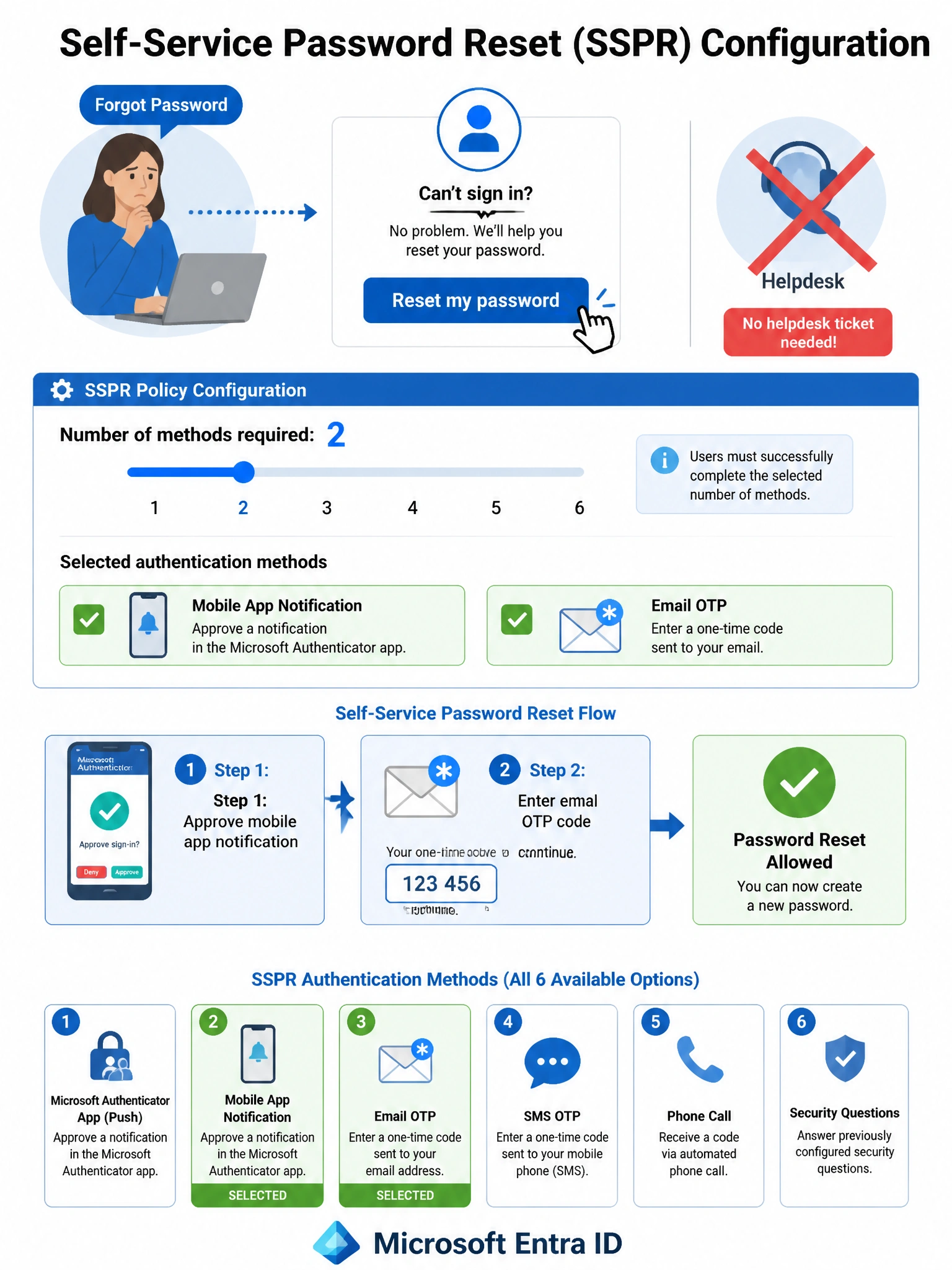
Full Explanation
Microsoft Entra Self-Service Password Reset (SSPR) is configured in Microsoft Entra ID under Password Reset. The 'Number of methods required to reset' setting can be set to 1 or 2. Setting it to 2 means users must successfully complete two identity verification challenges before the reset is allowed. The admin then enables the desired authentication methods from the list (mobile app notification, mobile app code, email, mobile phone, office phone, security questions). Selecting mobile app notification and email satisfies both the two-method requirement and the specific methods the admin wants to offer.
Option A (set to 1 method) fails the security policy requirement. Only requiring one method is less secure and directly contradicts the bank's stated policy of requiring two verification methods.
Option C (PIM for password reset requests) is completely the wrong feature. Privileged Identity Management manages privileged role access — it has no role in password self-service workflows. This option would still require IT helpdesk involvement, contradicting the core goal of reducing helpdesk calls.
Option D (Security Defaults with phone only) fails in multiple ways. Security Defaults enables a fixed set of policies that cannot be individually customized. Additionally, Security Defaults does not enable SSPR with a two-method requirement — it applies to MFA for sign-in. The scenario requires customizable SSPR settings, which demands Security Defaults be turned off and Conditional Access/SSPR be configured manually.
Exam tip: SSPR supports up to 6 authentication methods: mobile app notification, mobile app code, email, mobile phone (SMS/call), office phone, and security questions. Security questions can only be used as a registration method if they are enabled, and they can only be used for SSPR, not for MFA at sign-in. Know where SSPR is configured: Microsoft Entra ID > Password Reset > Properties (enable), Authentication methods, Registration, Notifications, and Customization tabs.