
A healthcare organization is deploying a Copilot Studio agent that helps clinical staff access medical protocols stored in SharePoint. Due to regulatory requirements, physicians must only receive protocols relevant to their specialty (e.g., cardiologists cannot see oncology-only protocols). All documents are indexed in Azure AI Search. The agent uses Entra ID authentication and can identify the user's specialty from their Entra ID profile. Which RAG pipeline design ensures that protocol retrieval is filtered to the user's specialty at query time, without duplicating index content per specialty?
Select an answer to reveal the explanation.
Short Explanation and Infographic
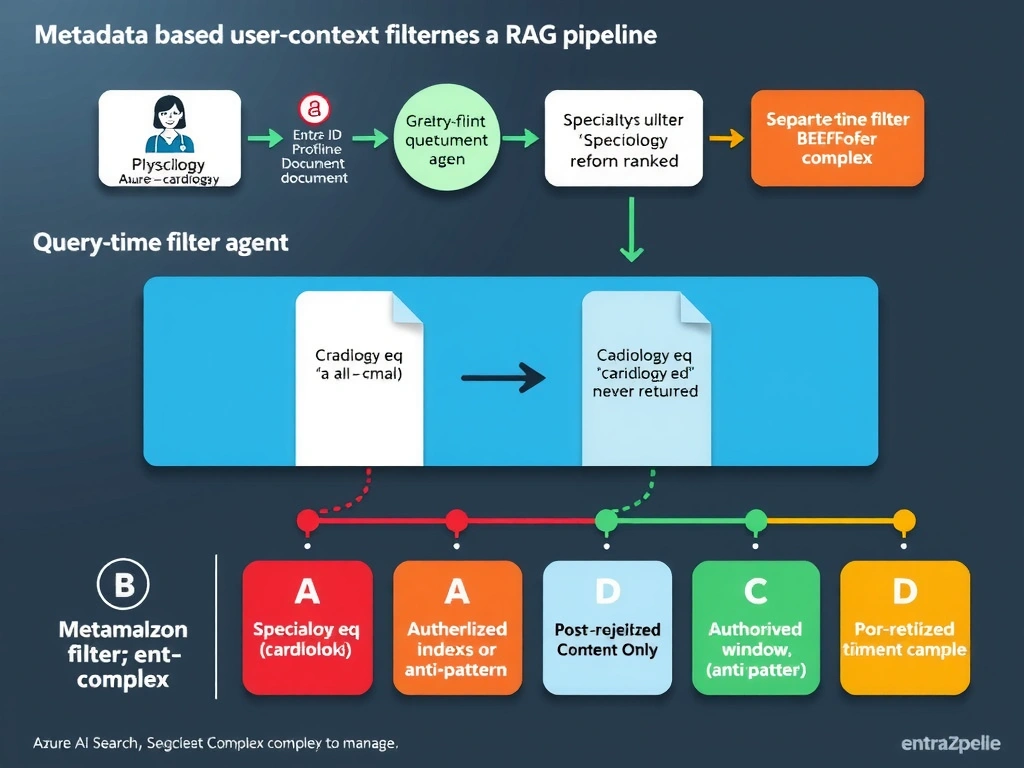
Index-time metadata plus query-time filter expressions is the standard pattern for personalized RAG — it's like shelving all medical books in one library but stamping each spine with a specialty code, then at checkout only handing the patron books with their stamp. One index, one source of truth, but each user's query only sees their authorized content without post-processing gymnastics.
Full explanation below image
Full Explanation
User-context filtering in RAG pipelines can be implemented in several ways, each with different trade-offs in index architecture, query performance, and security guarantees.
Option B is correct because it implements the recommended pattern: a single index with metadata-based filtering at query time. During indexing, each document chunk is enriched with a specialty metadata field (e.g., 'cardiology', 'oncology', 'all') that reflects the document's intended audience. When the agent receives a query, it retrieves the user's specialty from Entra ID, constructs an Azure AI Search filter expression (e.g., specialty eq 'cardiology' or specialty eq 'all'), and includes this filter in the search request. Azure AI Search applies the filter server-side before ranking, so only authorized chunks are returned. This approach: (1) maintains a single index (no duplication), (2) enforces filtering at the search layer (not after retrieval), (3) scales well as specialties grow, and (4) avoids sending unauthorized content to the language model at all.
Option A creates a separate index per specialty. This is technically correct for isolation but operationally unsustainable: with 30+ medical specialties, maintaining 30+ indexes with separate indexer schedules, content duplication for cross-specialty protocols, and index selection logic is a significant overhead. This approach also fails for protocols that are relevant to multiple specialties (they must be duplicated or maintained separately).
Option C describes post-retrieval filtering. This is a security anti-pattern for access control. The problem: chunks for unauthorized specialties are retrieved from the index and passed to the Power Automate flow before being filtered. The language model never sees them (the filtering discards them), but the retrieval cost is wasted, and the approach introduces a risk window — if the filtering logic has a bug, unauthorized content reaches the LLM. Filtering should happen at the earliest possible point in the pipeline (at the search layer, not after retrieval).
Option D relies on Azure AI Search's permission trimming feature for SharePoint sources. This feature respects SharePoint document-level permissions during search, meaning users only see results they could access in SharePoint. However, this requires that SharePoint permissions are configured to precisely match the specialty-based access control rules — which means managing SharePoint access control lists for every document per specialty, a significant administrative burden. Also, permission trimming is based on the authenticated user's SharePoint permissions, which requires the search query to be executed as the user's identity (not a service principal), adding complexity to the agent's authentication flow.
Exam tip: For RAG filtering questions on AB-620, know these patterns: (1) index-time metadata + query-time filter = recommended; (2) multiple indexes per persona = operationally complex; (3) post-retrieval filtering = security anti-pattern; (4) permission trimming = valid for SharePoint-native ACL scenarios but complex to manage. The $filter parameter in Azure AI Search queries accepts OData filter expressions and is applied before vector similarity ranking.