
A solutions architect is designing a worker agent in a multi-agent Copilot Studio solution. The worker agent is responsible for processing document summarization requests from an orchestrator agent. The worker must accept structured input (document URL and summary length preference), perform the summarization using generative AI, and return a structured result to the orchestrator. The worker should not expose any conversational interface to end users. Which design elements are required when configuring the worker agent?
Select an answer to reveal the explanation.
Short Explanation and Infographic
A worker agent is a specialist who works in the back room, not at the customer counter — it has no customer-facing interface, only a well-defined inbox (A2A invocable topic with typed input parameters) and a structured response form it sends back to whoever called it. Disabling the conversational UI and publishing without a user-facing channel are the key signals that separate a worker from a customer-facing agent in Copilot Studio architecture.
Full explanation below image
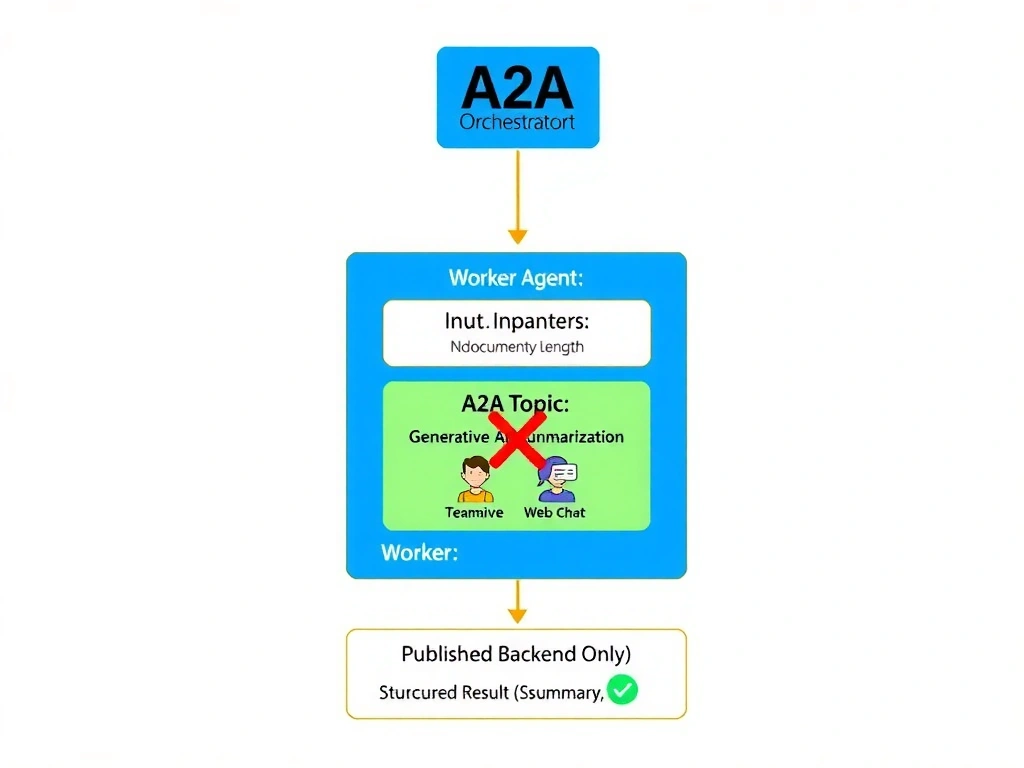
Full Explanation
In Copilot Studio's Agent2Agent (A2A) framework, worker agents are designed for backend task processing. They differ from orchestrator and user-facing agents in three key ways: they do not expose a conversational UI, they are invoked programmatically by other agents (not by end users), and they communicate exclusively through structured parameters.
Option B is correct because it captures all three distinguishing characteristics of a worker agent. The entry topic is configured as an A2A-invocable topic — this means the topic can be called by an orchestrator agent passing named input parameters (document URL as text, summary length as a number or choice). The topic performs its processing and returns a structured result variable to the calling orchestrator. The conversational UI is disabled because worker agents do not interact with end users — they only interact with other agents. Publishing without a user-facing channel ensures the agent is inaccessible to end users while remaining callable by the orchestrator within the same solution.
Option A is incorrect because a worker agent should not have a custom greeting topic or conversational interface — these are characteristics of user-facing agents. Publishing to Microsoft Teams makes the agent accessible to end users, which contradicts the requirement that the worker not expose a conversational interface. A2A topics work without a Teams channel.
Option C is incorrect because exposing the summarization capability as an HTTP endpoint and calling it from a Power Automate flow bypasses the native A2A invocation mechanism. This pattern reverts to a microservices integration style rather than the agent-native A2A design. It also loses the semantic context propagation that native A2A topic invocation provides and creates a maintenance burden for the HTTP endpoint.
Option D is incorrect because polling a shared Dataverse table for task records is an asynchronous message queue pattern — not the A2A protocol pattern. While this might work functionally, it introduces 30-second latency, requires additional infrastructure (the shared table schema, polling logic, result columns), and is architecturally misaligned with how Copilot Studio's A2A framework is designed to work. A2A invocation is synchronous and direct, not queue-based.
Exam tip: Worker agent checklist: (1) A2A-invocable topic with typed input and output parameters, (2) no conversational UI, (3) not published to user-facing channels. If a question describes a backend-only specialized agent, all three of these characteristics must be present in the correct answer. Watch for distractors that add user-facing elements like greeting topics or Teams deployment.