
A Power Platform administrator has enforced a Data Loss Prevention (DLP) policy that places the Salesforce connector in the 'Blocked' group and the SharePoint connector in the 'Business' group. A developer then creates a Copilot Studio agent that uses a Power Automate flow calling both the Salesforce and SharePoint connectors. The developer publishes the agent and users begin testing. What is the impact of the DLP policy on this agent?
Select an answer to reveal the explanation.
Short Explanation and Infographic
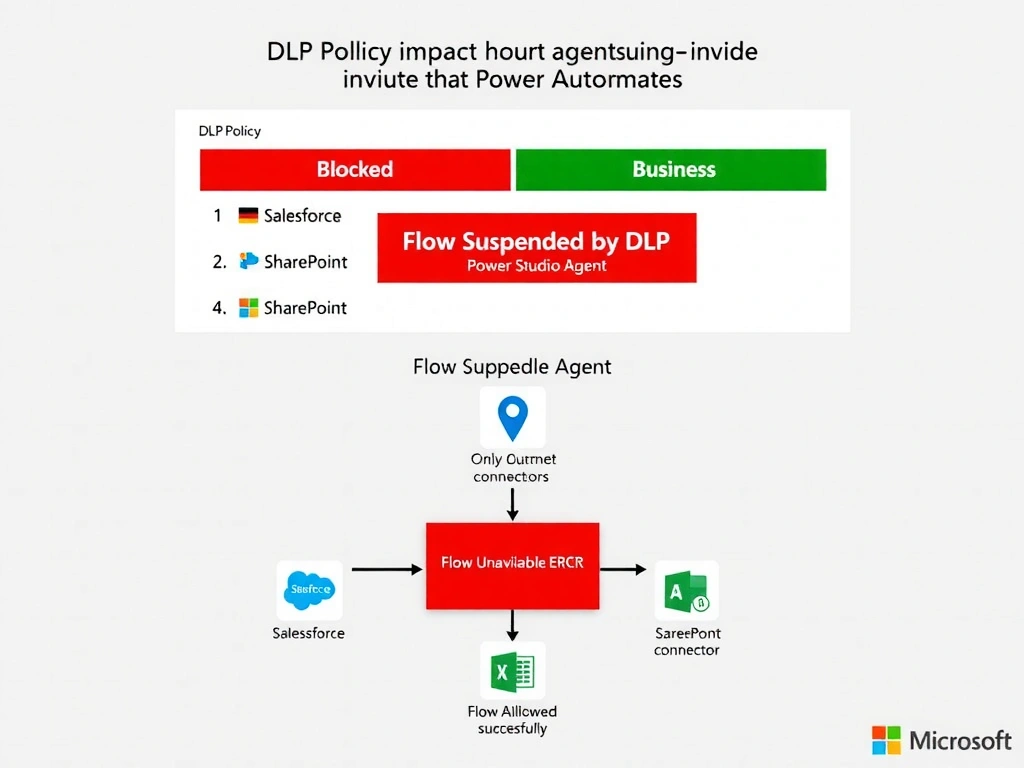
A DLP policy with a Blocked connector is like a customs checkpoint that impounds the entire cargo container if any item inside is prohibited — the whole flow gets shut down, not just the Salesforce action. DLP policy enforcement in Power Platform operates at the flow level: if a flow contains a connector in the Blocked group, the flow is suspended, making it unavailable for any caller including the Copilot Studio agent. The agent's action that tries to invoke the flow will receive a flow-unavailable error.
Full explanation below image
Full Explanation
Power Platform Data Loss Prevention policies govern which connectors can be used together within flows and canvas apps, and they apply equally to flows invoked by Copilot Studio agents. DLP policies enforce data boundary rules at the connector level within a flow definition.
Option D is correct because when a Power Automate flow contains a connector that has been placed in the 'Blocked' group by a DLP policy, the Power Platform governance engine suspends or disables the flow. This enforcement happens at the flow definition level, not at runtime for individual invocations. Once suspended, the flow cannot be triggered by any caller — including a Copilot Studio agent action. The agent's topic that attempts to call the flow will receive an error indicating the flow is unavailable.
Option A is incorrect because DLP policies in Power Platform apply to all Power Automate flows regardless of how they are triggered — whether manually, by a scheduled trigger, by a Power Apps call, or by a Copilot Studio agent action. The invocation source does not exempt a flow from DLP enforcement.
Option B is incorrect because DLP policy enforcement is not connector-action selective at runtime. When a flow contains a Blocked connector, the entire flow is suspended — Power Platform does not run the flow and selectively skip Blocked connector calls while allowing other connector calls to execute. The concept of 'partial execution' based on DLP does not exist.
Option C describes the correct impact behavior but attributes it incorrectly to runtime call blocking rather than flow suspension. The reason is not that the DLP engine blocks the specific run — it's that the flow itself is already in a suspended state and cannot accept any trigger events. The distinction matters for understanding how to remediate: the developer must remove the Blocked connector from the flow (or the admin must reclassify it) for the flow to become active again.
Exam tip: DLP policies operate at the environment and connector level. Blocked connectors prevent flows from running entirely (the flow is suspended). Non-business and Business connectors cannot be used in the same flow (connector group separation). DLP policies apply identically to flows called from Copilot Studio agents — agents do not get a DLP exemption. Know these four connector groups: Blocked, Non-business, Business, and the implied separation rules between them.