
A developer is building a Copilot Studio agent that retrieves customer account data from Dataverse. The Customer table has a one-to-many relationship with the Orders table (one customer can have many orders). The developer needs to write a Power Fx expression in an agent topic variable assignment to retrieve all orders for the currently identified customer and store them in a variable. The customer's account ID is stored in a topic variable named varCustomerID. Which Power Fx expression correctly traverses the relationship and retrieves the related orders?
Select an answer to reveal the explanation.
Short Explanation and Infographic
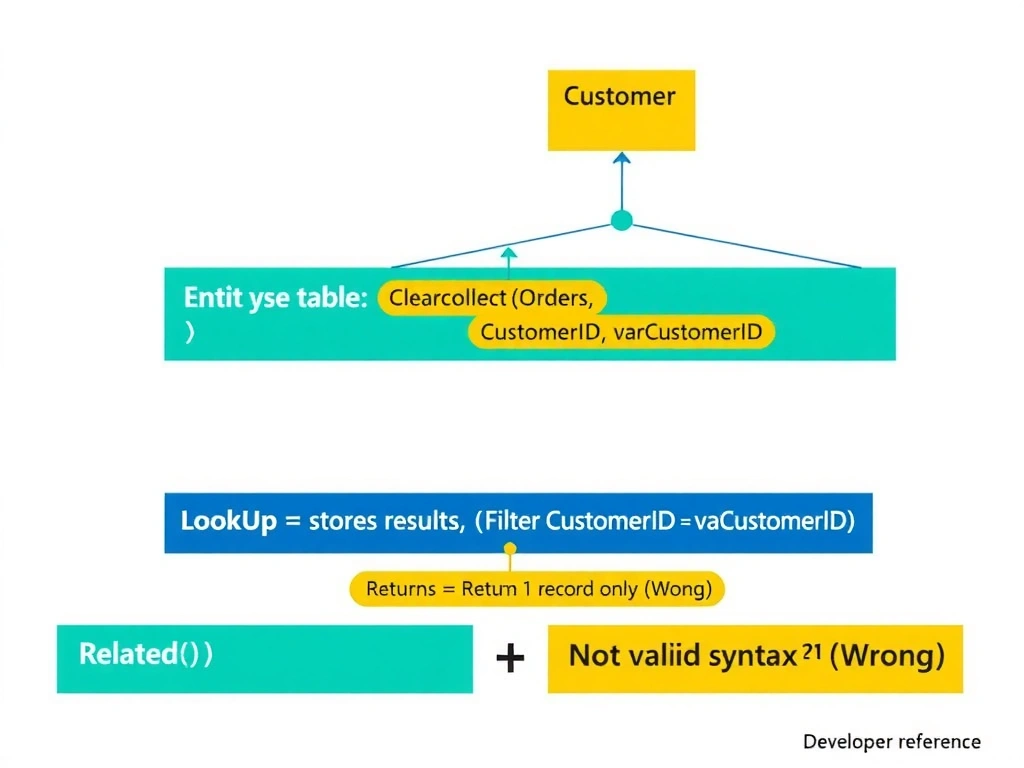
Imagine the Orders table is a filing cabinet and CustomerID is the folder label — Filter finds all folders with the right label and collects them all into your briefcase (ClearCollect). LookUp only pulls the first matching folder, Related() doesn't exist as shown in Power Fx, and Expand() is an OData construct, not a Power Fx function used this way. ClearCollect + Filter across the foreign key column is the standard one-to-many traversal pattern in Power Fx.
Full explanation below image
Full Explanation
In Dataverse one-to-many relationships, the 'many' side table (Orders) holds a foreign key column (CustomerID) that references the primary key of the 'one' side table (Customer). In Power Fx, navigating this relationship from the 'one' to the 'many' is done by filtering the 'many' table on the foreign key value.
Option B is correct because ClearCollect(varOrders, Filter(Orders, CustomerID = varCustomerID)) performs exactly the required operation. Filter(Orders, CustomerID = varCustomerID) queries the Orders table for all records where the CustomerID foreign key matches the value stored in varCustomerID. ClearCollect stores the resulting table of records in the varOrders variable, replacing any previous contents. This pattern correctly retrieves all orders for the identified customer and stores them as a table variable for further use in the topic.
Option A is incorrect because LookUp() returns only the first record that matches the condition — it is designed for one-to-one lookups, not one-to-many retrieval. In a scenario where a customer has multiple orders, LookUp would silently discard all but the first matching order, which would produce incorrect results.
Option C is incorrect because Related() as written is not a valid Power Fx function in this form within Copilot Studio agent topics. In Power Apps canvas apps, Related() navigates relationship columns within a record context, but it is not used as a standalone table retrieval function with the syntax shown. The developer cannot call Related(Customer, Orders, varCustomerID) to retrieve a collection of related records.
Option D is incorrect because Expand() is an OData query operation notation, not a Power Fx function. Power Fx does not have an Expand() function with the chained .Filter() syntax shown. This expression would produce a compilation error in Copilot Studio's Power Fx editor.
Exam tip: For one-to-many relationship traversal in Power Fx: use Filter() on the child table with the foreign key column equal to the parent record's ID, and wrap it in ClearCollect() to store multiple results. Use LookUp() only when you need exactly one record. Never confuse OData $expand with Power Fx functions — they are different query languages.