
A retail company wants to embed a Copilot Studio customer service agent on their public-facing e-commerce website. The security team requires that the agent only loads on domains owned by the company and cannot be embedded on unauthorized third-party sites. Which Copilot Studio channel configuration setting enforces this domain restriction?
Select an answer to reveal the explanation.
Short Explanation and Infographic
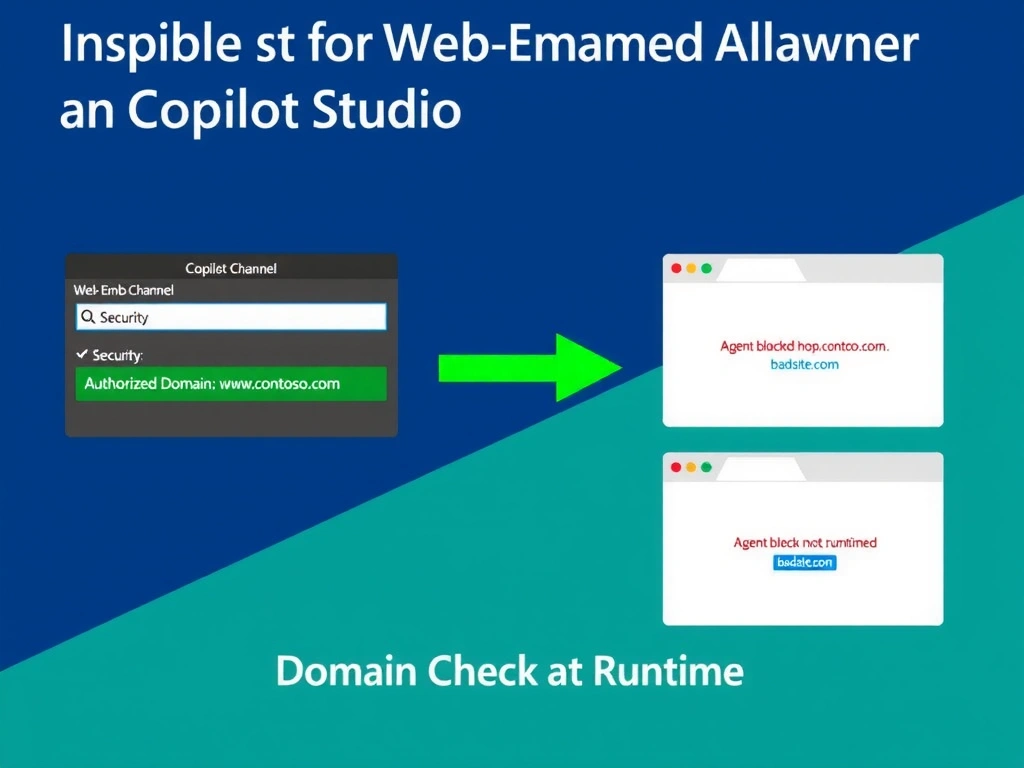
The domain allowlist is like a VIP list at a club—the embed script checks the hosting domain against the list, and if the domain isn't on it, the agent simply won't load. Configure it inside Copilot Studio, not on the web server.
Full explanation below image
Full Explanation
When embedding a Copilot Studio agent on a website using the web embed (custom website) channel, Copilot Studio provides a security mechanism to restrict which domains are permitted to host the agent widget. This is configured within the Copilot Studio portal's channel settings as an 'allowed domains' or 'security domain' allowlist. The embed script checks the requesting origin against this list at runtime and refuses to render on unauthorized domains.
Option D is correct because the domain restriction is controlled within Copilot Studio's web channel security settings. The developer adds the company's authorized domains (e.g., shop.contoso.com, www.contoso.com) to the allowlist. If an unauthorized domain attempts to load the embed script, the agent will not render.
Option A is wrong because while Content Security Policy headers can prevent the page from being embedded in iframes on other sites (via X-Frame-Options or CSP frame-ancestors), this is a different security control at the web server layer. It does not prevent the Copilot Studio embed script from loading on unauthorized domains—it only prevents the company's own pages from being framed. The exam tests the Copilot Studio-native configuration, not web server configuration.
Option B is wrong because 'Custom website channel' is the correct feature area, but the phrasing 'Allowed domains' without referencing the Copilot Studio portal is ambiguous. More importantly, this option is a close distractor—the key distinction is that option D specifically describes the Copilot Studio security domain allowlist within the web embed channel settings, which is the authoritative control mechanism.
Option C is wrong because publishing only to Teams and using a Teams widget is an entirely different deployment architecture. It would require users to have Teams accounts, eliminates the public website experience, and does not address the original requirement of embedding on the company's e-commerce site.
Exam tip: The domain allowlist in Copilot Studio's web embed channel settings is the correct answer whenever the scenario involves restricting which websites can host the agent. This is distinct from CSP headers (web server), Teams deployment, or authentication settings.