
A maker adds a Twitter/X connector action inside a cloud flow used by a Copilot Studio agent. Saving the flow fails after a tenant DLP policy update. SharePoint remains usable in other flows. What is the most likely DLP-related explanation?
Select an answer to reveal the explanation.
Short Explanation and Infographic
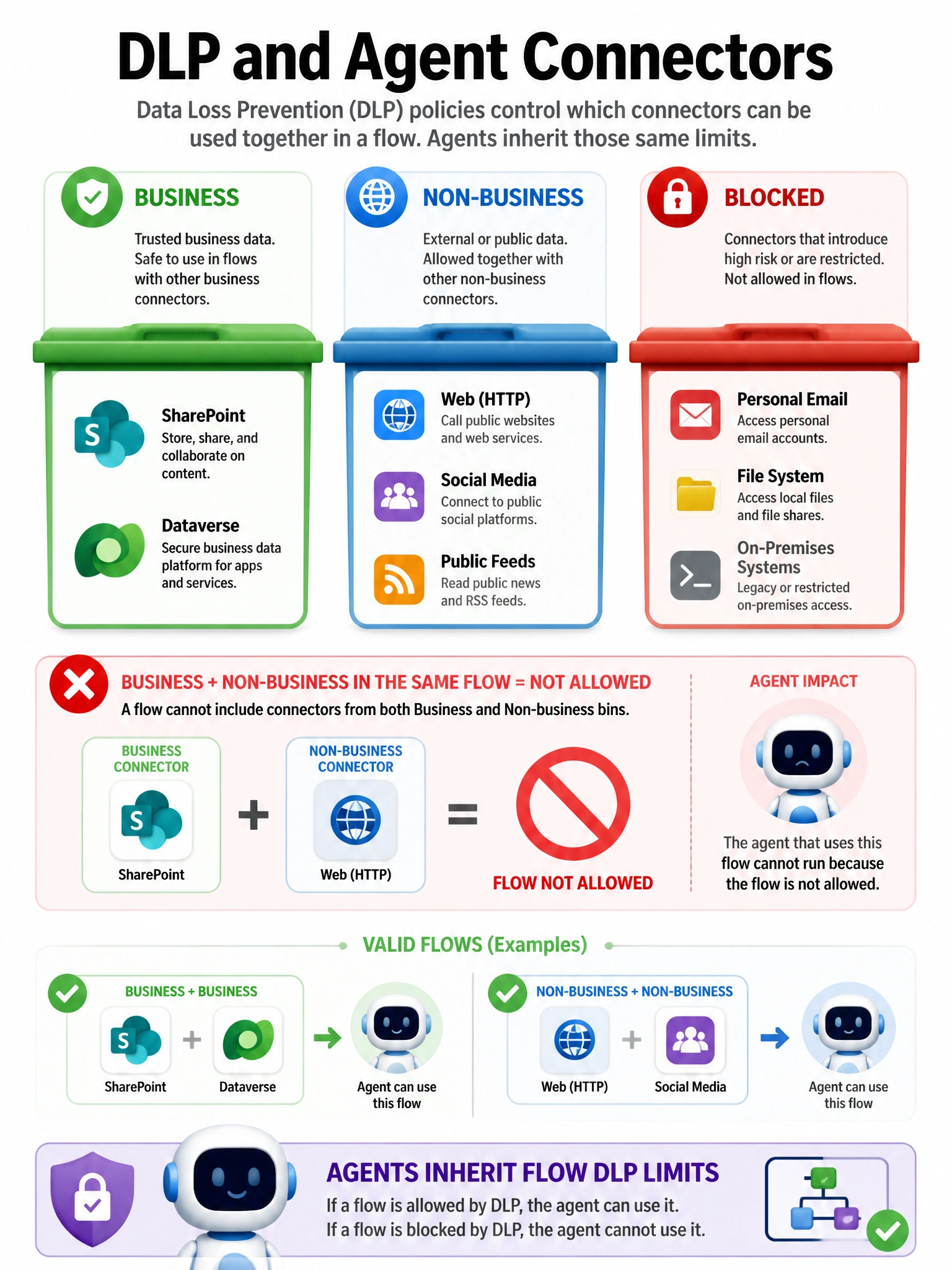
DLP is the workplace rule that says "don't pour customer files into public social networks." If Twitter is Blocked or Non-business while SharePoint is Business, mixing them in one flow gets the red stamp.
Full explanation below image
Full Explanation
Power Platform data loss prevention (DLP) policies classify connectors into Business, Non-business, and Blocked groups. Flows cannot mix Business with Non-business connectors, and blocked connectors cannot be used.
Option A is correct. A new DLP classification that blocks Twitter/X or places it in a conflicting group with other connectors in the flow explains save/runtime enforcement failures while SharePoint-only flows still work.
Option B is wrong because DLP applies to flows and impacts agents that depend on those flows.
Option C is wrong; DLP does not require social + SharePoint pairing.
Option D is wrong; agents are not exempt from tenant DLP.
Exam tip: When a connector suddenly "disappears" or a flow won't save after governance changes, check DLP connector groups first.