
A Copilot Studio developer at Northwind Traders wants the agent to display product search results as a structured card with an image, product name, price, and a 'Buy Now' button. Which node type should the developer use in the topic?
Select an answer to reveal the explanation.
Short Explanation and Infographic
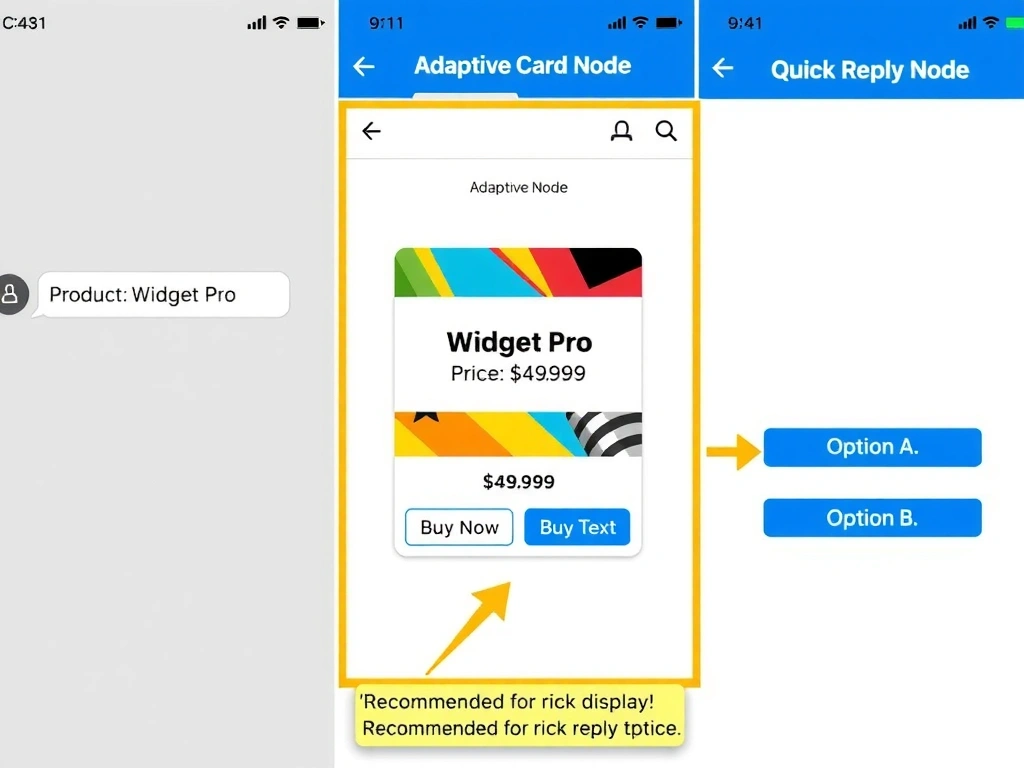
Adaptive Cards are Copilot Studio's display superpower — they turn plain text responses into rich, interactive UI cards with images, buttons, and formatted data, just like a digital product tag. The correct answer is B.
Full explanation below image
Full Explanation
## Why B is Correct Adaptive Cards are a JSON-based card specification supported by Teams, web chat, and other Copilot Studio channels. In a topic, you can add an Adaptive Card node and define the card schema — including images, text blocks, input fields, and action buttons like 'Buy Now.' When the channel supports Adaptive Cards (Teams, webchat), the card renders visually; in non-supporting channels, a fallback text is shown.
## Why the Distractors Are Wrong A (Message node with bulleted list): A plain message node can format text with basic markdown (bold, lists) but cannot render images or interactive buttons. It is appropriate for simple text responses, not rich product cards.
C (Generative answers node as tables): The Generative answers node generates natural language responses from knowledge sources. It does not render structured Adaptive Cards with images and buttons.
D (Quick reply node with product details): Quick reply buttons are small action options presented below a message (e.g., 'Yes / No'). They are not designed to display product images, prices, and detailed information.
## Exam Tip For rich, interactive display in Copilot Studio: Adaptive Card node. For simple text: Message node. For actionable options: Quick reply node. For AI-generated prose: Generative answers node.