
A developer at Summit Retail is building a Copilot Studio agent that needs to look up a customer's order status. The lookup logic is already built as a Power Automate cloud flow that accepts an order number as input and returns the status as output. The developer needs to wire this flow into a Copilot Studio topic so that when the customer provides their order number, the agent calls the flow and presents the result. What are the correct steps to add this cloud flow as an action in the topic?
Select an answer to reveal the explanation.
Short Explanation and Infographic
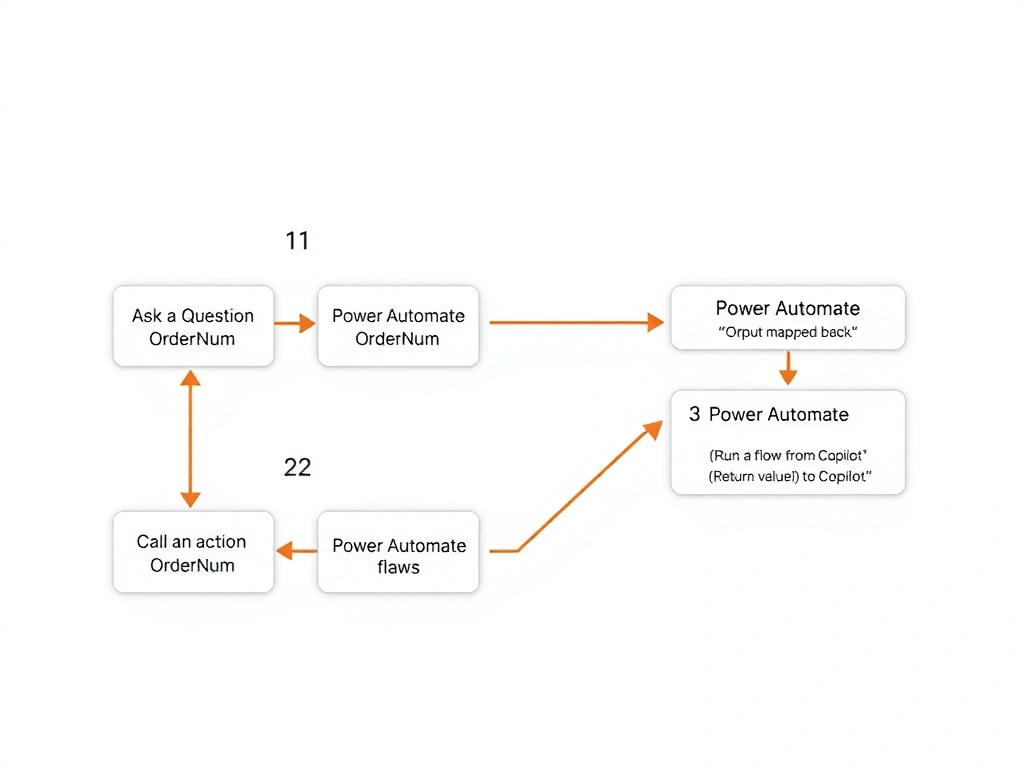
Adding a Power Automate flow to a Copilot Studio topic is a three-click bridge: add a 'Call an action' node, pick your flow from the list, wire up inputs and outputs. Option D describes this exact native integration path — no exporting, no HTTP wiring, no Dataverse detours required.
Full explanation below image
Full Explanation
Copilot Studio has a first-class, native integration with Power Automate through the 'Call an action' node. Here is the precise sequence:
1. In the topic flow canvas, add a node and choose 'Call an action.' 2. Select 'Power Automate flows' from the action type list. 3. Browse and select the existing cloud flow (it must be in the same Power Platform environment). 4. Map input parameters: the flow must be configured to accept inputs via the 'Run a flow from Copilot' trigger. The order number variable (captured earlier in the topic via Ask a Question) is mapped to the flow's input. 5. Map output parameters: the flow returns the order status via a 'Return value(s) to Copilot' action. The developer maps this output to a new topic variable. 6. Use a Send Message node after the Call an action node to display the variable containing the order status.
Option D correctly describes this process and is the right answer.
Option A is wrong. Power Automate flows do not need to be exported and imported as plugin packages to be used in Copilot Studio topics. The 'Call an action' node provides direct, in-environment access to flows. Plugin actions are a different concept (for AI plugins/connectors), not for standard Power Automate flows.
Option B is wrong. While Power Automate flows can have HTTP triggers, using the HTTP trigger URL from a topic's HTTP Request action bypasses the managed parameter passing and output binding that the native 'Call an action' integration provides. It also exposes the flow's trigger URL, which is a security concern.
Option C is wrong. Publishing a flow as a Dataverse custom API is an advanced, developer-oriented pattern for exposing flows as Dataverse operations. It is not a standard or recommended path for integrating Power Automate flows into Copilot Studio topics, and it requires significantly more configuration.
Exam tip: The 'Call an action' > 'Power Automate flows' path requires that the cloud flow use the special 'Run a flow from Copilot' trigger (not a manual trigger or HTTP trigger). If a question asks why a flow doesn't appear in the list, the answer is almost always that the flow is missing this specific trigger.