
A Copilot Studio agent in a production environment uses a Power Automate cloud flow that combines the SharePoint connector (to read policy documents) and a custom HTTP connector (to call an external vendor API for pricing data). After the IT department applies a new tenant-level DLP policy that places SharePoint in the 'Business' data group and HTTP in the 'Non-Business' data group, the cloud flow begins failing at runtime. Which is the correct explanation of why the flow fails and what must be done to resolve it?
Select an answer to reveal the explanation.
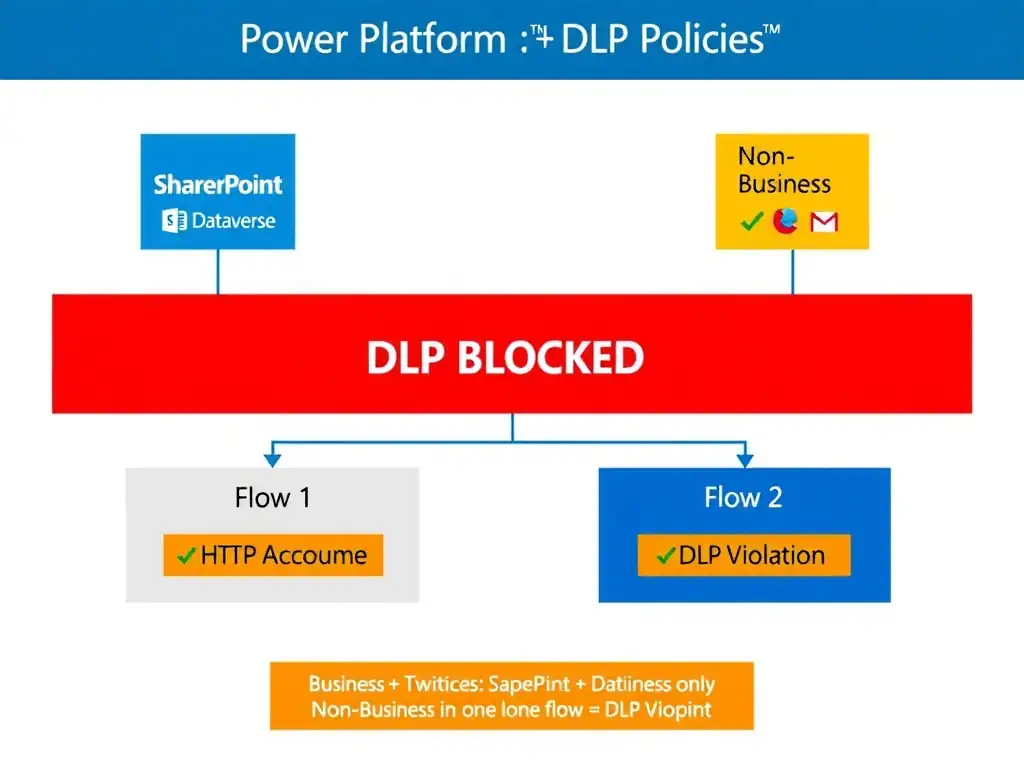
Short Explanation
DLP in Power Platform is like a food safety rule that says you can't mix ingredients from different shelves in the same dish. SharePoint lives on the Business shelf and HTTP lives on the Non-Business shelf, so when you try to combine them in one flow, the DLP engine shuts down the prep line. Split the recipe across two flows, or move both ingredients to the same shelf.
Full Explanation
Power Platform Data Loss Prevention policies enforce data group isolation at the connector level. When a DLP policy assigns connectors to data groups — typically Business, Non-Business, and Blocked — the core enforcement rule is that connectors from different non-Blocked data groups cannot coexist in the same Power Automate flow or Power App. This prevents inadvertent data leakage, such as the flow that reads sensitive SharePoint data and then passes it to an unconstrained HTTP endpoint. In this scenario, the tenant-level DLP policy places SharePoint in the Business group and the custom HTTP connector in the Non-Business group. Because these two groups are distinct, any flow that uses both connectors simultaneously violates the DLP policy. The Power Platform DLP engine evaluates flows at creation and at runtime — an existing flow that was valid before a DLP policy change will be blocked after the policy applies. The resolution has two paths: move the HTTP connector to the Business data group, if the security team determines that the external vendor API endpoint is appropriate for business data classification — this requires justification and approval. Or split the flow into two separate flows: one that reads from SharePoint and stores results in a Business-approved intermediary, like Dataverse, and another that reads from that intermediary and calls the HTTP connector. Each flow individually uses only one data group, satisfying the DLP policy. The claim that the Non-Business group disables all flows containing that connector is incorrect. The Non-Business group does not disable connectors — it restricts them from being co-used with Business-group connectors. One flow using only the HTTP connector would be valid. Removing the HTTP connector would restore functionality only by removing the cross-group conflict, not because the Non-Business group disables the connector. The claim that the DLP policy does not affect cloud flows triggered by Copilot Studio and only applies to canvas apps is wrong. DLP policies in Power Platform apply to all Power Automate flows regardless of the trigger source, including flows called by Copilot Studio agents. There is no Copilot Studio exemption from DLP evaluation. Re-publishing the agent has no effect on DLP policy enforcement. The claim that the HTTP connector is blocked because it communicates with an external endpoint, which is always prohibited by tenant-level DLP policies regardless of data group assignment, is wrong. Tenant-level DLP policies do not automatically block all external HTTP communication. The HTTP connector in the Non-Business group is still permitted — it simply cannot be co-used in the same flow with Business-group connectors. External communication is not inherently prohibited; it is the cross-group combination that is. Exam tip: DLP policy questions in the exam almost always involve the cross-group isolation rule. Remember: Business plus Non-Business in the same flow equals blocked. The fix is always group alignment or flow separation. The Blocked group is different — it disables the connector entirely, regardless of what other connectors are present.