
A developer is connecting a Copilot Studio agent to an existing Azure AI Search index that contains product documentation. The index has fields for 'title', 'content', 'category', and 'lastModified'. When configuring the Azure AI Search knowledge source in Copilot Studio, which field mapping is required to ensure the agent can surface document answers correctly?
Select an answer to reveal the explanation.
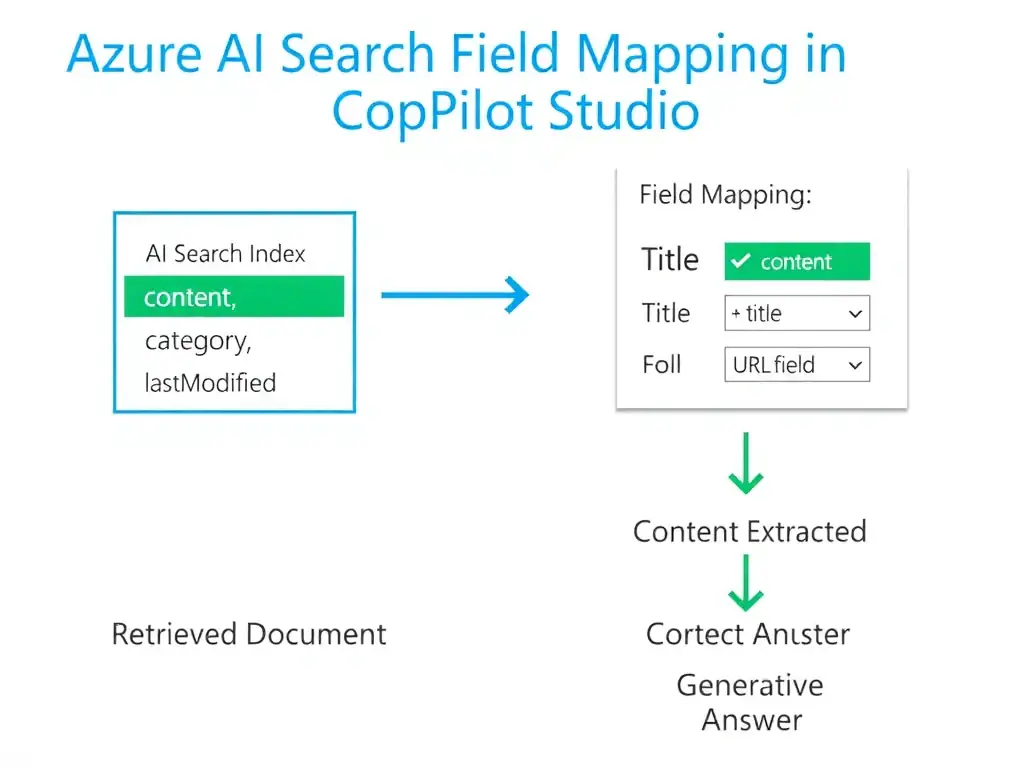
Short Explanation
You need to map the 'content' field to the search data content field. That's where the actual answer text lives, so the agent can read the document body and generate grounded answers. Titles, dates, and categories are metadata, not the payload.
Full Explanation
When connecting Copilot Studio to an Azure AI Search index, the developer must configure field mappings that tell the agent which index fields contain what kind of data. The most critical mapping is the content field—this is the field that holds the actual answer text the agent will use when generating responses. Without a correctly mapped content field, the agent cannot extract meaningful answer text from retrieved documents.
The correct mapping is to map the 'content' field to the search data content field, because 'content' contains the full text of the product documentation articles. Mapping it to the search data content field allows the agent's generative AI layer to read the document body and formulate accurate, grounded answers.
Mapping the 'lastModified' field to the search data content field is wrong because 'lastModified' is a metadata/timestamp field. Mapping it as the content source would cause the agent to output dates rather than useful answer text. Recency sorting can be configured separately as a scoring profile, not as content.
Mapping the 'category' field to the search data content field is wrong because 'category' is a classification/facet field useful for filtering results, not for generating answer text. Category filtering is configured through filter expressions or facets, not through the content field mapping.
Mapping the 'title' field to the search data content field is wrong because 'title' alone does not provide enough context for the agent to construct a complete answer. Titles are typically mapped to the title/name field in the knowledge source configuration, not the content field. Using only titles would result in thin, unhelpful responses.
Exam tip: When configuring Azure AI Search as a knowledge source in Copilot Studio, remember the three key field mappings: (1) content → the body/answer text field, (2) title → the document title field, (3) URL → a link field for citations. The content mapping is the most critical for answer generation.