
You want to give your Copilot Studio agent the ability to look up product inventory by calling your company's existing REST API. The API has a published OpenAPI 3.0 specification file. What is the most direct method to add this API capability to your agent?
Select an answer to reveal the explanation.
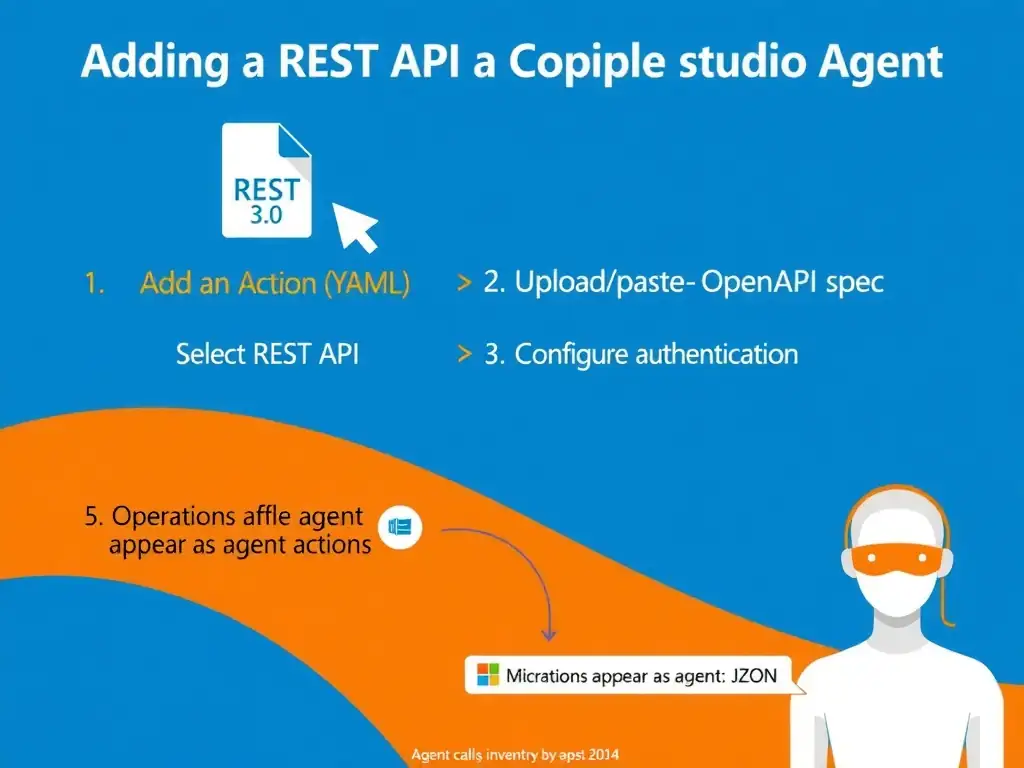
Short Explanation
Copilot Studio can consume an OpenAPI spec like a sommelier reads a wine list — it understands every operation, parameter, and response format automatically. You use the 'Add an action' > REST API path to paste or upload the spec, and the agent doesn't need you to rebuild anything from scratch.
Full Explanation
Copilot Studio has built-in support for consuming REST APIs described by OpenAPI (Swagger) specifications. When you select 'Add an action' and choose the REST API option, you can provide the spec URL or upload the JSON/YAML file. Copilot Studio parses the spec and surfaces each operation as an invocable action within the agent, complete with parameter mapping and response handling.
The Power Automate cloud flow approach, where you export the OpenAPI spec to Power Automate, create a cloud flow that calls the API, then add the flow as a topic action, works but adds unnecessary indirection — a flow wrapping an API call when you can call the API directly. The direct REST API import is simpler and more maintainable.
The manual HTTP Request nodes approach, where you recreate each API endpoint as a separate Copilot Studio topic with HTTP Request nodes, is error-prone, verbose, and does not scale to multi-endpoint APIs. The OpenAPI import handles all endpoints at once.
The Azure API Management and knowledge source approach, where you register the API in Azure API Management and link the APIM gateway URL to the agent's knowledge sources, misunderstands the architecture — knowledge sources are for retrieval-augmented generation (documents, SharePoint, websites), not for executing transactional API calls.
Key exam point: OpenAPI import into Copilot Studio = 'Add an action' > REST API. This is the direct, supported path. The spec must be OpenAPI 2.0 or 3.0. Authentication for the API (API key, OAuth) is configured during the import wizard, not separately. After import, each operation appears as a selectable action in the topic authoring canvas.