
A Power Platform developer is creating a new Copilot Studio agent that will eventually be promoted to production using ALM pipelines. What is the recommended first step to ensure the agent is properly included in the ALM lifecycle?
Select an answer to reveal the explanation.
Short Explanation
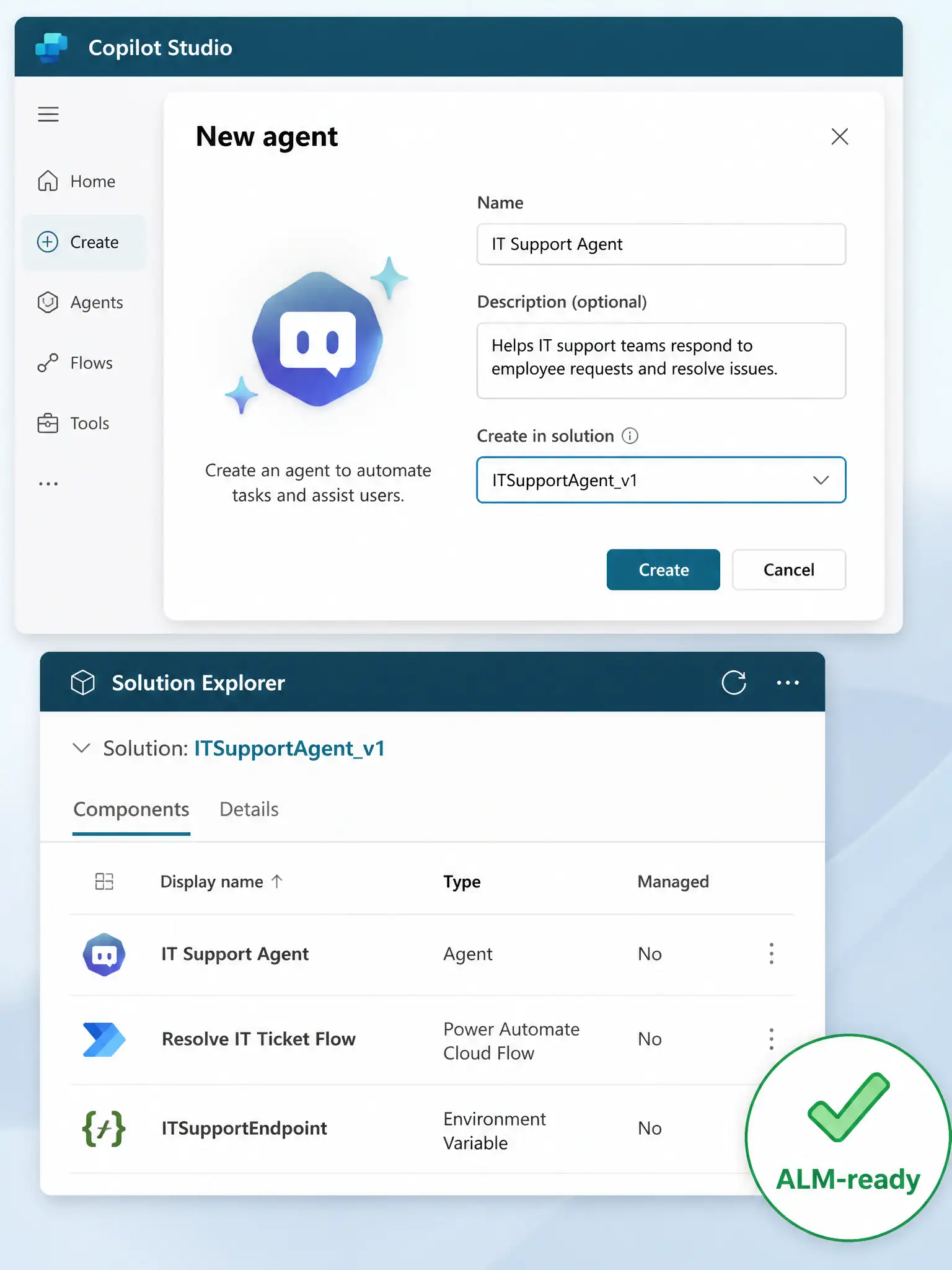
Build the agent inside a solution from day one — it's like building your house on the foundation instead of trying to slide the foundation under a finished building. Agents created in solutions track all dependencies automatically.
Full Explanation
Power Platform solutions are the packaging mechanism for ALM. Components (agents, flows, connectors, environment variables) created inside a solution are automatically tracked, and their dependencies are correctly captured when the solution is exported.
Creating the agent inside a solution in the development environment from the start is the recommended approach because the agent and all its associated components (topics, entities, variables, connected flows) are automatically added to the solution. The solution can then be exported as managed or unmanaged and imported into downstream environments. This is the only reliable way to transport a Copilot Studio agent with all its dependencies intact.
Creating the agent in the default environment first, then exporting it as an unmanaged solution and importing it into the development environment, is incorrect. The default environment is not intended for development work and has no managed solution promotion path. Creating assets in the default environment and trying to migrate them later is an unsupported anti-pattern that often misses dependencies.
Building the agent fully in Copilot Studio without a solution, then adding it to a solution just before the first production deployment, is incorrect. Adding an agent to a solution retroactively is possible but risky. Dependencies created outside the solution context (such as flows or connectors) may not be properly captured, leading to broken imports downstream. Starting in a solution prevents these gaps.
Using the Copilot Studio export feature to download the agent as a .zip file, then manually adding the extracted components to a solution in the Power Platform admin center, is incorrect. Copilot Studio does not have a standalone .zip export that bypasses the solution framework. Solutions are the only supported export mechanism for ALM promotion.