
A developer at Contoso is configuring a Copilot Studio agent for internal use by employees. The agent needs to read the signed-in user's calendar from Microsoft Graph. Which authentication setting in Copilot Studio enables this scenario?
Select an answer to reveal the explanation.
Short Explanation
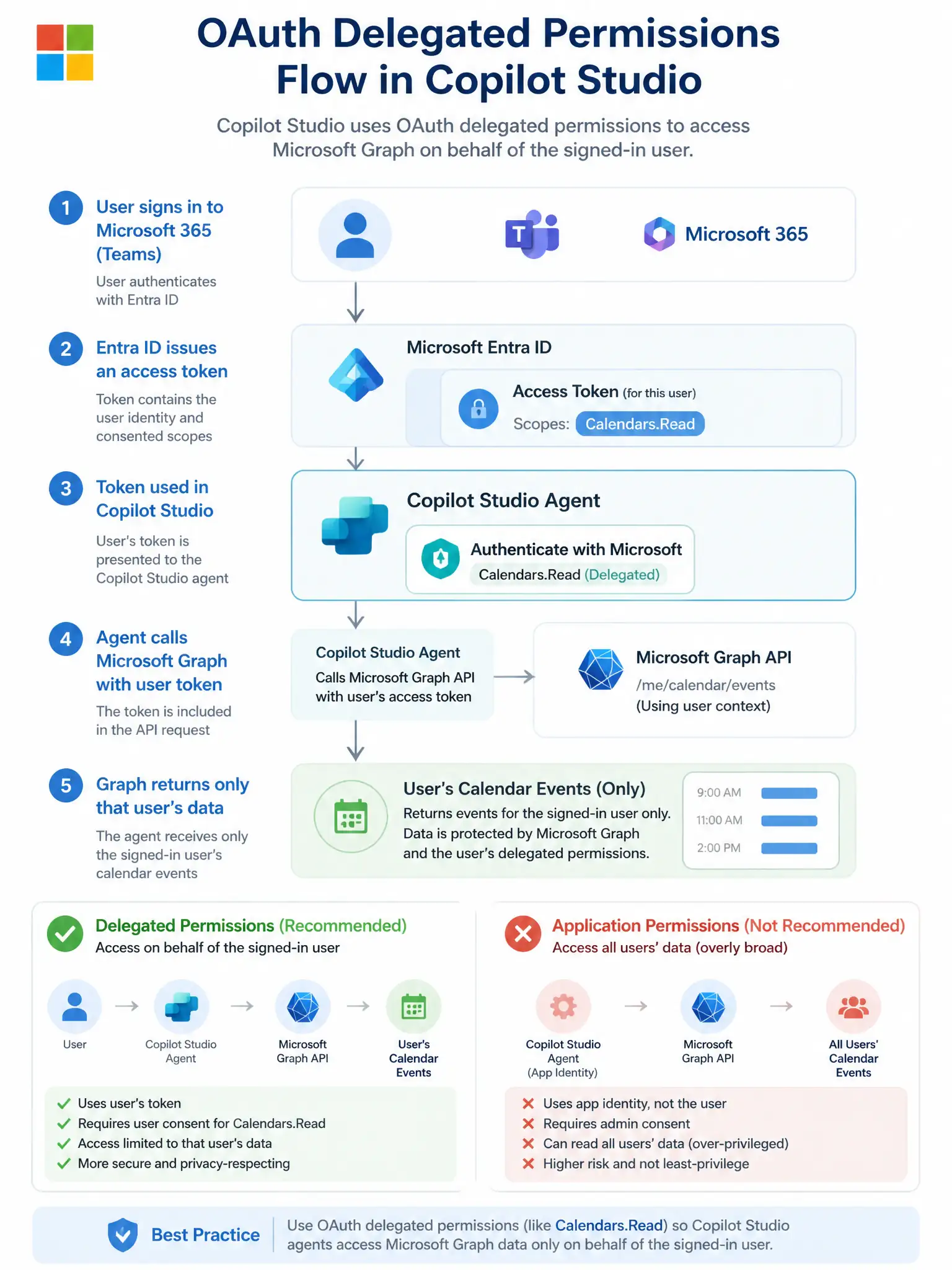
Reading a user's calendar requires their identity, not a service account's — like a hotel key that opens only YOUR room. The 'Authenticate with Microsoft' setting uses delegated permissions so Graph returns that specific user's data. The correct answer is B.
Full Explanation
## Why B is Correct 'Authenticate with Microsoft' configures Copilot Studio to use Microsoft Entra ID with delegated OAuth 2.0 permissions. When a user interacts with the agent, they authenticate (or SSO silently via Teams/M365), and the resulting token carries delegated scopes — such as Calendars.Read — that allow Microsoft Graph to return only that user's calendar data. This is the correct, least-privileged approach.
## Why the Distractors Are Wrong A (No authentication + email variable): Passing an email as a plain variable does not authenticate the user. The Graph API will reject requests without a valid bearer token, and this pattern is a security risk — any value could be injected into the email field.
C (Custom + application permissions): Application permissions (app-only) allow the service principal to read ALL users' calendars — this is over-privileged and inappropriate for a per-user personalization scenario. Application permissions should be used only for admin/backend jobs, not user-facing agents.
D ('Only for selected actions' + manual token): This approach is fragile and not how Copilot Studio's authentication model works. Manually injecting tokens is error-prone and bypasses the platform's built-in token management.
## Exam Tip Delegated permissions = user's own data. Application permissions = all users' data. For user-personalization scenarios, always use delegated scopes.